





Canva's AI music generator is the music feature inside Canva's design platform, reached through Magic Media and the audio panel rather than a standalone app. Our review covers what the generator actually produces, how the credits sit inside a Canva plan, and where it stops short of a dedicated song tool.
The short answer: the Canva AI music generator is a convenient way to score a video or a presentation with instrumental soundtracks inside one editor, but it is built to serve designs, not to replace a dedicated music generator.
What the Canva AI Music Generator Is
You meet the Canva AI music generator as a panel inside an existing design rather than as a separate workspace. Canva positions itself as an all-in-one design tool, and the music feature lives under Magic Media and the audio element: you open a video, a presentation, or a social post, choose audio, and describe the track you want. The same editor is where you would later place the result, which is the core difference from tools that hand you a finished audio file to take elsewhere.
The broader category helps place it. The AI Music Generator space now spans prompt-to-song studios and design-linked soundtracks, and Canva sits in the design-linked group with an emphasis on keeping the music inside the project. For a grounded comparison with the best-known song tool, the Suno Music Generator Review is the natural companion read, because both turn a brief into music yet start from different input models and different output expectations.
Canva states that you generate music by describing a mood, a genre, and a duration, then picking style tags such as Lo-fi, Cinematic, or Groovy. The vendor's feature page lists the generator as free to start, with a monthly token allowance on the free plan and a longer maximum track length on paid plans. We report those as the vendor's stated values and have not verified the exact caps by testing, so treat the numbers as a starting point rather than a fixed description of how it behaves.
How It Works in Practice
The workflow is built around the design you are already making, and most of the effort sits in describing the brief rather than editing the result afterward.
Open the audio panel in Magic Media
Generation starts from the audio element inside a supported design. You open a video or a presentation, choose the audio side panel, then choose to generate music rather than browsing the stock library. The tool assumes the music will serve the design on screen, which is why the panel sits next to the timeline instead of in a separate export window.
Describe the track with style tags
You tell Canva the mood, the genre, and the length you want, and the engine returns a small set of soundtrack options. The vendor suggests including a genre, a mood, and a tempo, then filtering results between free and Pro tracks. The first result is rarely the final one, but the loop is short: regenerate, preview, and drop the chosen take onto the timeline.
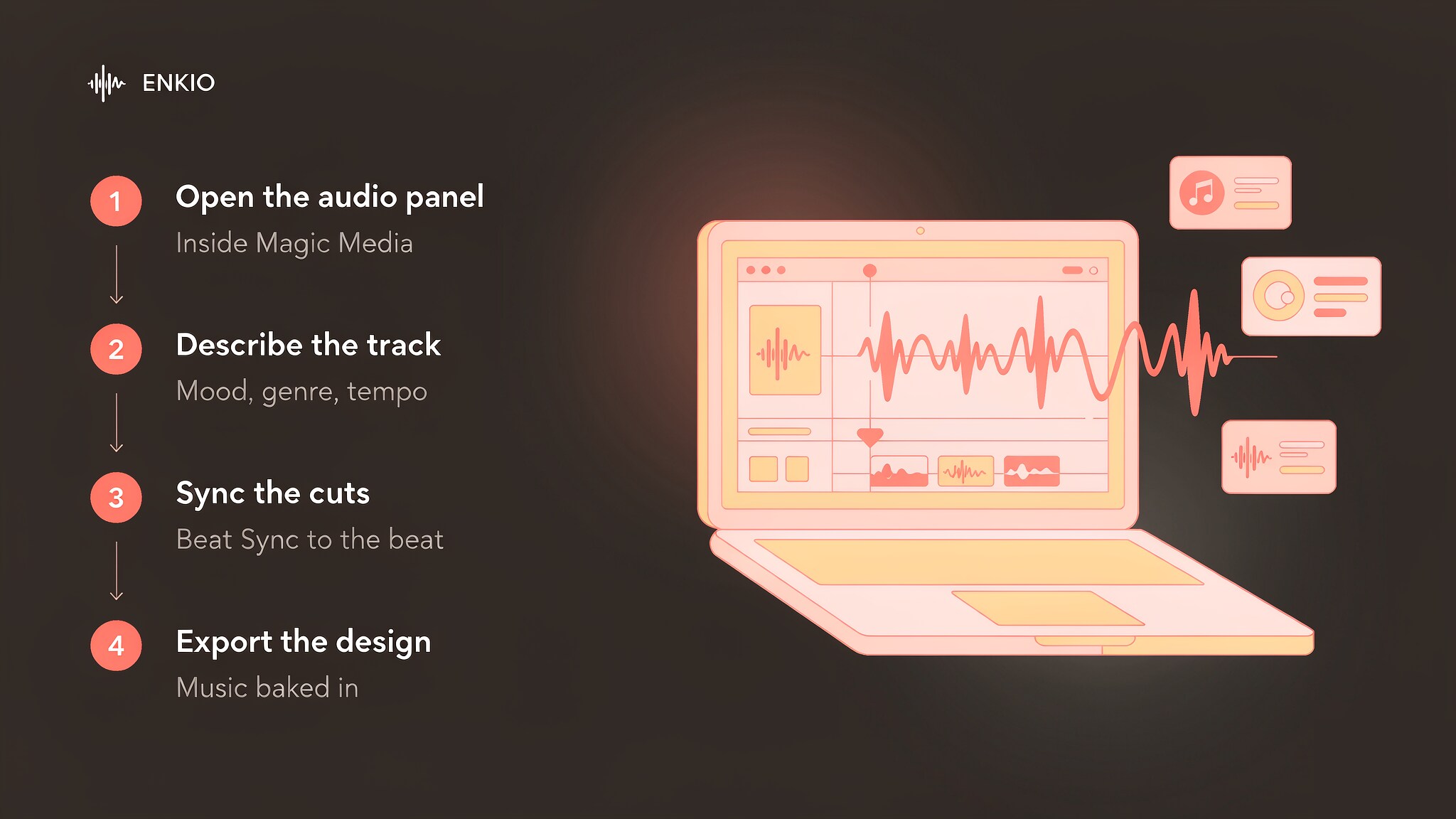
Use Beat Sync to fit the visuals
Once the track is on the timeline, Canva's Beat Sync lines your clips up to the music's beats so the cuts land on the rhythm. This is the step that makes the feature feel like a music video tool rather than a soundtrack tool: the audio drives the edit instead of sitting underneath it. The control is practical, though it shapes existing clips rather than generating performed footage from the song.
Export the finished design
The last step is the design export. You publish the video, the presentation, or the social post with the music baked in. The licence for the audio is issued at export as part of the design, which is convenient, but it also means the music travels as a layer of the project rather than as a file you hand to another tool.
What the Canva AI Music Generator Gets Right
Three strengths held up against the official listings we read.
One editor holds the music and the visual
The clearest advantage is the lack of a hop between tools. You score the video, trim the clips, add text, and export, all in the same window, which removes the download-and-reimport loop that dedicated generators create. For a social media manager cutting several clips a week, that single-window path is the main reason to use the feature at all. The Tunee AI Music Generator Review shows the opposite shape, where the music and the video live in separate meters and separate tools.
Fast soundtrack scoring with intensity control
The generator returns a usable instrumental bed in seconds, and the intensity control lets you raise or lower the energy per section so the music rises and falls with your edit. That is a genuine step beyond static stock audio, because the track can follow the shape of the scene instead of sitting at one level. For background scoring, the speed is the point.
Beat Sync keeps the cut on the rhythm
Because the audio and the clips share one timeline, Beat Sync can align transitions to the beat without a separate editing pass. The result reads as a music video even when the footage is simple, which is the outcome many short-form creators need. The feature is narrow, but within its lane it removes a repetitive manual step.
Pricing and Credits
As of September 2026, the music feature is part of the Canva subscription rather than a standalone paid product: on the free plan it draws from a monthly token allowance, and on paid plans it sits inside the plan's AI credit pool.
The vendor's listings describe the free plan with about 900 music tokens per month and up to 10 soundtracks per day, while Canva Pro is about $15 per month, or about $120 per year, with regional pricing that varies and roughly 500 Magic Media credits per month. Confirm the live figures on canva.com/pricing, because plan totals and regional rates shift.
| Plan | Stated price | Music metering |
|---|---|---|
| Free | $0 | About 900 music tokens per month, up to 10 soundtracks per day |
| Pro | About $15 per month, or about $120 per year | Inside the plan's AI credit pool (about 500 Magic Media credits per month) |
| Teams or Business | Per-seat, varies by region | Inside the plan's AI credit pool |
| Enterprise | Custom quote | Custom AI governance and credit terms |
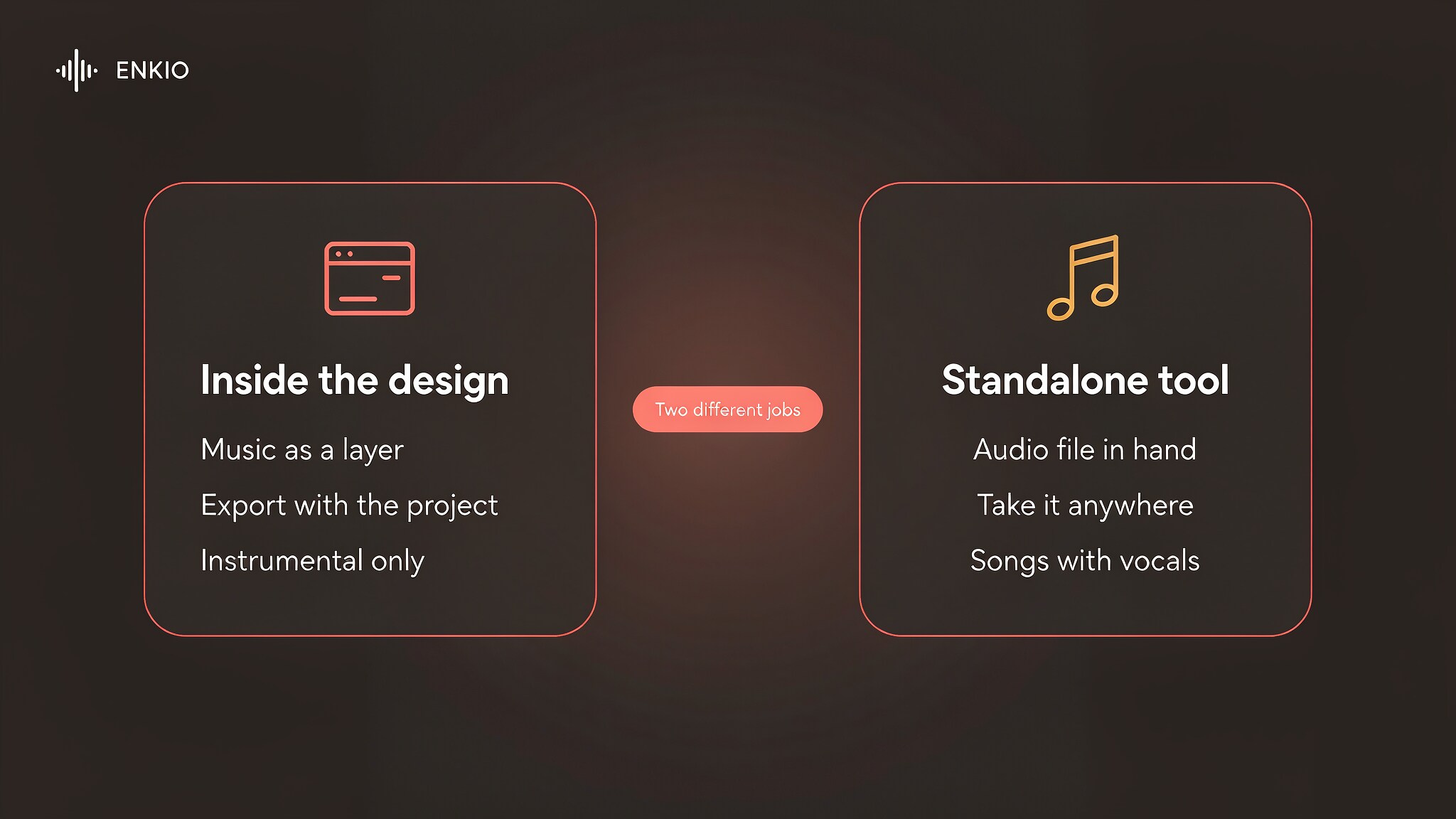
The detail that decides value is the bundle, not the headline. If you already pay for Canva Pro, the music costs nothing extra and the marginal price of scoring a video is zero. The inverse also holds: buying Canva for the music alone is not the reason to subscribe, because a standalone song generator gives more control for similar money.
Music generation is bundled into the plan, so the real question is whether the rest of the editor is already where you work.
Compare what a plan includes.
Enkio plans include AI music and music video generation, with credit costs listed on the pricing page.
Real Limitations of Canva AI Music Generator
The limits below are structural, and the first one is the reason most music-video decisions turn on this platform rather than its sound.
The music stays inside the design
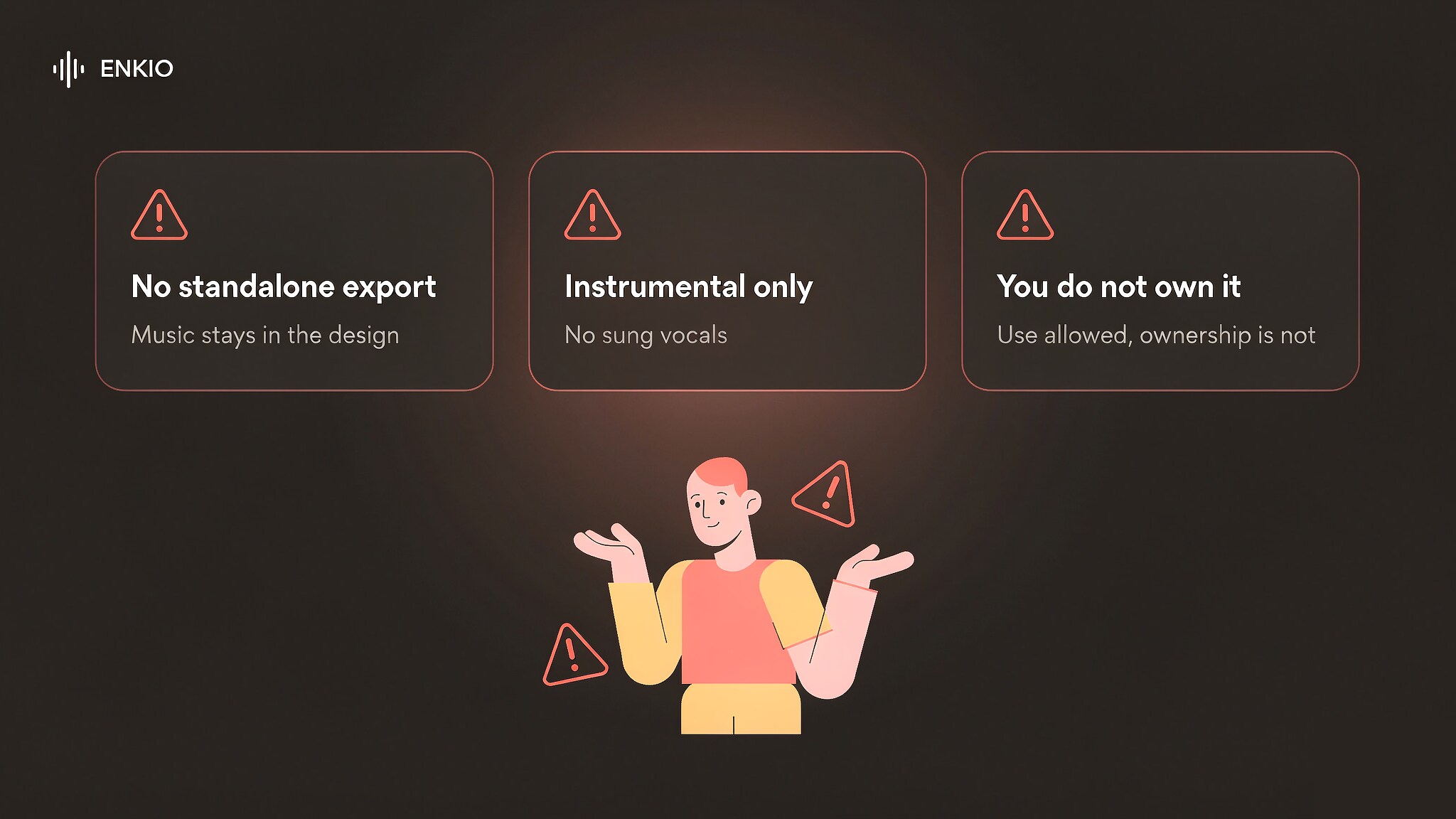
Canva does not offer a standalone export of the generated audio, and it does not offer a standalone music video export either. The soundtrack is a layer of the design, and the vendor states that free-plan output is limited to personal projects with no separate download of the raw track. That scoping is fine for a video made and published from Canva, but it blocks the workflow where you generate a song and then take it to another editor, a distributor, or a dedicated video tool.
If the piece you are missing is the finished music video, Enkio's AI Music Video Generator takes a finished track plus a visual direction and returns 720p and 1080p output across five aspect ratios, on credit-based plans with the current credit costs on its pricing page.
Instrumental only, no sung vocals
The music pipeline returns instrumental soundtracks rather than songs with vocals. A separate voiceover tool handles spoken audio, but the generator itself does not sing a lyric, which places a hard ceiling on the kind of music video you can build: you can score a scene, but you cannot generate a performed track with a vocal line the way dedicated song tools do. Third-party reviews note the same gap, and the vendor's own examples stay in the background-score lane.
You do not own the generated audio
Canva's AI Product Terms state that you may use generated audio in personal and commercial projects, but you do not own the generated audio and may not sell, sublicense, or register it as your own intellectual property. That is a different posture from tools that assign ownership of the output to the subscriber, and it matters the moment the music is meant to stand alone rather than sit inside a design. We report that as the vendor's wording and have not verified the terms directly.
Track length and variety have a ceiling
The vendor's FAQ states a maximum length per generated track, and the free plan limits how many tracks you can make per day. Within those caps the variety is serviceable for background scoring, but a creator who needs long-form, layered, or heavily arranged music will hit the limit quickly. The intensity control is the only meaningful post-generation edit, so the creative surface is thin next to a dedicated song studio.
How It Compares With Suno and Enkio
Two reference points help here: Suno, the web-native song generator, and Enkio, which publishes this review — read the last column as a statement of what ships today rather than as a verdict. The comparison below is a snapshot as of September 2026, and each vendor adjusts its plans, so verify specifics with the platform before you choose.
| Dimension | Canva | Suno | Enkio |
|---|---|---|---|
| Starting point | Describe a mood in the audio panel of a design | Text prompt with optional lyrics | Upload a song and image, or pick an official track |
| Music type | Instrumental soundtracks, no sung vocals | Songs with vocals and lyrics | Music generation with vocals and custom lyrics |
| Music video | Scores a design; video assembly is manual with Beat Sync | Not a core feature | The same plan covers the video, in Solo MV Mode or Two-Person MV Mode |
| Output specs | Audio inside the design, capped track length per take | Audio file per plan terms | 720p and 1080p across five aspect ratios |
| Standalone export | No separate audio or video export; the asset stays in the design | Audio export per plan | Video export on paid plans, watermark-free |
| Ownership of output | You may use it, but do not own the generated audio | Ownership terms per plan | Plan features differ by tier, check pricing |
| Billing unit | Bundled into a Canva plan (Free or Pro) | Pricing varies; check the vendor's site | $19.99 per month for 3,000 credits as of September 2026; failed generations are not deducted |
Canva suits the job where a video or a presentation needs a quick instrumental score inside the editor it is already built in, and Suno suits the desk-bound writing session that wants a sung track. The third case puts both halves of the release with one owner, so the song and the video stay inside a single plan.
The How to Use Suno AI Music Generator guide shows that path, and the Udio AI Music Generator Review covers the route where vocal control matters more than the design workflow. That column has limits too, since output tops out at 1080p and plan features differ by tier, so check the pricing page before treating any row as settled.
Who the Canva AI Music Generator Is For Right Now
Our comparison splits by job, because that is where the bundle and the export limit separate the fits from the misfits.
Canva suits creators who already build videos, presentations, or social posts in the editor and want a matching soundtrack without leaving the window. Social media managers, course creators, and small teams that value one tool for the whole asset are the natural fit, and the Beat Sync step makes short-form clips feel musical with little extra effort. The friction is low in a way dedicated generators are not.
It is a weaker fit for anyone who needs a sung track, a standalone audio file, or a performed music video, because the generator is instrumental and the export stays inside the design. It is also a poor match for musicians who want to release the song itself rather than score a visual, and for teams that need ownership or separate distribution of the audio. If your priority is a scored video made and published from Canva, this is a reasonable option in its category.
From a Canva Project to Something You Can Publish
A generated soundtrack is usually the start of a piece of work rather than the end of one. A video scored in Canva becomes a publishable post, and a presentation becomes a release asset.
If you already hold a track and want the visual half, Enkio takes the finished audio plus a visual direction and returns a music video, with 720p and 1080p output across five aspect ratios including 9:16 and 16:9. Canva soundtracks pair cleanly with a generated video, since the mood already matches the picture: shape the sound first, then give the finished audio a visual. For commercial usage terms, see Enkio's Terms of Use.
One reminder applies whichever route you take. Platform policies on AI-generated content differ, and several major platforms expect disclosure when music or video is machine-generated. Check the platform's current guidelines before publishing, particularly if monetisation is the goal.
Make more from your track.
Let Enkio create a complete AI music video from your song with optional prompts up to 2000 characters.
Frequently asked questions
These are the questions we see most often about the Canva AI music generator.
Is the Canva AI music generator free?
As of September 2026, there is a free plan at $0, and the vendor's listings describe it with about 900 music tokens per month and up to 10 soundtracks per day. Free output is limited to personal projects, and the vendor states you cannot download the raw track on its own. Paid plans include the music inside the plan's AI credit pool. Check canva.com/pricing for the current free limits before relying on them.
Does Canva generate music videos?
Canva can assemble a video around the generated track and uses Beat Sync to line clips up to the beat, but it is not a music video studio that generates a performed clip from a song. The music is a layer of the design, and the export stays inside that design. For a standalone, performed music video, a dedicated tool is the straighter path.
How much does Canva cost?
As of September 2026, Canva Free is $0, Canva Pro is about $15 per month or about $120 per year with regional pricing that varies, and Teams or Business is per-seat. The music feature is bundled into the plan rather than sold separately. Confirm the live figures on canva.com/pricing, because plan totals and regional rates shift.
Can I use Canva AI music commercially?
The vendor states you can use generated audio in personal and commercial projects as part of a Canva export, but you do not own the audio and may not sell, sublicense, or register it separately. The licence attaches to content used within an exported design. We report that as the vendor's wording and have not verified the terms directly, so read the AI Product Terms before any commercial step.
Do I own the music Canva generates?
No, under the vendor's AI Product Terms you do not own the generated audio, even though you may use it. That is the key difference from tools that assign output ownership to the subscriber, and it is why the feature fits scoring a design rather than releasing a track on its own. Treat the music as a licensed layer of your project.
Is there an alternative if I only need the video half?
If your song is already finished and the missing piece is the visual, you do not have to adopt a full music platform. In our Alternatives to Suno AI Music Generator guide we compare several options side by side. If your priority is turning an existing song into a video without learning a new timeline, Enkio handles the audio-to-video step from the track you already have.
Conclusion
Canva takes a distinctive position by treating music as one layer of the design you are already building, then letting Beat Sync shape the cut around it. The strengths are clear: one editor for the music and the visual, fast instrumental scoring with intensity control, and a rhythm-aware edit that reads as a music video.
The trade-offs are equally clear: the music stays inside the design with no standalone export, the pipeline is instrumental with no sung vocals, you do not own the generated audio, and the track length and variety have a ceiling. If the track is finished and the visual is the next item on your list, Enkio takes that step from the audio you already have, without a timeline to learn.