



Already have an AI-generated song? Give it a visual release.
Enkio turns an authorized track and reference image into a scene-based music video for vertical or widescreen publishing.
Start With the Domain, Not the Brand Name
The most useful question is not “Is MelodyCraft good?” but “Which MelodyCraft did I open?” The domains are not interchangeable accounts or plans unless the applicable site explicitly says so.
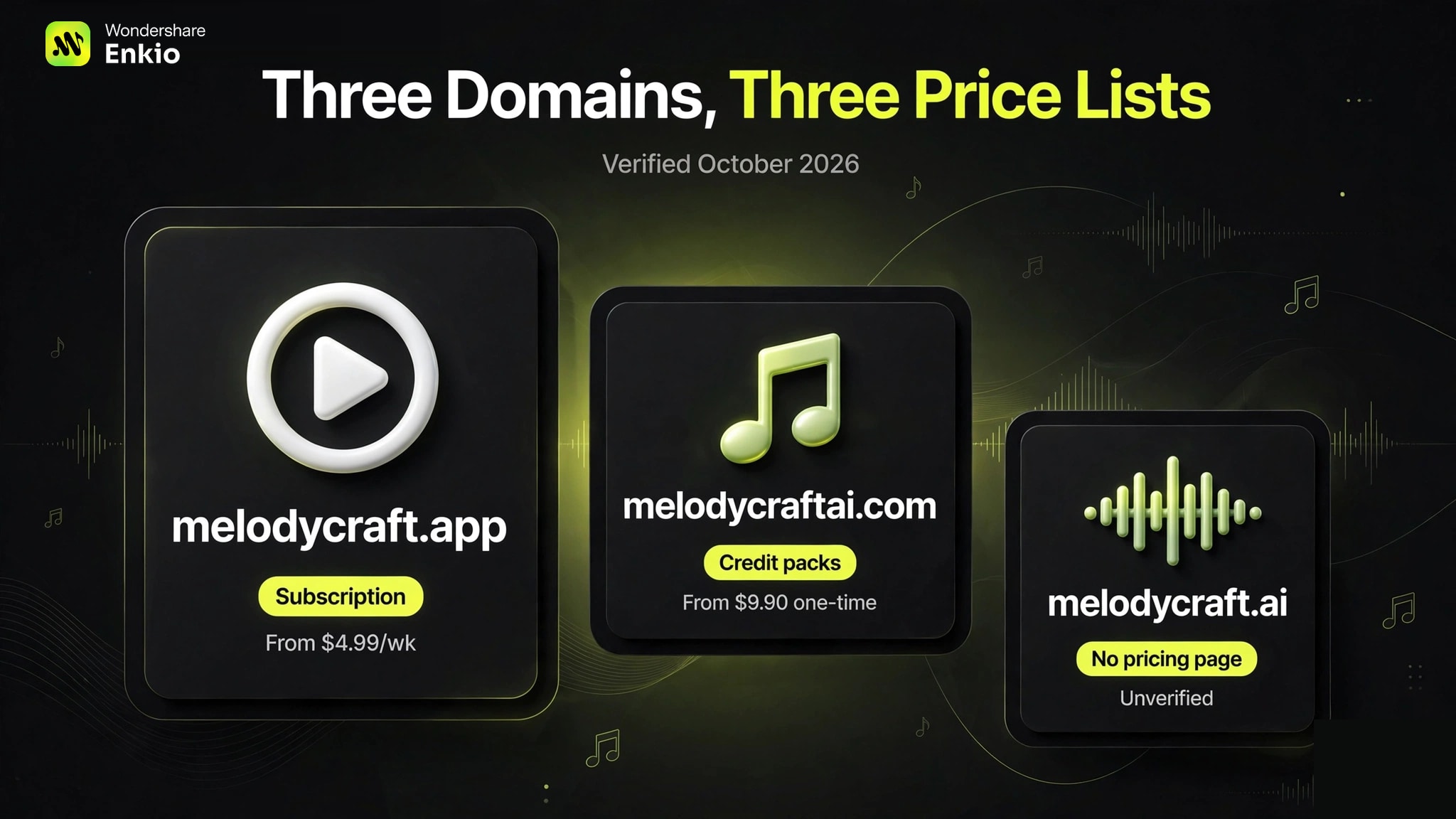
| Domain | Named operator | Current entry point | Commercial-use wording | Key caution |
|---|---|---|---|---|
| melodycraft.app | Meta Innovation Limited | Free: 1 total credit; paid from $4.99/week | Paid-plan songs may be used commercially | User content receives a broad platform license; AI inputs may be shared with named providers |
| melodycraft.ai | Hano Studio LLC | Free, Basic, and Pro pricing route exists; verify live amount | Terms call generated music royalty-free for personal and commercial use | Separate operator and account; live plan amounts were not captured in this review |
| melodycraftai.com | Omnial Tech Labs Ltd | $9.90 one-time pack or $9.90/month | Paid plans include a commercial license | No free generation credits at verification; terms disclose third-party inference services |
How We Tested These Tools
melodycraft.app Review
The `.app` product is operated by Meta Innovation Limited. Its current homepage describes text-to-song, lyrics-to-song, vocals, instrumental tracks, covers, and mobile access. The free plan grants one total credit; paid plans add downloads and royalty-free usage.
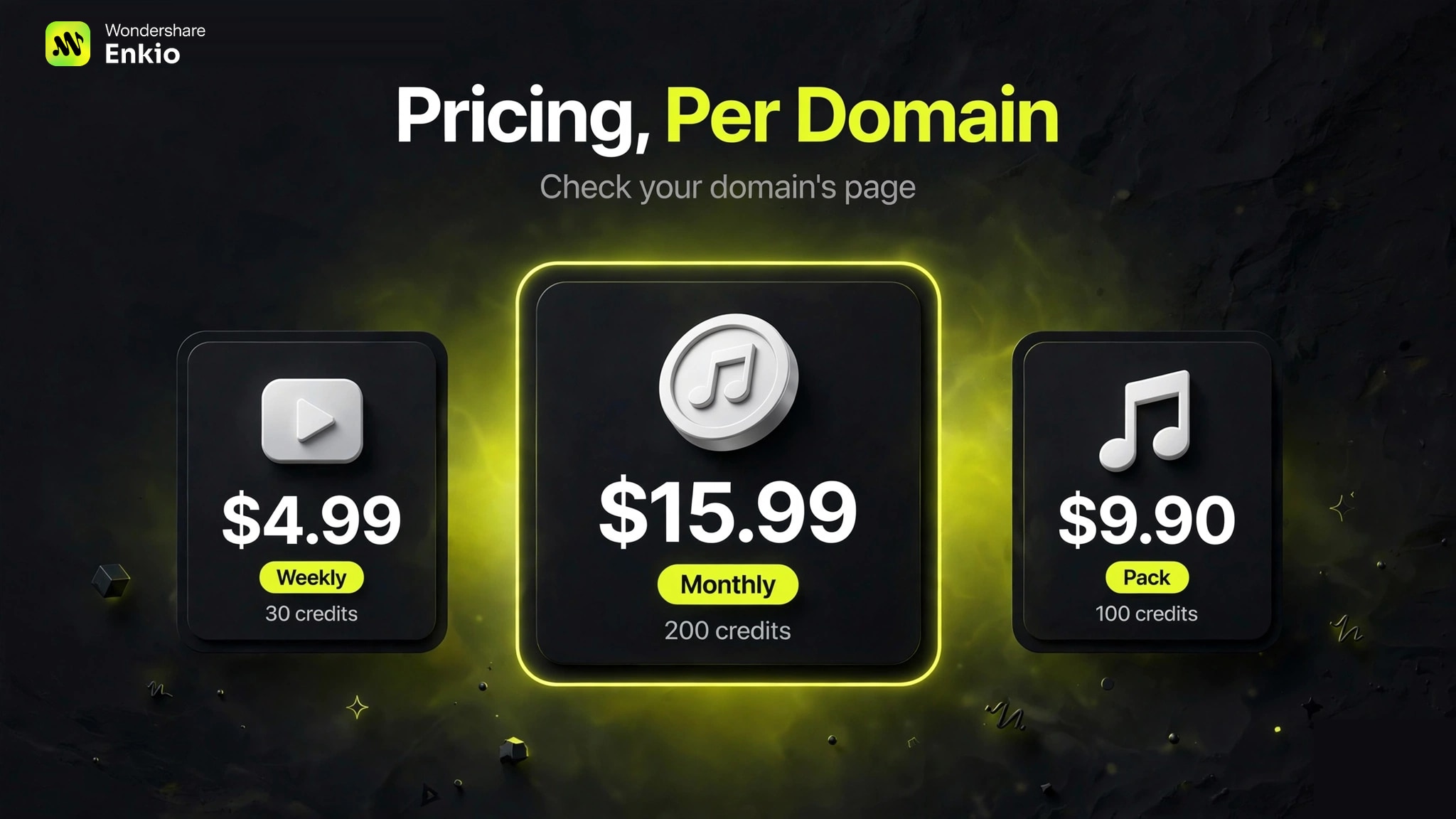
| Plan | Price | Credits | Published access |
|---|---|---|---|
| Free | $0 | 1 total credit | Exploration and personal learning; paid benefits are not included |
| Weekly | $4.99/week | 30 | App/web sync, downloads, royalty-free usage |
| Monthly | $15.99/month | 200 | App/web sync, downloads, royalty-free usage |
| Yearly | $99.99/year | 1,200 | App/web sync, downloads, royalty-free usage |
The pricing FAQ says songs created with paid plans can be used for personal or commercial projects. It also says subscription credits do not roll over; credits refresh when the subscription renews.
The legal details deserve more attention than the feature list. The Terms of Service say users retain rights they otherwise hold in uploaded or created content, but grant MelodyCraft a nonexclusive, worldwide, royalty-free, transferable, sublicensable, perpetual, and irrevocable license to use that content for MelodyCraft-related purposes. The Privacy Policy says prompts, lyrics, uploaded audio or voice recordings, and processing identifiers may be shared with named third-party AI providers to complete requests.
That does not make the service illegitimate. It means unreleased client recordings, confidential lyrics, and voice data require a more careful privacy decision than casual experimentation.
melodycraft.ai Review
The `.ai` service identifies Hano Studio LLC as the operator and publishes a United States business address. Its official pages describe text-to-song, lyrics-to-song, vocals, instrumentals, a vocal remover, song extension, and related creative tools.
Its Terms of Service, effective December 25, 2025, state that users retain ownership rights to music they create and that generated music is royalty-free for personal and commercial use. The site now has a public pricing route and names Free, Basic, and Pro plans, correcting the older version of this review that said no public pricing page existed. Because the plan cards did not render reliably during this check, the exact amounts are not quoted here; verify the live price before subscribing.
The `.ai` site is a separate product and operator from `.app`. Do not assume a mobile app, subscription, credit balance, or support promise transfers between them merely because both use the same brand name.
melodycraftai.com Review
The `.com` service identifies Omnial Tech Labs Ltd as the operator. Its current product set includes text-to-music, lyrics-to-song, rap, song covers, lyrics tools, and name generators.
| Offer | Price | Credits | Published terms |
|---|---|---|---|
| Starter pack | $9.90 once | 100, valid 365 days | MP3, commercial license, lossless download |
| Basic | $9.90/month | 150 | Auto-renews; commercial license; lossless download |
| Pro | $24.90/month | 500 | Auto-renews; commercial license; lossless download |
The pricing FAQ says the site does not currently offer free trial credits: account creation is free, but song generation requires paid credits. Its Terms of Service, last updated February 26, 2026, say paid plans include a commercial license, while any free tier is for personal, non-commercial use. The terms also disclose reliance on third-party inference services.
This domain is the clearest of the three on one-time credit validity and lossless download, but it still requires the user to verify what one song costs, which generation modes consume more credits, and whether unused subscription credits roll over.
What All Three Products Have in Common
All three domains offer prompt- or lyrics-based music generation and present commercial use as possible under at least some plan or terms. None of those statements removes the user's obligation to clear uploaded lyrics, recordings, voices, samples, names, and other third-party material.
They also share a budgeting problem common to credit-based music tools: the plan allowance does not automatically reveal the cost of a finished, usable track. A serious evaluation needs the credits per generation, the number of variants required, the download format, the failure/refund policy, and whether unused allowance expires.
Real Limitations
The name creates avoidable purchase risk
Search results, app-store listings, and articles can refer to different MelodyCraft products without making the domain clear. This is the largest practical risk because it can lead a user to apply the wrong price, privacy policy, or license to a purchase.
Audio quality is not established here
Official feature pages can prove that a mode exists; they cannot prove that vocals, composition, mixing, or prompt adherence are better than alternatives. No controlled audio set or blind evaluation was available, so this article does not claim a winner.
Professional workflow details vary
The three products differ in how clearly they document lossless files, downloads, API access, stems, project history, and credit carryover. Confirm those requirements before using any of them for a DAW, client, or production automation workflow.
Data and content licenses need domain-specific review
On `.app`, the privacy policy explicitly names third-party AI providers and the terms grant the platform a broad license to user content. The other domains publish their own separate policies. Never rely on a privacy summary written for another MelodyCraft site.
Which MelodyCraft Should You Choose?
Choose `.app` if the priority is a shared mobile/web account, a very small free preview, and straightforward weekly, monthly, or annual subscriptions—and you accept the documented content-license and provider-sharing terms.
Choose `.ai` if the Hano Studio product and its royalty-free commercial-use terms match the workflow, but verify the live Free, Basic, and Pro prices before paying.
Choose `.com` if a one-time pack, explicit lossless download, or lower monthly entry price is more useful than a subscription attached to a mobile app. There is no free generation trial at the verified date, so the first meaningful test is paid.
If the real deliverable is a music video rather than an audio file, none of these song generators completes that job alone. An AI music video generator is the next workflow stage after the track is finalized and cleared for use.
Frequently asked questions
Which MelodyCraft is the official one?
There is no single answer across the brand name. melodycraft.app, melodycraft.ai, and melodycraftai.com each publish their own operator and legal terms. Treat them as separate services unless one domain explicitly documents a relationship.
Is MelodyCraft free?
It depends on the domain. melodycraft.app lists one total free credit. melodycraftai.com says it currently offers no free generation credits. melodycraft.ai names a Free plan, but its current allowance and restrictions should be checked on the live pricing page.
Can MelodyCraft songs be used commercially?
Commercial-use wording also depends on the domain and plan. `.app` limits its clear commercial promise to paid-plan songs; `.ai` terms call generated music royalty-free for personal and commercial use; `.com` terms say paid plans include a commercial license. Rights to uploaded material and platform rules still apply.
Who operates MelodyCraft?
Meta Innovation Limited operates melodycraft.app, Hano Studio LLC operates melodycraft.ai, and Omnial Tech Labs Ltd operates melodycraftai.com, according to each site's current legal pages.
Do MelodyCraft credits roll over?
On melodycraft.app, unused subscription credits do not roll over and refresh with the plan. For the other domains, confirm the live pricing FAQ and account terms before subscribing rather than assuming the same rule.
Conclusion
MelodyCraft is not one product with inconsistent pages; it is a shared name used by at least three separately operated services. The safest buying sequence is domain first, operator second, plan and renewal third, license fourth, and only then audio quality. Once those facts are fixed, run the smallest paid or free test available and judge one complete project—not a single impressive preview.