



Creating a music video used to mean hiring a crew, planning a shoot, and spending days in an editing suite. The best AI music video generators now offer a faster route: upload a song, provide a visual reference or prompt, and turn the track into a sequence of scenes that moves with the music.
Turn your song into a complete music video
Enkio plans scenes around your track and lets you refine individual shots before export.
The tools are not interchangeable, though. Some can plan and assemble a complete multi-scene video. Others specialize in beat-reactive animation, stock-footage editing, lyric videos, or short cinematic shots that still need to be assembled manually.
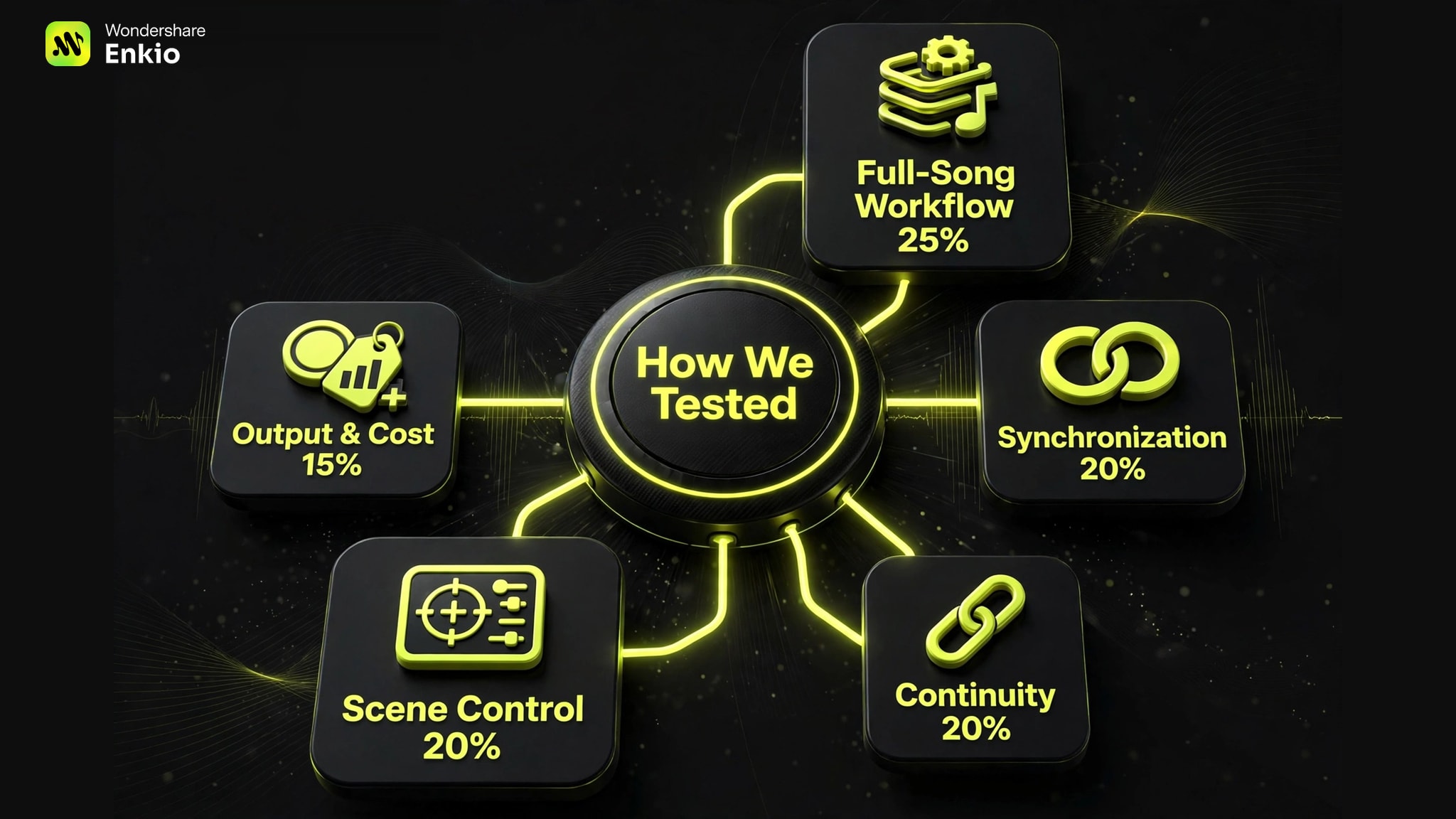
We reviewed the leading options against six practical criteria: full-song support, music synchronization, character and style consistency, scene-level control, output flexibility, and cost. Product details and public pricing were checked on November 11, 2026; plans and features can change.
How We Tested These Tools
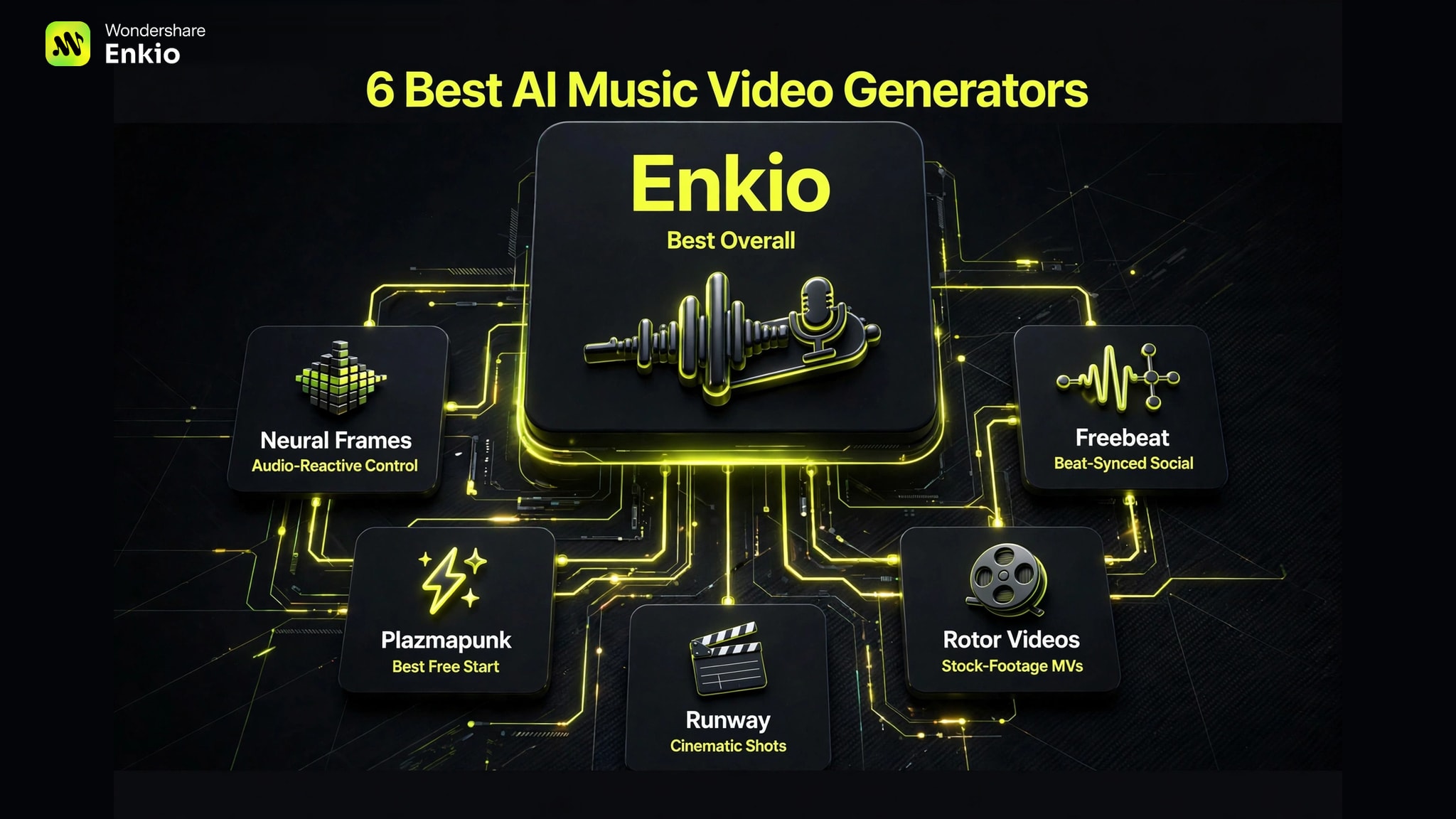
The Best AI Music Video Generators at a Glance
| Tool | Best for | Full-song workflow | Standout strength | Main limitation |
|---|---|---|---|---|
| EnkioOur pick | Best overall | Yes | Plans, generates, refines, and composes a complete MV | Paid plans are needed to unlock music video creation |
| Neural Frames | Best for audio-reactive control | Yes | Timeline editing, stem analysis, lyrics, and lip sync | Higher cost and a deeper learning curve |
| Freebeat | Best for fast, beat-synced social videos | Yes | One-click workflow with dance, lyric, and performance modes | Less transparent pricing before sign-in |
| Plazmapunk | Best free starting point | Yes | Fast generation plus a scene editor with multiple AI models | Free exports have restrictions; premium generations use more credits |
| Rotor Videos | Best for stock-footage music videos | Yes | Huge licensed clip library and automatic music-aware editing | Less suitable for fully original AI characters and worlds |
| Runway | Best for cinematic custom shots | No | High-end video generation and editing in one creative suite | Requires manual storyboarding, synchronization, and assembly |
1. Enkio — Best AI Music Video Generator Overall
Enkio is the strongest all-round choice for creators who want to move from a finished song to a coherent, complete music video in one workflow. Rather than treating a music video as a collection of unrelated AI clips, it builds the process around song structure, lyrics, characters, visual direction, and multi-scene storytelling.
The basic workflow is straightforward: upload an MP3 or WAV file, add a character image or visual reference, and describe the story or aesthetic. Enkio analyzes the track and proposes a creative plan. You can then review the characters, environment, stage, and individual shots before generating the finished sequence.
Its most useful feature is selective regeneration. If one scene has the wrong action, framing, camera movement, or mood, you can revise that shot instead of paying to recreate the entire video. That makes iteration much more practical than a one-click system that locks the user into its first edit.
Key features
- Complete, multi-scene music video generation
- Song-structure and lyric-aware creative planning
- Reference-image support for characters and visual direction
- Character, styling, and performance consistency across shots
- Lip sync and performance-focused scenes
- Scene-level editing and regeneration
- MP4 export in landscape, portrait, square, and additional aspect ratios
- 720p and 1080p standard output; 2K is listed for Ultra Mode
Pricing: The Starter plan is listed at $19.99 per month with 3,000 monthly credits. The Creator plan is $39.99 per month with 7,000 credits, more concurrent tasks, longer task storage, and higher asset limits.
Where it falls short: Music video creation is a credit-intensive task, so frequent regeneration can raise the effective cost per finished video. The Starter plan also limits project storage and the number of music and portrait assets.
Verdict: Enkio is the best fit for musicians who want an end-to-end AI director, not just a clip generator. It offers the most balanced combination of automation, character continuity, lip sync, shot control, and full-video assembly.
Our verdict
Best when the deliverable is a complete music video.
Enkio combines song-aware planning, recurring characters, lip sync, selective scene regeneration, and final assembly. Its credit model remains the main limitation.
Pros
- Complete MV workflow
- Scene-level regeneration
- Multiple output formats
Turn your song and reference images into a multi-scene AI music video.
Create AI MV2. Neural Frames — Best for Audio-Reactive Visuals and Deep Control
Neural Frames is built specifically for musicians who want visuals to respond to the structure and energy of a track. It combines an Autopilot mode for complete videos with a more detailed timeline editor for users who want to direct individual sections.
Its audio tools are the main attraction. Neural Frames can split a track into stems, allowing visual changes to react to individual musical elements rather than only the master beat. It also supports beat synchronization, lyric videos, lip-synced performance shots, multiple recurring characters, and custom visual styles.
This range makes it particularly effective for electronic music, psychedelic animation, visualizers, and tracks in which changes in rhythm or instrumentation should drive the imagery.
Key features
- Autopilot for full-length music videos
- Audio-reactive effects and beat synchronization
- Stem extraction for instrument-level control
- Full timeline editor
- Lyric and lip-sync tools
- Multi-character consistency
- Short-form studio and horizontal-to-vertical conversion
- 1080p upscaling on all paid plans; 4K on higher tiers
Pricing: Monthly plans start at $39 for 2,400 credits. Annual billing lowers the advertised equivalent starting price to $26 per month. Higher plans add more models, credits, and 4K upscaling.
Where it falls short: The interface and credit model reward users who are willing to learn the system. It can be excessive for someone who only needs a quick social clip, while the higher-credit tiers are a serious expense for occasional creators.
Verdict: Choose Neural Frames when synchronization and granular audio control matter more than simplicity. It is one of the most capable options for musicians who want to treat AI visuals like another instrument in the production.
3. Freebeat — Best for Fast, Beat-Synced Social Content
Freebeat focuses on speed. Its public workflow is designed to turn an uploaded track into a beat-synced video with minimal setup, making it attractive to creators who publish frequently on TikTok, Instagram Reels, YouTube Shorts, or Spotify Canvas.
The platform goes beyond a single music-video mode. It offers dance videos, lyric videos, real-time music visuals, photo karaoke, beat effects, and music-cover videos. Freebeat also emphasizes character consistency and lip synchronization, which helps performance-oriented clips look more intentional than a random montage of generated shots.
Key features
- One-click song-to-video generation
- Automatic beat detection and synchronization
- Lip-synced singing and performance visuals
- Dance-video and choreography-oriented modes
- Lyric videos, photo karaoke, and music cover loops
- Character consistency across generated scenes
- Social-first formats and effects
Pricing: Free creation options are promoted on the site, but exact plan details were not fully visible without entering the app. Check the current pricing page before committing to a longer project, particularly if you need watermark-free downloads or repeated full-song renders.
Where it falls short: The automation that makes Freebeat fast also reduces directorial control. Creators with a precise narrative, shot list, or brand system may find a scene editor more suitable.
Verdict: Freebeat is a smart choice for musicians and social teams that value output speed, obvious beat synchronization, and reusable short-form formats over detailed manual editing.
4. Plazmapunk — Best Free AI Music Video Generator to Start With
Plazmapunk offers one of the clearest entry points for musicians who want to experiment before paying. You can upload an MP3 or WAV file, select a preset aesthetic or describe your own, and generate a beat-synced video in a few minutes.
What makes it more useful than a basic visualizer is its Scene Editor. A project can contain up to 50 clips, which can be reordered along the song. Starting images can be used to create continuity, while an AI Director can expand a simple concept into a set of scene prompts.
Plazmapunk currently lists two video-generation routes: its LTX 2.5 model for clips from 4 to 24 seconds in 720p or 1080p, and Google Veo 3.1 for shorter premium clips. Quick Video handles automation, while Scene Editor gives creators more control.
Key features
- Free-to-start music video workflow
- Quick Video and scene-by-scene editing modes
- Up to 50 clips per song
- AI-generated scene prompts
- Starting-image support for visual continuity
- Beat-, instrument-, and lyric-aware synchronization
- 16:9, 9:16, 1:1, and 4:3 output
- Dedicated Spotify Canvas workflow
Pricing: Plazmapunk is free to start. Paid plans add Full HD output and watermark removal; premium video models consume additional credits.
Where it falls short: Results can vary from scene to scene, particularly when the concept relies on a recurring human character. Using many premium clips can also remove some of the cost advantage of the free entry tier.
Verdict: Plazmapunk is the best place to explore AI music videos without an immediate subscription. It is also a capable option for creators who want a midpoint between one-click automation and a manual timeline.
5. Rotor Videos — Best for Stock-Footage Music Videos
Rotor Videos takes a different approach. Instead of generating every frame from a text prompt, it analyzes the music and automatically edits selected footage to match the track. Its library contains more than 17 million stock clips, with over 150 styles, filters, and audio-reactive effects.
This workflow is often more predictable than generative video. Real footage already has coherent motion, people, and locations, so it avoids many of the distorted faces and continuity problems that can appear in fully generated scenes. Rotor also covers music videos, lyric videos, Spotify Canvas loops, album motion, and promotional social assets.
Key features
- Automatic analysis and cutting based on the music
- Library of more than 17 million stock clips
- 150+ video styles, effects, and filters
- Lyric videos and music videos
- Spotify Canvas, social, and album-motion formats
- Text overlays and preset cropping tools
- Free project creation with payment required for download
Pricing: Rotor advertises unlimited visual plans from $9.99 per month and also lets users create before paying for a download. Confirm the export terms and licensing for the plan you select.
Where it falls short: Rotor is closer to an intelligent stock-video editor than a pure generative AI filmmaker. It is not the best choice if the concept requires a unique fictional performer, a custom fantasy world, or exact character continuity.
Verdict: Rotor is ideal for indie artists who need a polished, music-aware video quickly and prefer the reliability of real footage over the novelty of fully generated visuals.
6. Runway — Best for Cinematic AI Shots and Advanced Editing
Runway is a general creative AI suite rather than a dedicated song-to-video service. That distinction matters: it will not automatically analyze a full track, plan an edit, and deliver a complete synchronized music video. What it does provide is a powerful set of models and editing tools for producing the individual shots that make a more ambitious video possible.
Runway is best used as part of a directed workflow. Create a shot list, generate or transform each clip, establish recurring visual references, and assemble the results in a timeline editor such as DaVinci Resolve, Premiere Pro, Final Cut Pro, or Runway itself. The extra work offers much more control over composition, movement, pacing, and transitions.
Key features
- High-end text-to-video and image-to-video generation
- Tools for editing, transforming, and extending footage
- Video, image, and audio creation in one workspace
- Custom workflows for repeatable production tasks
- Strong motion quality and prompt adherence in current models
- Suitable for concept-heavy, narrative, and effects-driven shots
Pricing: Runway offers a free entry point and credit-based paid plans. Because model access and credit costs change, review the current plan before estimating a full-song project.
Where it falls short: Runway does not solve the music-video workflow by itself. Storyboarding, beat matching, scene order, lip sync, and final assembly require more planning and manual editing than with Enkio, Neural Frames, or Plazmapunk.
Verdict: Runway is the best option on this list for directors who want to build a highly customized music video shot by shot. It is less suitable for musicians seeking a finished result from one upload.
How to Choose the Right AI Music Video Generator
The best tool depends less on the most impressive demo and more on the job you need it to perform.
Choose a full-song generator if you want speed
Enkio, Neural Frames, Freebeat, and Plazmapunk can interpret a track and carry the workflow across multiple scenes. These platforms are the most practical for solo musicians who do not want to assemble dozens of short clips manually.
Prioritize scene control for narrative videos
If your song has a story, look for shot-level regeneration, scene reordering, recurring characters, and reference images. Enkio and Plazmapunk provide direct scene workflows, while Neural Frames offers a deeper timeline. Runway offers the most freedom, but requires the most production work.
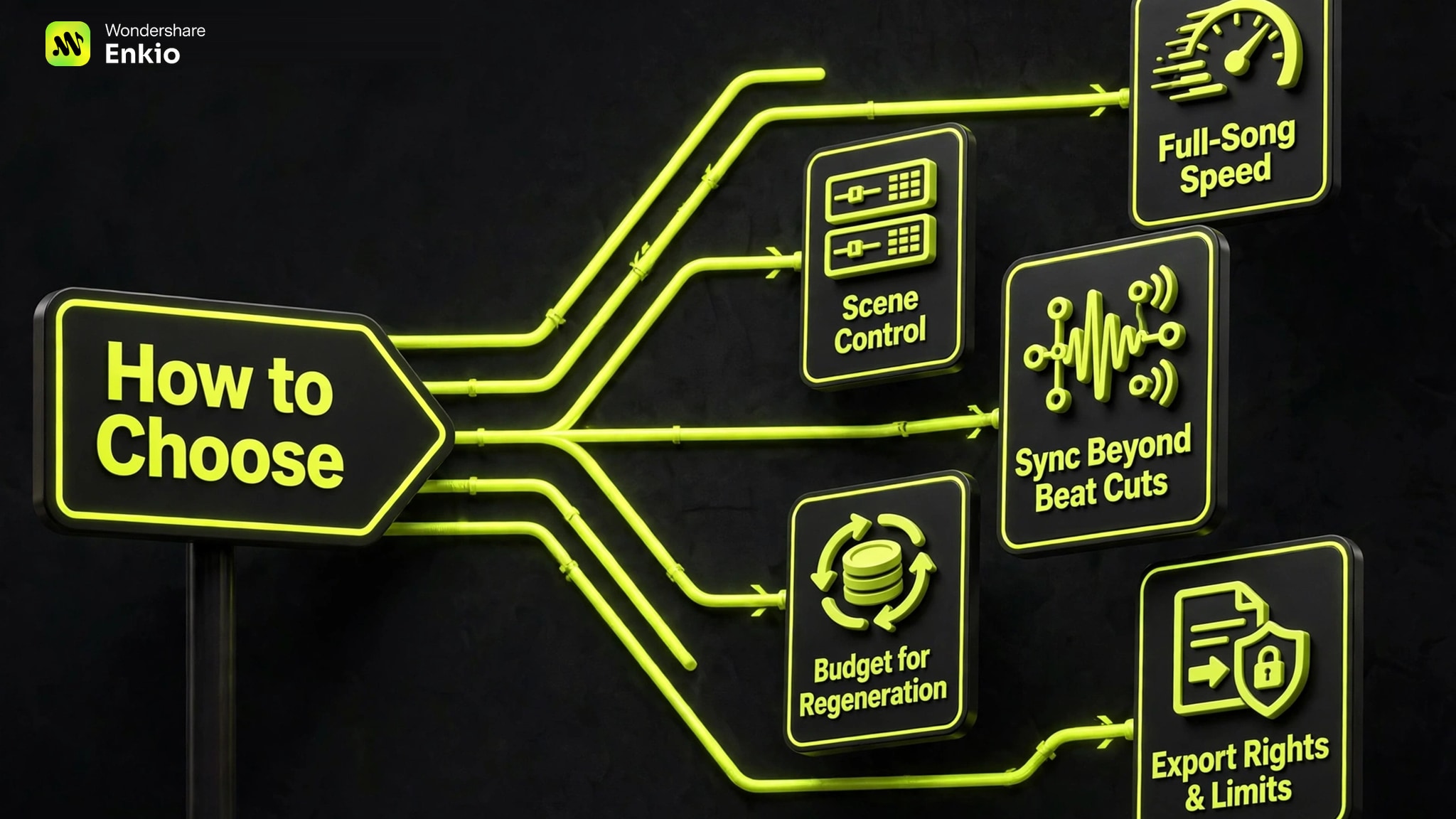
Check synchronization beyond simple beat cuts
“Audio reactive” can mean anything from flashing on every downbeat to understanding verses, choruses, lyrics, and individual stems. Neural Frames is strongest for detailed audio response. Enkio is better suited to planning a coherent video around the full song, while Freebeat is optimized for immediately visible rhythm and social content.
Budget for regeneration, not only the first render
AI video rarely produces every shot correctly on the first attempt. Estimate the cost of generating two or three versions of difficult scenes. A cheaper subscription can become expensive if it provides too few credits for iteration.
Confirm export rights and technical limits
Before using an AI music video commercially, verify the plan's watermark policy, resolution, download rights, and licensing terms. You must also own or have permission to use the music, photographs, likenesses, logos, and other material you upload.
How to Use Enkio
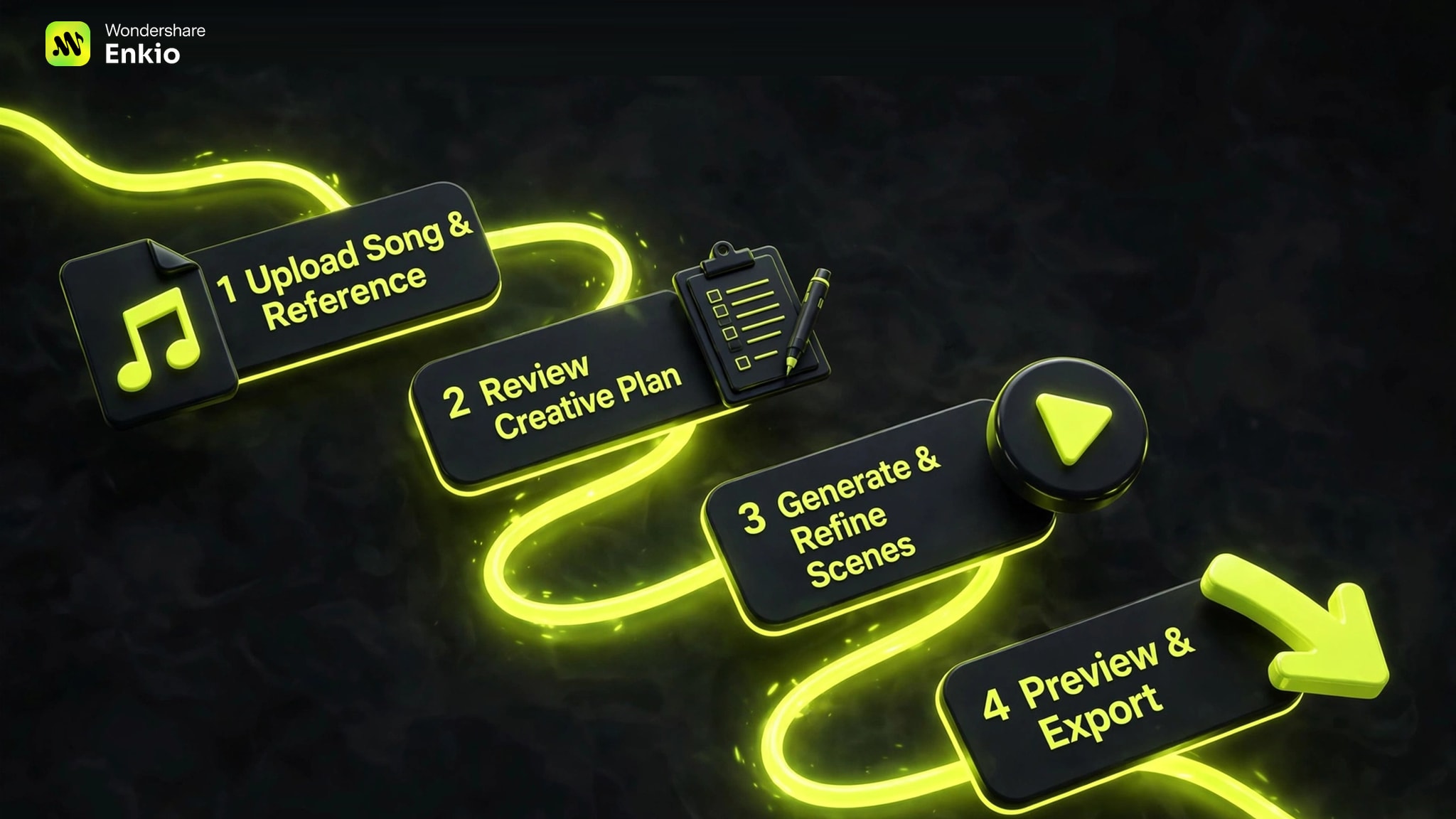
Enkio uses a guided workflow that moves from an uploaded song and visual reference to a refined, multi-scene music video.
-
Add an MP3 or WAV track, then upload a character image or visual reference and describe the desired story or style.
Done whenThe project contains the song, reference image, and creative direction.
-
Check the proposed characters, stage, environment, scene order, and overall visual direction before generation.
Done whenThe plan matches the song and intended release format.
-
Generate the sequence, preview individual shots, and selectively regenerate any scene with the wrong action, framing, camera movement, or mood.
Done whenEach scene is coherent enough for the final edit.
-
Review the assembled music video, confirm the aspect ratio and resolution, and export the final MP4 under the terms of your plan.
Done whenThe exported file is ready for its intended publishing channel.
Conclusiuon: Which AI Music Video Generator Is Best?
For most musicians, Enkio is the best overall AI music video generator because it combines song analysis, creative planning, consistent characters, lip sync, shot-level revision, and final assembly in one platform.
The other tools win in more specific situations:
- Choose Neural Frames for deep audio-reactive control and timeline editing.
- Choose Freebeat for fast, beat-synced social and dance videos.
- Choose Plazmapunk to start free and experiment with a scene editor.
- Choose Rotor Videos for dependable stock-footage edits and lyric content.
- Choose Runway when you want to direct every cinematic shot yourself.
No tool eliminates creative judgment. The strongest results still come from a clear concept, a restrained visual style, consistent references, and a willingness to regenerate weak scenes. AI shortens production; direction is what makes the finished video memorable.
Frequently asked questions
Can AI create a complete music video from one song?
Yes. Dedicated platforms such as Enkio, Neural Frames, Freebeat, and Plazmapunk can analyze an uploaded song and produce a multi-scene video. The level of automation and editing control varies. General video generators such as Runway create individual clips and usually require manual assembly.
What is the best free AI music video generator?
Plazmapunk is the best free starting point in this comparison because it offers a free entry workflow and a scene editor. Freebeat also promotes free creation, while Rotor lets users build a project before paying to download. Free tiers commonly include watermarks, limited credits, lower resolution, or restricted exports.
Can I turn a Suno song into an AI music video?
Yes. Download the song in a format accepted by the chosen platform, usually MP3 or WAV, then upload it with a visual prompt or reference image. Enkio also publicly lists support for Suno audio links. Make sure you have the rights required for your intended use.
Which tool is best for AI lyric videos?
Neural Frames is a strong choice when lyrics need to integrate with audio-reactive visuals and timeline control. Rotor is easier for stock-footage lyric videos, while Freebeat offers a fast dedicated lyric-video mode.
Are AI-generated music videos safe for commercial use?
Commercial use depends on the tool's current terms and on the rights attached to every input. A paid plan may remove a watermark without granting rights to copyrighted music, celebrity likenesses, branded characters, or third-party images. Review the license and keep records for all source material before publishing.
How long does it take to generate an AI music video?
A fast automated draft can take minutes, but a publishable video usually takes longer. Time is spent reviewing the creative plan, regenerating weak scenes, correcting lip sync or continuity, and preparing landscape and vertical exports. A realistic workflow allows at least one revision pass.