



Plazmapunk is built around a clear starting point: upload a song, select a visual route, and generate footage that responds to the music. We tested its Quick Video workflow with a 30-second WAV and downloaded one of two returned options. The file was a valid 1280×720 MP4 at 24 fps, but it covered only 8.021 seconds and carried a prominent Plazmapunk watermark. This content is based on the review test, and the comparison applies the same criteria and explicit limits to our workflow.
Decide whether you need a clip or a complete MV.
Enkio starts from a song and images when the deliverable requires a guided, multi-stage music video workflow.
What Plazmapunk Is
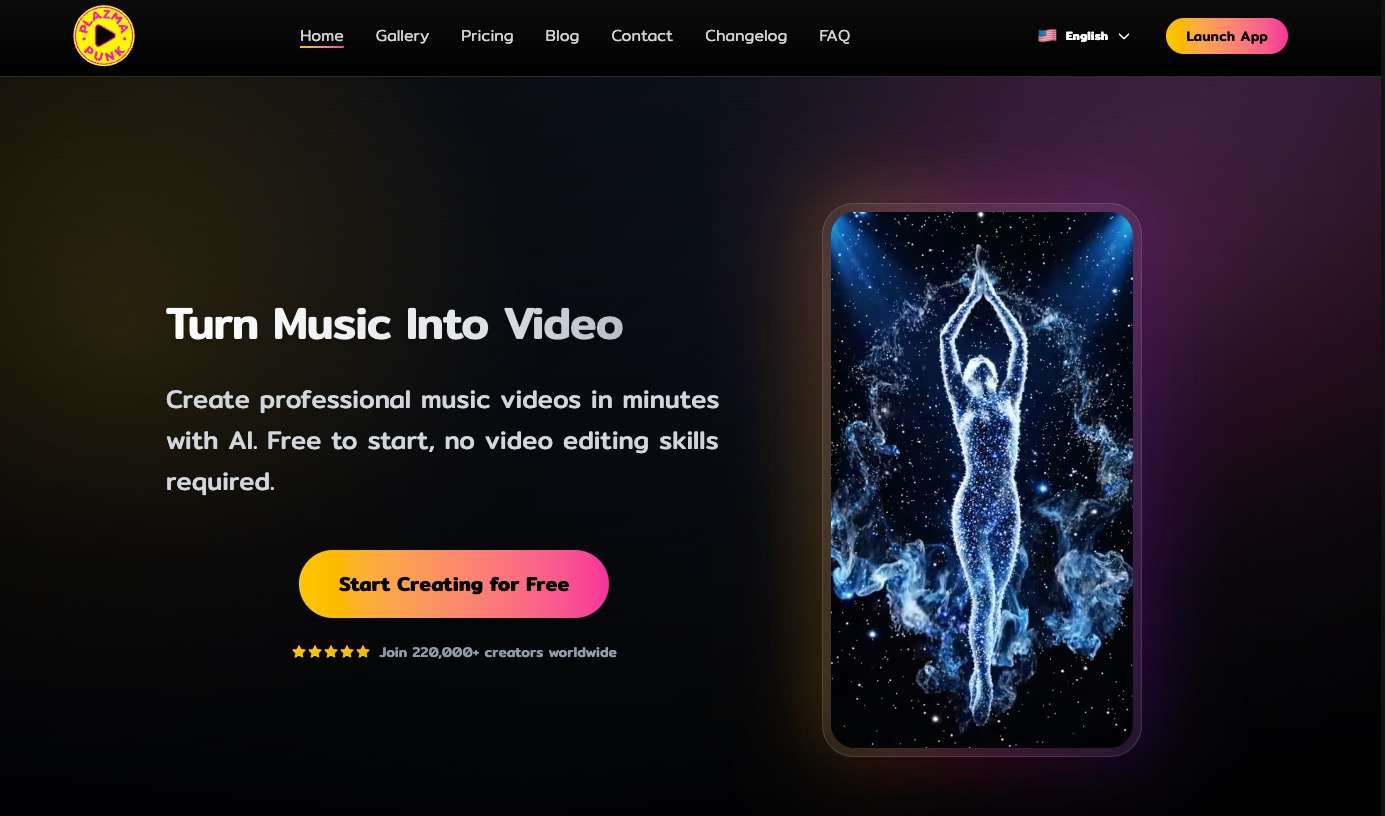
Plazmapunk is a music-first AI video generator. Its core proposition is not a blank video timeline or a prompt-only scene maker. The user begins with audio, then chooses settings that turn a section of the track into generated visuals.
The official site separates quick creation from a more involved scene-building route. Our test focused on Quick Video because that is the shortest path a new user is likely to evaluate. It answers a practical question: what do you receive when you upload a song and accept an eight-second generation?
That scope matters when comparing it with the tools in our Freebeat AI Music Video Generator Review. A short audio-reactive clip, a lyric video, and a full narrative MV can all appear under the same category while requiring different amounts of control and credit.
How We Tested This Tool
How to Use Plazmapunk
The quickest Plazmapunk route is appropriate when the intended deliverable is already short. Define the target platform and duration before spending credits, because an eight-second loop and a full-song video are different production jobs.
-
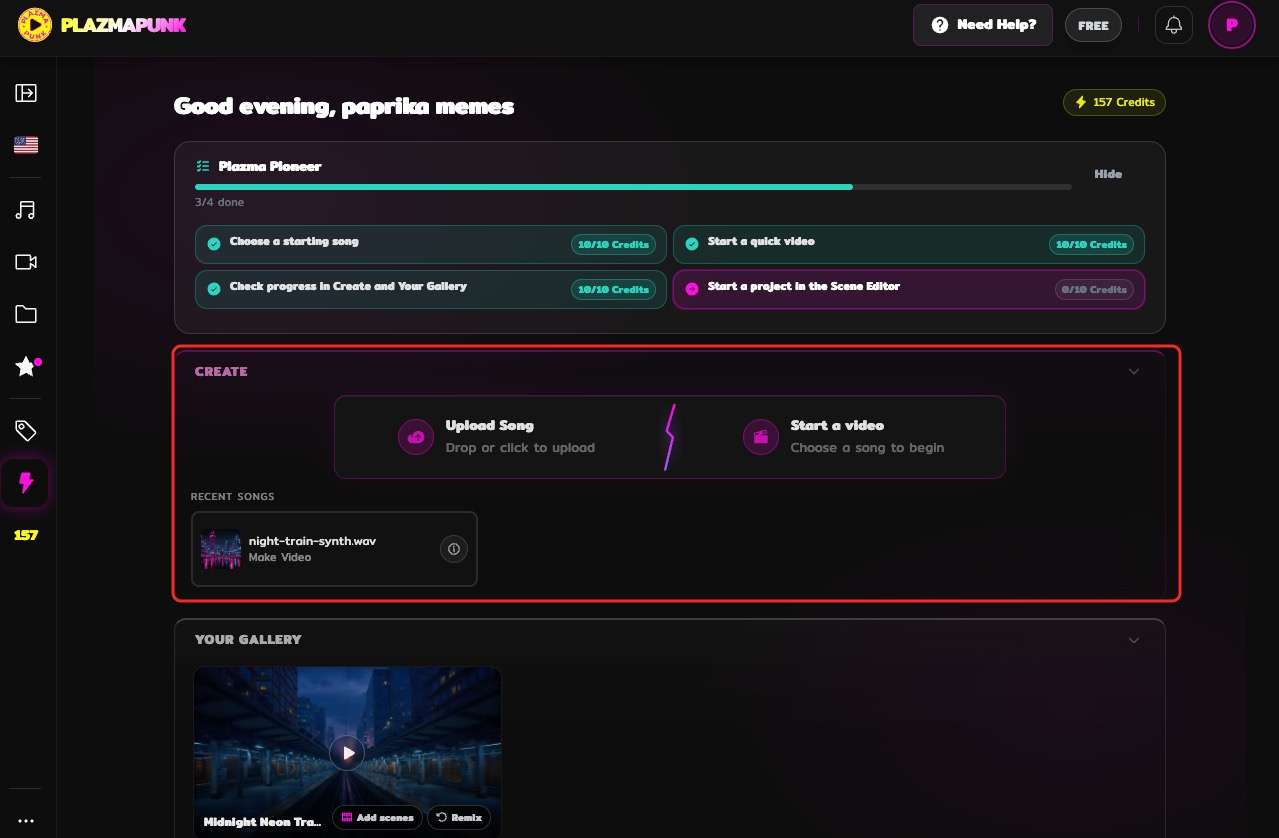
Use a supported audio file you own or have permission to upload. Confirm the uploaded track and the section that will guide the visual.
Done whenThe correct song is visible and ready for the generation setup.
-
Select the available creation route, duration, resolution, aspect ratio, frame rate, and visual option. Record the displayed credit cost before proceeding.
Done whenThe settings match one named publishing target.
-
Start the job and review every returned version rather than accepting the first thumbnail. Check scene coherence, movement, framing, and how the clip behaves against the audio.
Done whenOne option has a documented reason for selection.
-
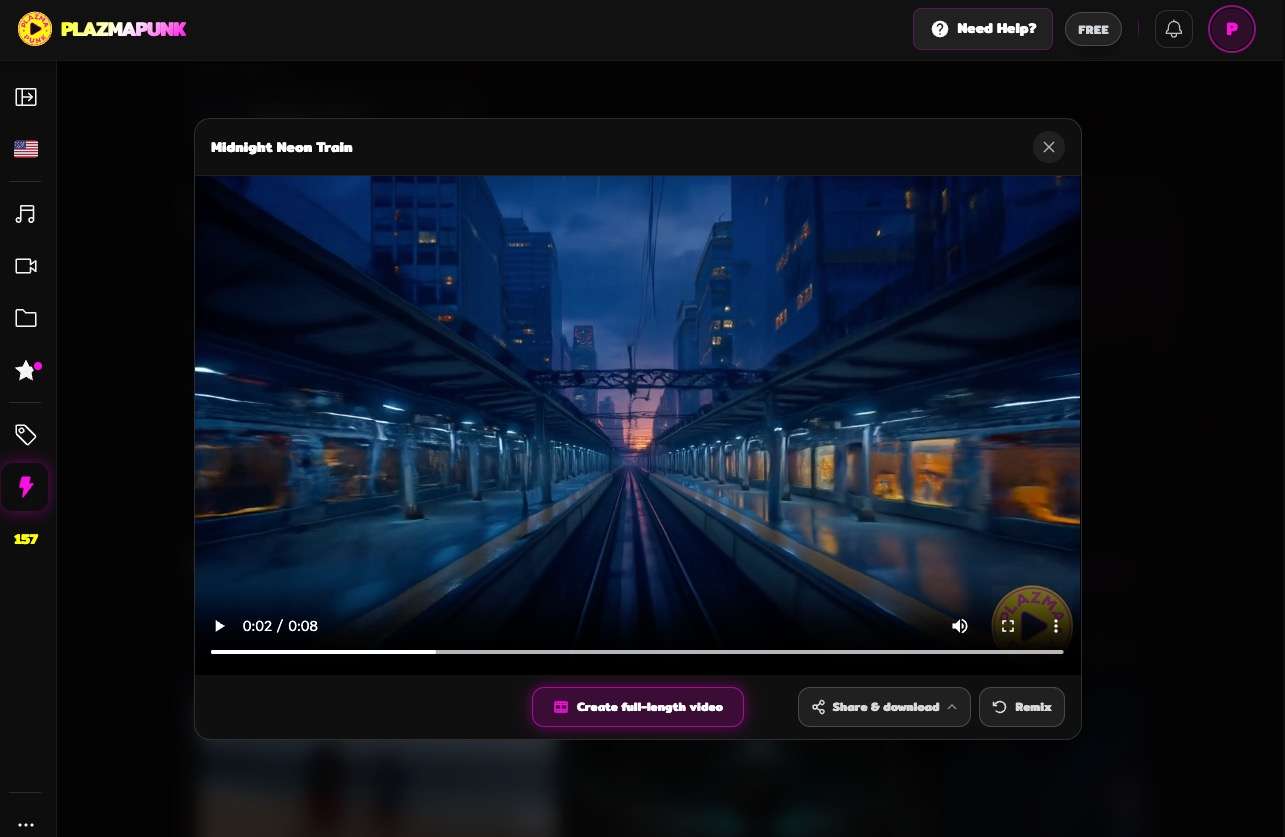
Save the selected MP4 and verify actual duration, resolution, frame rate, audio, and watermark behavior. Keep the source settings beside the file.
Done whenThe result is usable outside Plazmapunk and its limits are known.
The source song may come from an AI Music Generator or a conventional recording workflow. The Revid AI Music Video Generator Review provides another reference for judging the transition from finished audio to social video.
What the 8-Second Test Produced
Our setup used LTX 2.5, an eight-second duration, 1280×720 output, a 16:9 frame, and 24 fps. As of November 2026, the interface displayed a cost of 102.6 credits for that job. We recorded the number rather than extrapolating a full-song price from it. Check the official pricing page for current rates.
Plazmapunk returned two visual options. That is useful because generated motion can fail for reasons a prompt preview cannot reveal: unstable framing, distracting movement, or a visual beat that lands at the wrong moment. We chose Option 2 after comparing the pair and downloaded it directly.
The finished file measured 8.021 seconds. The 0.021-second difference is normal container timing rather than a meaningful failure to follow the duration setting. The output preserved the requested 1280×720 frame and 24 fps setting.
The free download also displayed a Plazmapunk watermark over the image. That is not a hidden defect; it is a delivery condition the user must evaluate before building a public cut around the result.
Visual Fit, Music Sync, and Editing Control
The downloaded clip is best judged as a short visual asset, not evidence that Plazmapunk can map an entire song into a coherent multi-scene story in one pass. It converts the selected musical moment into moving imagery with almost no manual editing. That is the value of Quick Video.
The tradeoff is control. An eight-second generation can be selected, discarded, or combined with other clips, but it does not by itself answer how a verse, chorus, bridge, and ending should differ. A creator planning a full song still needs a scene strategy and enough credits to create the required coverage.
The tool returned two alternatives rather than one fixed result. This improves selection but does not replace shot-level revision. When a particular character, prop, or transition must remain consistent, a workflow with scene or segment controls becomes more important.
Our Kaiber AI Music Video Generator Review covers another visual workflow where beat-led results and plan boundaries must be evaluated together.
Credits, Free Use, and Watermarks
As of November 2026, Plazmapunk showed 102.6 credits for our eight-second 720p Quick Video. That is a measured interface value for one configuration. Duration, resolution, mode, or model changes may alter the cost, so it should not be converted into a universal per-second rate. Check the official pricing page for current rates.
The output was downloadable on the tested account, which makes the free path more useful than a preview-only trial. The visible watermark remains part of that file. Buyers should check the current plan screen for the tier and export settings that remove it before generating a batch of clips.
Long-form economics were outside this test. A full-song project may use multiple clips, repeated options, and discarded attempts. The relevant budget is therefore cost per accepted sequence, not merely credits per submitted render.
Check the cost of the finished deliverable.
Compare duration, resolution, watermark, and credit rules before planning a full song.
Real Limitations
Plazmapunk's limitations are easiest to see when the intended result moves beyond a short social asset. None of them makes the eight-second clip unusable; each changes how much additional work the release needs.
The tested output covered only part of the source
Our audio was 30 seconds, while the Quick Video setting produced an eight-second file. The result can function as a teaser or loop. It cannot represent the whole source without more generations or a different workflow.
The free download was visibly watermarked
The watermark is prominent enough to affect a public release. Free users can still inspect real motion and framing, but a clean deliverable requires checking current paid export conditions.
Credit cost scales with attempts, not accepted seconds
The interface priced the submission before generation, which is useful. The project cost can still increase when two options are unsuitable or a longer sequence needs many clips. One successful short run is not a unit-cost model for a complete MV.
Quick generation offers limited story control
The tested route did not expose a scene-by-scene narrative, reusable character plan, or segment-level correction path before rendering. If the decision depends on a guided complete-MV workflow rather than a short watermarked loop, an AI Music Video Generator can begin with the song and reference images. The recommended workflow provides scene materials and segment review, but it also uses credits, depends on plan, and currently lists 720p or 1080p output rather than unrestricted resolution.
Our downstream rubric weights workflow fit 35%, control 25%, output usefulness 20%, and pricing/transparency 20%. Verified product facts produce an 8.4/10 fit score for the complete-MV use case; that score does not claim its individual clips are visually superior to Plazmapunk's.
Our verdict
A stronger fit when the deliverable is a guided complete MV.
Enkio continues from music and images into a reviewable MV workflow, while its credits, plan limits, and 1080p ceiling remain part of the decision.
Pros
- Guided scene workflow
- Five aspect ratios
- Segment adjustments
Build a complete music video from your song and images.
Create an AI MVHow Plazmapunk Compares With Neural Frames and Enkio
These tools share a music-video label but emphasize different units of work. Plazmapunk's tested unit was one short generated clip. Neural Frames is covered in a separate review, while the publisher's product is evaluated as a guided song-to-MV workflow. The table uses the same decision fields for all three.
| Decision point | Plazmapunk | Neural Frames | Enkio |
|---|---|---|---|
| Starting asset | Uploaded song | Music-led visual project | Song plus reference images |
| Tested unit | 8-second Quick Video | See dedicated review | Guided MV project |
| Creative structure | Generate and choose short options | Timeline and visual controls covered separately | Blueprint, assets, segments, review |
| Output evidence | 1280×720, 24 fps MP4 | See dedicated review | 720p or 1080p across five ratios |
| Free-result condition | Visible watermark in our download | Verify current plan | Watermark behavior depends on plan |
| Main caveat | Short coverage and attempt cost | Greater setup can require more work | Metered credits and 1080p ceiling |

The Neural Frames AI Music Video Generator Review contains the evidence behind that column. The OpenArt AI Music Video Generator Review adds a useful comparison with a platform that separates several music-video formats.
The publisher's column is not a claim of unlimited control. It stops at its current output range, requires plan-specific credits, and still asks the user to review generated materials. Plazmapunk is the more direct choice when one short experimental clip is the whole deliverable.
Who Plazmapunk Is For
Plazmapunk fits musicians and creators who need a teaser, visualizer moment, social loop, or experimental insert without building the motion manually. The two-option return is helpful when selection matters more than editing every frame.
It is a weaker fit for a buyer who expects a full-song narrative from one eight-second job, requires a clean free export, or needs known long-form unit economics before spending credits. Character continuity and exact story progression also need more evidence than our Quick Video test provides.
The right first project is deliberately small: one chorus hook, one canvas-style loop, or one visual moment that can stand alone. If that succeeds, estimate how many accepted clips the full release would need before scaling up.
From a Short Clip to a Complete MV Workflow
A short generated clip can be the final asset or one shot in a larger edit. Decide which before generating. A teaser needs an immediate hook; a complete MV needs visual development across sections and enough footage to cover the song.
For the second use case, prepare a reference image, define whether the visual is performance-led or narrative, and review how the system organizes scenes. Use only audio and images you own or have permission to upload. Platform policies on AI-generated content differ, so check the destination's current guidelines.
Frequently asked questions
Can Plazmapunk make a video from an MP3 or WAV?
The service is designed around uploaded music, and our test used a WAV successfully. Check the current upload panel for exact file-size and format limits before preparing a production batch.
Does Plazmapunk generate more than one option?
Our Quick Video job returned two options. We selected the second after reviewing both. Option counts may differ by mode or plan, so treat two as an observed result rather than a permanent entitlement.
Does the free Plazmapunk download have a watermark?
The MP4 downloaded in our test carried a visible Plazmapunk watermark. Confirm current export conditions before assuming a different mode, account, or paid tier behaves the same way.
Can Plazmapunk create a full-song video in one run?
Our evidence does not support that claim. We tested an eight-second Quick Video from a 30-second source. Evaluate the current longer-form or scene-building workflow separately if full-song coverage is the requirement.
What should I compare before spending credits on a longer project?
Compare the number of seconds actually needed, expected rejected attempts, watermark requirement, target resolution, and whether the project needs consistent characters or a planned story. Budget for accepted coverage rather than one submitted clip.
Conclusion
This Plazmapunk AI music video generator review finds a capable short-form starting point. The tested workflow accepted our WAV, exposed the job settings and credit cost, returned two options, and produced a downloadable 8.021-second MP4 at 1280×720 and 24 fps. The free watermark and limited coverage are the important tradeoffs.
Use Plazmapunk when one fast visual loop has value on its own. Price a complete project by the number of accepted clips it will require, not by a single successful render. If the finished song instead needs a guided visual arc and reviewable segments, Enkio fits that later-stage requirement while retaining its own credit and resolution boundaries.