



TL;DR
- What it is: a modular AI music workspace (browser + API) — separate modules for songs, sound effects, speech, vocals, remix/extend/replace, and stems, instead of a single one-button song generator.
- The verdict: the strongest editing depth in its class (stems, inpainting, API) for editors and developers; vocals and song structure trail Suno, per-track length is shorter, and the credit meter punishes compare-many-keep-one workflows.
- What changed (Oct 2026): the platform now runs its v7 line (v7 Pro on paid plans) — not v6. Verified pricing: Free 500 credits/mo; Plus $9.99/mo (annual billing) with 5K credits; Pro 25K; Ultra $32.99/mo (annual) unlimited. A full song costs 50 credits.
- Who it's for: creators who remix/extend/replace sections and developers who need a generation API. Not for anyone who wants the most natural vocal from a single prompt.
How we reviewed this: This review is based on MusicGPT's official documentation and pricing page (musicgpt.com, re-verified October 2026), alongside independent third-party reviews published this year. We did not receive compensation from MusicGPT. Credit allowances and plan details change often — figures below are the October 2026 snapshot; check the official pricing page before subscribing. Sections covering Enkio's own workflow are based on our team's direct product knowledge.
Review Scorecard
| Review area | Score | Editorial notes |
|---|---|---|
| Output quality | 3.7/5 | Flexible modules; vocals and song structure trail Suno per independent reviews. |
| Ease of use | 3.4/5 | The module stack is powerful but a learning curve next to one-button tools. |
| Speed | 4.0/5 | Parallel generations up to 16 on Ultra; per-track render is competitive. |
| Control & editing | 4.5/5 | Remix, Extend, Replace, stems, and inpainting — the strongest editing depth in its class. |
| Pricing & value | 3.8/5 | Free 500 credits/mo; Plus $9.99/mo (annual) with 5K — but a song costs 50 credits, so compare-many-keep-one workflows get expensive fast. |
| Rights & compliance | 4.2/5 | Paid tiers include commercial use with no regional restriction; 30-day refund while usage stays under 10%. |
| Overall | 3.9/5 | A modular workspace for editors and developers — not a one-button song tool. |
Scores reflect editorial judgment based on official documentation, the official pricing page, and independent reviews (desk research, October 2026) — not hands-on testing.
What the MusicGPT AI Music Generator Is
The MusicGPT AI music generator is a browser and API product positioned as a modular music workstation. Our review of the public pages found the core idea is a set of independent modules you combine. A generator makes music and sound effects, a text-to-speech voice, an Add Vocals module, and a Replace module that swaps part of a track. Remix and Extend tools plus file upload round out the stack.
When searchers browse the AI Music Generator category, MusicGPT is one of the names they meet. Its centre of gravity is the module stack rather than one-click output. The vendor frames the current generation as its v7 line (v7 Pro on paid plans), which it describes as covering stems, inpainting, remix, sound effects, lyrics, vocals, and commercial rights on paid plans. The Suno Music Generator Review is the read on the one-button rival this platform is often measured against.
How It Works in Practice
The workflow spans several modules, and most of the effort sits in picking which module to use. We read the official documentation and found the path from idea to finished asset fits in four steps.
Start from a prompt, lyrics, or an upload
A generation begins from a text prompt, your own lyrics, or an audio file you upload. The music generator returns a full track with a vocal when the brief calls for one. There is also a sound-generator module for effects and a text-to-speech module for spoken lines. The entry point is wider than a song box.
Shape the track with Remix, Extend, and Replace
Once a first pass exists, Remix adjusts the arrangement and Extend lengthens it. The standalone Replace module swaps a local section such as a verse or a stem without regenerating the whole song. These edits are what separate MusicGPT from one-shot generators that hand you a single fixed file.
Add vocals and pull stems
The Add Vocals module lays a sung or spoken line over an existing bed. The platform separates stems so you can export the parts. The vendor states paid plans include commercial use and a 30-day refund where usage stays under 10 percent. We note that as a terms point rather than a quality claim.
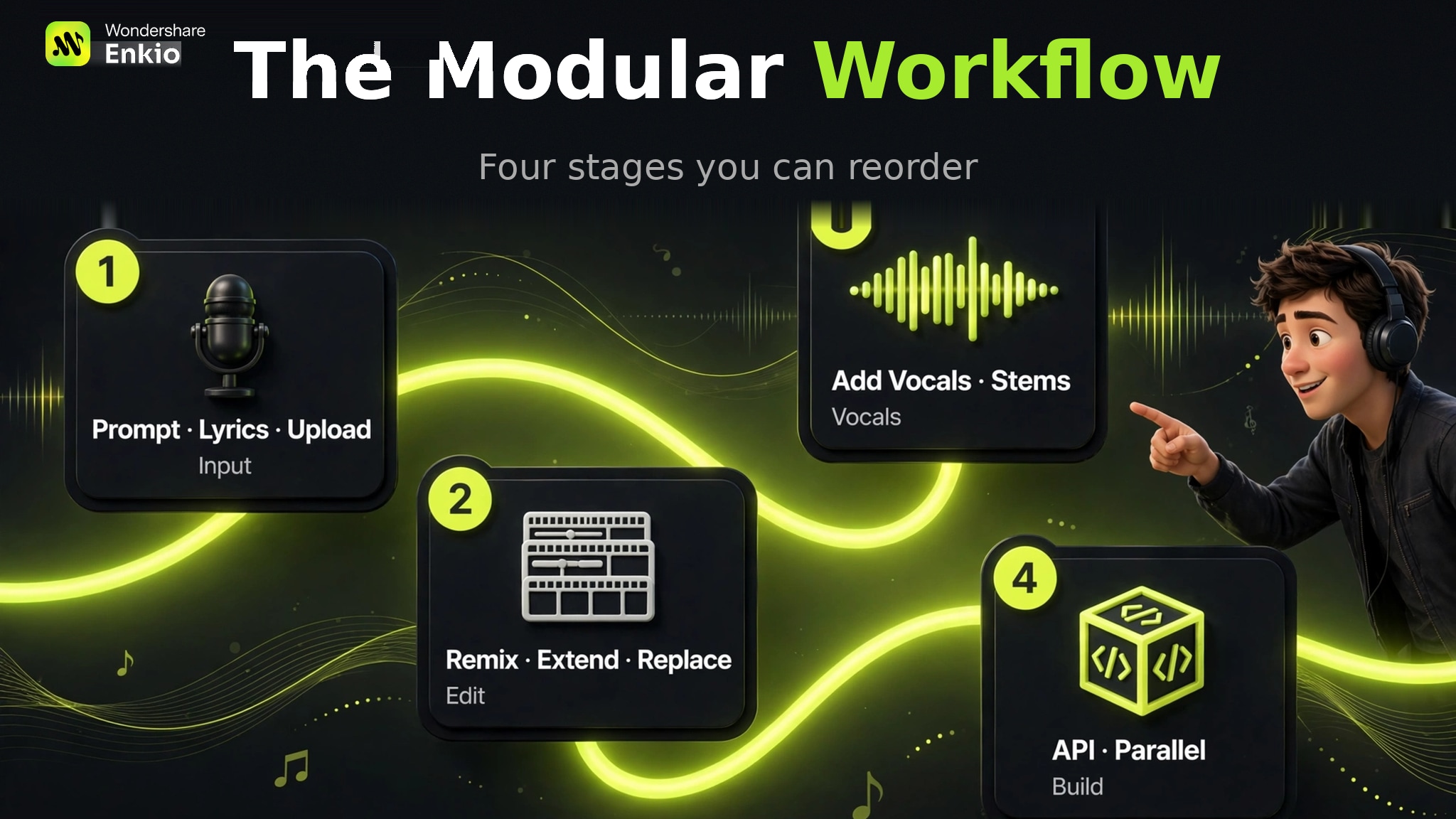
Generate in parallel up to the plan cap
The top Ultra plan allows up to sixteen parallel generations at once. A music generation API exposes the same engine to developers who want generation inside their own product. That is the piece built to live outside the browser rather than only within it.
Pricing and Credits
As of October 2026, MusicGPT lists four plans on its official pricing page — Free ($0), Plus ($9.99/month, billed annually), Pro, and Ultra ($32.99/month, billed annually) — with monthly credits of 500, 5,000, 25,000, and unlimited respectively. The vendor's FAQ prices each generation: a full song costs 50 credits, an instrumental 50, a sound effect 25. That means the Free tier covers roughly ten songs a month — and downloads on Free cost 50 credits each, while paid tiers download free and unlimited.
A compare-twenty-keep-one workflow spends many more credits than the per-song rate implies — on Plus, twenty generations of one brief is 1,000 credits, a fifth of the monthly allowance, before you keep anything. That is the part most pricing tables hide. Check the official pricing page for the current credit-to-track math before you plan a high-volume month.
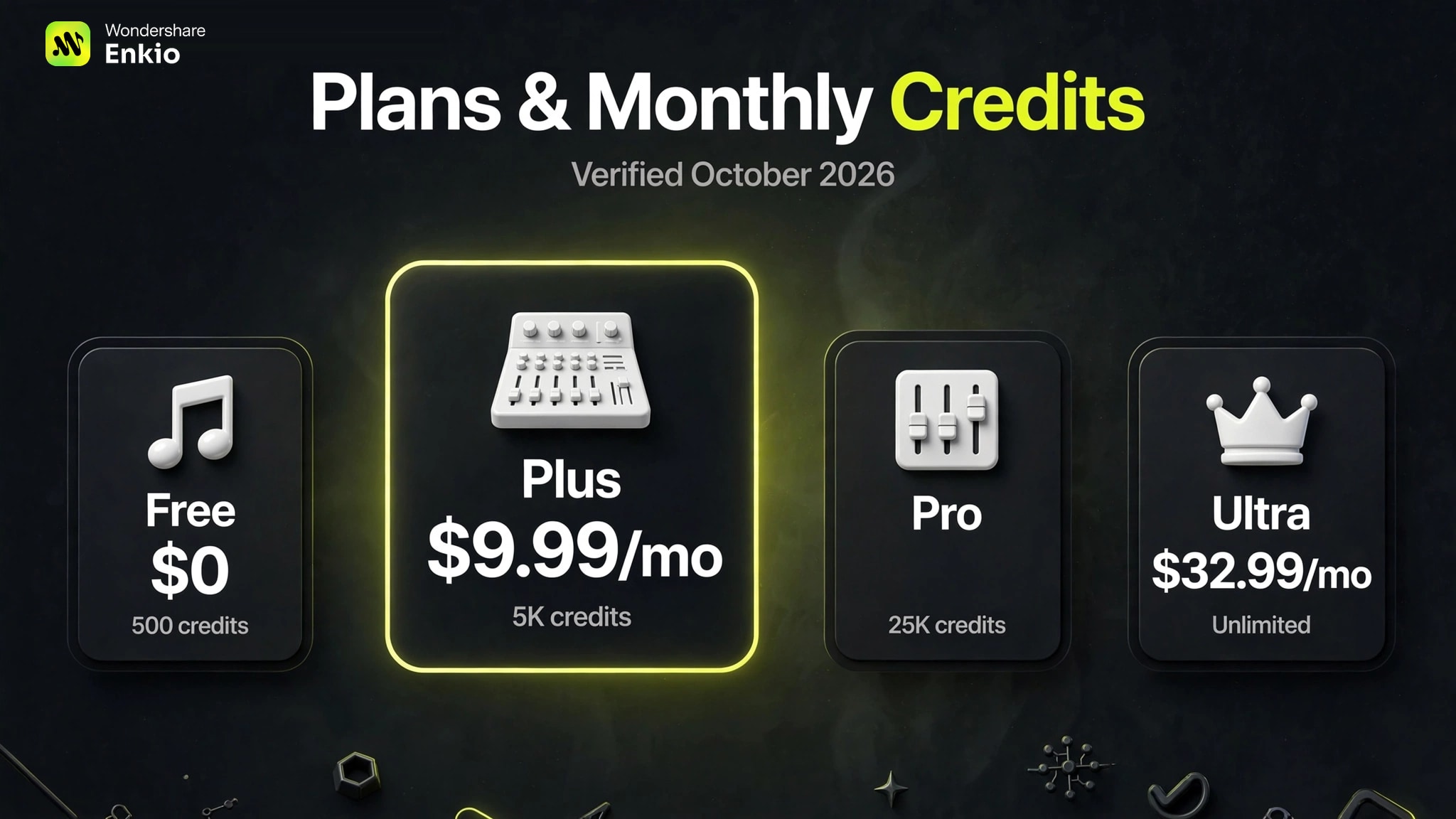
Pricing verdict: the plans look generous until you do the per-track math. Budget by generations, not by songs — and note the Free tier's per-download credit cost if you plan to export.
Compare what a plan includes.
Enkio plans include AI music video generation, templates, and watermark-free downloads depending on your plan.
Real Limitations
The limits below are structural, and the first one changes how you should budget any high-volume work. We see the credit math as the item most worth checking before you commit.
The credit meter punishes compare-many-keep-one workflows
MusicGPT runs on a credit system, and every generation spends credits whether or not you keep the result. For an iteration workflow — write a brief, generate twenty variants, keep the one that lands — the cost scales with the attempts, not the output. A single finished track can quietly consume a plan's monthly allowance.
That ceiling matters most when your process is exploratory rather than decisive. If your next step is turning a finished track into a publishable video, Enkio's AI Music Video Generator takes the audio plus a visual direction and returns a music video in 720p and 1080p across five aspect ratios, on credit-based plans with the current credit costs listed on its pricing page. For commercial usage terms, see Enkio's Terms of Use.
Vocals and song structure trail Suno
Independent reviews are consistent that the sung vocal and the overall song structure lag Suno. The reviewers frame Suno as the category leader on vocal naturalness and arrangement coherence. This is a quality-position statement from third parties, not a defect claim. It matters most if the deliverable is a song built around a voice rather than a bed or an effect.
Shorter single-track length than Suno
Paid tiers cap a single track between about four and five minutes, though sources disagree on the exact ceiling. Suno supports longer single tracks, and public reviews place its per-song limit around eight minutes on paid plans. For a short hook the gap is minor, but a long-form piece hits the MusicGPT ceiling well before Suno's.
More modules mean a wider surface to learn
The same module stack that helps power users is a learning curve for newcomers. The interface depth is broader than the one-button song tools rather than shallower. A creator who wants a song from a single prompt may find the extra steps a tax rather than a feature. The value shows up only once you know which module to reach for.
Headline specs disagree across public sources
The most consequential uncertainty is that key specs conflict between the vendor and independent directories. MusicGPT publishes API access on its own materials, while at least one independent directory lists no public API — confirm before you build on it. Track length, credit allowances, and export formats also vary by source. Any plan decision should start from the official pricing page rather than a third-party summary. One correction from our October re-verification: the platform now runs its v7 line (v7 Pro on paid plans), not v6 as some older write-ups state.
How It Compares With Suno and Udio
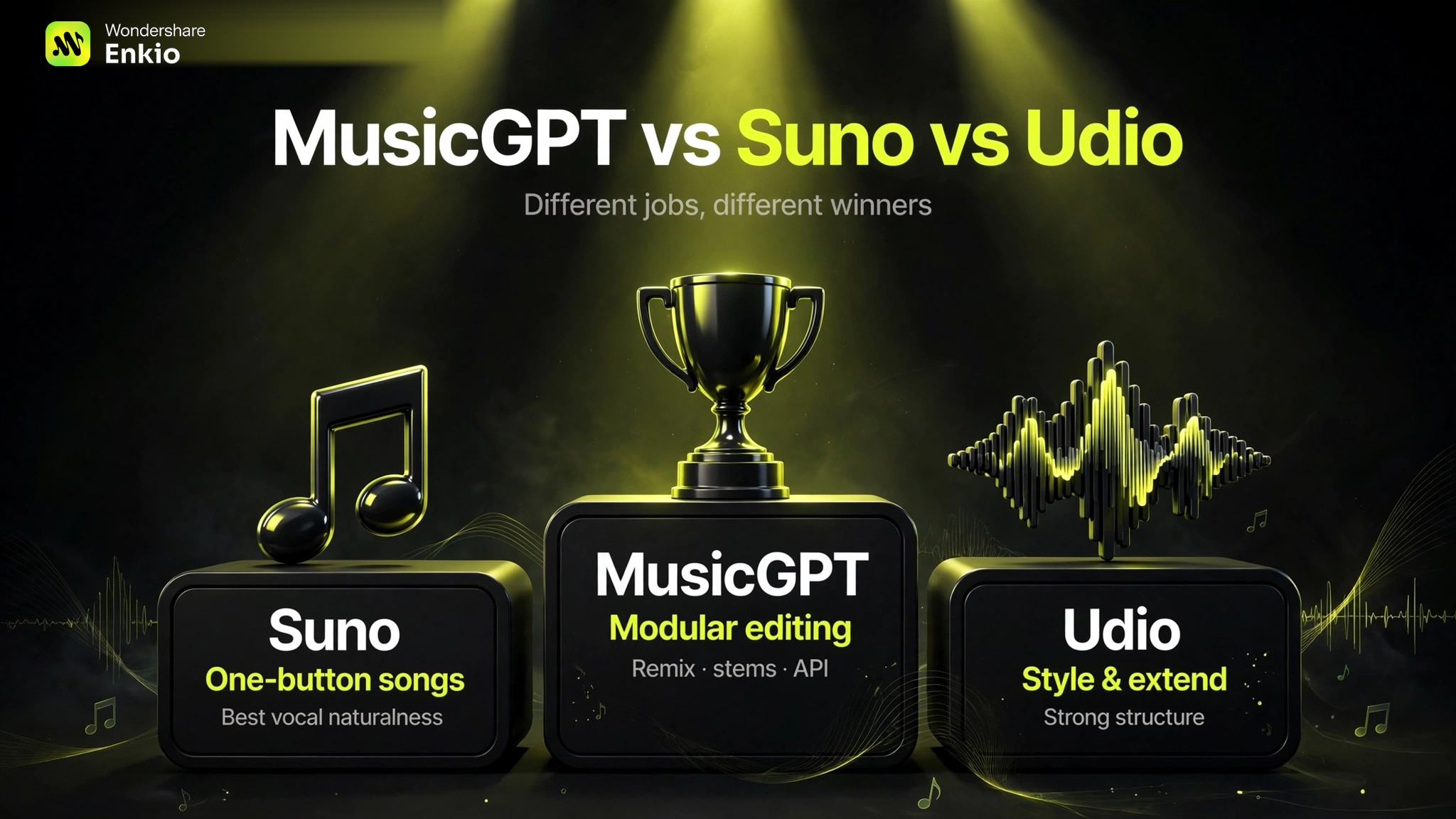
The nearest competitors are the two token-based leaders, and the table below is a snapshot as of October 2026. Verify specifics with each platform before you decide. The columns map where each tool makes a different promise rather than scoring quality.
| Dimension | MusicGPT | Suno | Udio |
|---|---|---|---|
| Positioning | Modular workspace, many modules | One-button song generator | One-button song generator |
| Vocals | Yes, via Add Vocals | Yes, leading naturalness | Yes |
| Song structure | Adequate, trails Suno per reviews | Strong per reviews | Strong |
| Single-track length | About 4 to 5 min paid, sources vary | About 8 min paid per reviews | Several minutes per reviews |
| Editing | Remix, Extend, Replace, stems | Basic edit by tier | Basic edit by tier |
| API | Published by vendor; one directory says none | Yes | Limited |
| Commercial use | Paid tiers, per vendor | Tiered, paid | Tiered, paid |
| Best for | Modular editing, dev access | Vocal songs | Style and extend work |
A vocal-first need is a different decision, and the Alternatives to Suno AI Music Generator guide maps the wider field beyond these two. If the goal is a video rather than a song, the AI Music Video Prompts guide is the companion read for what to build once the track exists.
Who the MusicGPT AI Music Generator Is For Right Now
MusicGPT suits creators who already have a bed or a reference and want to remix, extend, replace a section, or lay a voice on top. It suits developers who need a generation API inside their own product. It also suits teams that value modular editing over one-click output. The Music Video Marketing guide is a useful companion for planning what happens to the track after it is made.
It is a weaker fit for creators who want the most natural vocal and the strongest song structure, since Suno leads there per reviews. It is also weaker for anyone who needs tracks longer than about five minutes. High-volume compare-many-keep-one workflows turn expensive under the credit meter. If your priority is modular control and developer access, this is a strong option. If your priority is the best vocal song from a single prompt, read the rival reviews first.
Make more from your MV.
Let Enkio create a complete AI music video from your song with cinematic templates.
Frequently asked questions
These are the questions we see most often about the MusicGPT AI music generator.
Is MusicGPT free to use?
Yes, there is a Free plan with 500 credits per month (verified October 2026) — enough for roughly ten songs, since a full song costs 50 credits. Note that downloads on the Free tier cost 50 credits each, so budget for exports too. Check the official pricing page for current limits.
How much does MusicGPT cost?
As of October 2026: Free ($0, 500 credits/mo), Plus ($9.99/month billed annually, 5K credits), Pro (25K credits), Ultra ($32.99/month billed annually, unlimited credits). A full song costs 50 credits. Paid tiers download free and include commercial use. Verify on the official pricing page before subscribing.
Does MusicGPT have an API?
MusicGPT publishes API access on its own materials, while at least one independent directory lists no public API — confirm before you build on it. The official docs are the place to verify before any integration work.
Can I use MusicGPT music commercially?
The vendor states paid tiers include commercial use with no regional restriction and a 30-day refund where usage stays under 10 percent. Independent reviews repeat that position. It is a terms point rather than a quality claim, and for platform rules check the destination's guidelines before publishing.
Which site is the official MusicGPT page?
The official product is musicgpt.com, and the generator, pricing, and API all run from there. Directories and third-party pages reuse the name, so confirm that a page links back to musicgpt.com before you create an account or upload material.
Is MusicGPT better than Suno?
For different jobs. Suno wins on vocal naturalness, song structure, and community — the best one-prompt vocal song. MusicGPT wins on editing depth (remix, extend, replace, stems) and developer access via API. If you want to iterate on sections or build generation into a product, MusicGPT; if you want the best-sounding song from a single prompt, Suno.
How much does the MusicGPT API cost?
The official API docs price generation per song (v7-pro listed around $0.06 per song), separate from plan credits. One honest caveat from developer discussions: usage is estimated rather than metered with a live balance, so budget with headroom. Check docs.musicgpt.com for current per-model rates before building on it.
Conclusion
The MusicGPT AI music generator is a modular workspace rather than a one-button song tool. Its separate modules, stems, and documented generation API make it a flexible pick for editors and developers.
The trade-offs are just as clear: a credit meter that punishes compare-many-keep-one workflows, vocals and song structure that trail Suno per independent reviews, a shorter per-track length, and headline specs that disagree across public sources. If the track is finished and the visual is the next thing on your list, Enkio takes that step from the audio you already have, without a new tool to learn.
Reference of this content:
- MusicGPT official documentation and pricing page (musicgpt.com, re-verified October 2026)
- Independent third-party reviews of MusicGPT (2026)
- Suno and Udio official pricing pages (comparison table)