




Revid AI markets an AI Music Video Generator as the tool of the month, and after we read its documentation and the published tests around it, the position is clear. The short answer: Revid's music video generator is the fastest route we found from a finished track to a beat-synced short-form clip, but it is a one-click social promo tool, not a cinematic music video studio.
This review covers what the generator actually does, how the workflow feels, what it costs as of September 2026, where it falls short, and how it lines up against tools built for deeper visual control.
What the Revid AI Music Video Generator Is
Revid is a short-form video platform with more than 100 tools, and the music video generator is one of them rather than the whole product. It turns an audio file or a music link into a video whose scenes follow the beat or the lyrics, so the output is a social-ready clip rather than a long-form film. The framing matters because most of Revid's marketing is about faceless channels and viral shorts; the music video generator is the entry point musicians actually use.
The music itself has to come from somewhere. You upload an MP3 or WAV, or you paste a Spotify or Suno link, and Revid builds the visuals on top of that recording. If you still need to create the track, an AI Music Generator can produce one before the video step begins, which keeps the whole chain on one side of the music-versus-video line.
How the Music Video Generator Works in Practice
The workflow is three steps, and the published tests we compared put a three-minute track at well under two minutes of render time. That speed is the feature reviewers cite most, and it is the reason the tool sits in a different category from editors that ask you to build a timeline.
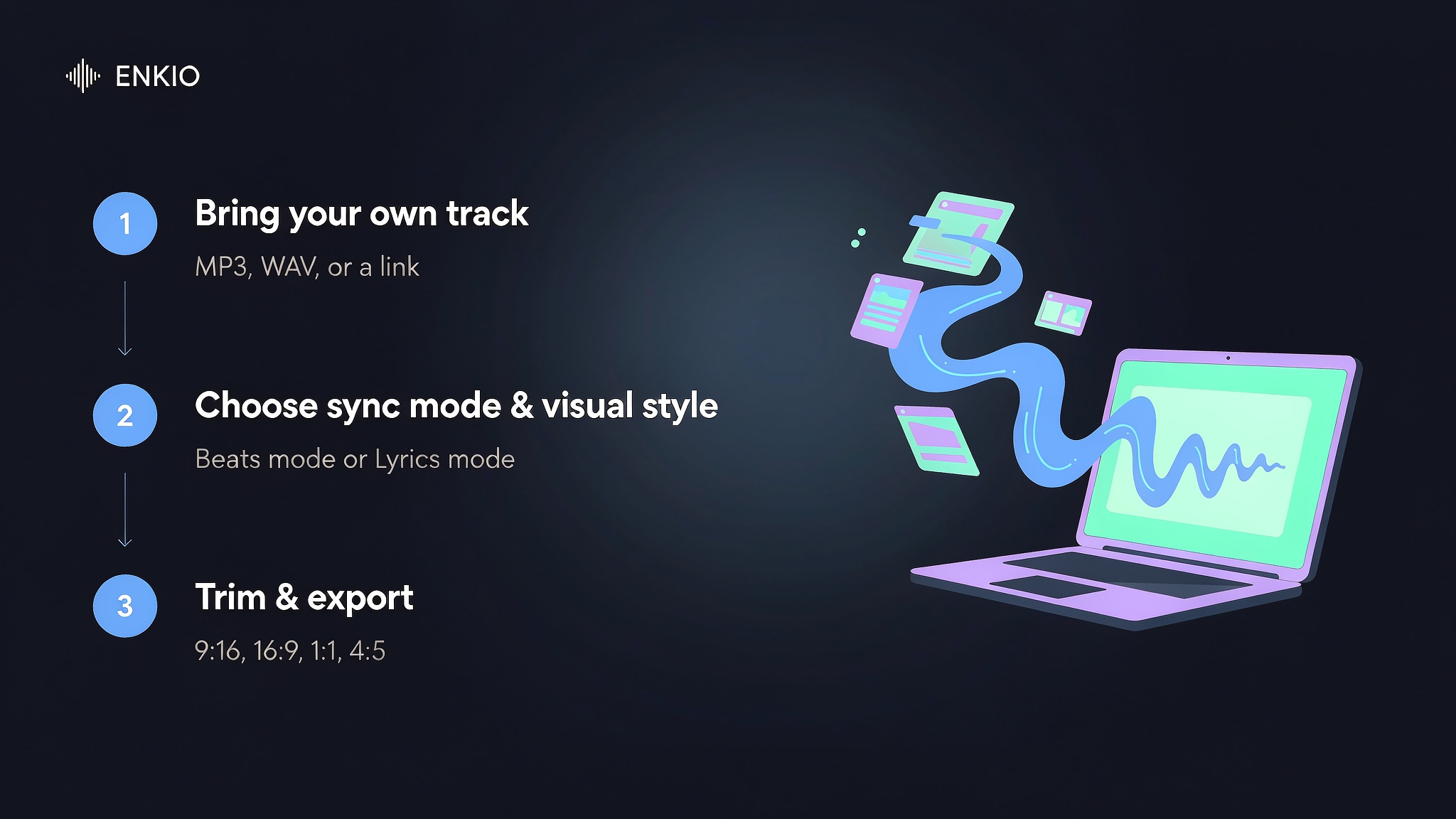
Bring your own track
Revid accepts an MP3 or WAV upload, or a pasted link from Spotify and Suno. One producer we read about imports a WAV, switches on the sound-reactive animation mode, and gets a video that tracks the structure of the beat instead of a static visualiser. A singer pastes a Spotify link and receives a video in the formats her channels expect without re-cropping. Both are real examples from Revid's own published testimonials, and they show the tool doing the one job it was built for.
Choose a sync mode and a visual style
Two sync modes sit at the centre of the tool. Beats mode cuts scenes to the rhythm with no captions, which suits instrumental and electronic material. Lyrics mode follows the sung words and adds caption animation, which suits vocal tracks. A preset library covers dozens of visual styles, from clean motion graphics to illustrated looks, so the creative input is a direction rather than a script.
Generate, trim, and export
After generation you can trim the audio to save credits, then export in 9:16, 16:9, 1:1, or 4:5. A real cost example on the tool page lists an estimated 45 credits for one render, which tells you the price is paid in credits rather than per video. Treat this as a snapshot and check the tool's pricing page for current rates. Because Revid takes a Suno share link directly, a track made with How to Use Suno AI Music Generator can move into a video without a download step in between.
What the Revid AI Music Video Generator Gets Right
The strengths are narrow but real, and they are the ones a musician under a release deadline cares about. Our review found four that hold up across the documentation and the independent write-ups.
Beat sync with no timeline to learn
Revid analyses the waveform, finds the beats and the drops, and places cuts and effects on them. A third-party test scored the sync at 9.2 out of 10 with almost no user input, which is high for a tool that asks nothing of you beyond uploading a file. Kicks land on downbeats and drops get heavier motion, so the result reads as made for the song rather than layered on top of it.
A three-step path for non-editors
Reviewers who had never edited video describe shipping a result on the first try. There is no timeline, no layers, and no prompt to learn, which is the reason we see it recommended to musicians rather than video teams. The ceiling is also lower, but for a promo clip that trade is the point.
Every platform format in one pass
One project exports to 9:16 for TikTok, Reels and Shorts, 16:9 for YouTube, 1:1 for square posts, and an 8-second loop for a Spotify Canvas, without re-cropping. That single-pass coverage is what turns a finished song into something postable across every channel in minutes instead of an afternoon of reformatting.
It names its own limits
Revid's own writing states the tool is not for directing every frame or building cinematic narratives, and that Runway or Kling suit film-level control better. A vendor that sets the lane honestly is easier to trust on the parts it does cover, and it spares you the disappointment of expecting a director's tool from a clip generator.
Pricing and Credits
Revid sells one membership that unlocks the whole engine, and the music video generator is included rather than metered on its own. As of September 2026, the entry paid plan is listed at $39 per month, a mid plan at $39 per month on a locked-in discount from a $99 list price, and a top plan at $199 per month.
Credit allowances run from about 2,000 to 12,000 per month across those tiers. You can start without a card, and independent listings describe a small starter credit balance of around 100 credits; ongoing use requires a paid plan. Check Revid's pricing page for current plans, because the plan names and promo prices shift between sources.
| Plan | Price per month (as of Sep 2026) | Monthly credits | Notes |
|---|---|---|---|
| Hobby | $39 | not published per source | entry paid tier |
| Growth | $39 (from $99, locked) | 2,000 | most-used plan |
| Ultra | $199 | 12,000 | high-volume use |
The part that decides value is the credit cost per render, not the sticker price. Independent write-ups place a base-quality render near 15 credits, a pro render near 60, and an ultra render near 200, so the effective cost per usable video climbs fast once you move past the default quality.
Revid states its plans grant commercial usage rights; confirm the specifics in the vendor's terms before you publish anything you intend to monetise.
See what a plan includes.
Enkio plans cover AI music video generation, templates, and watermark-free downloads depending on your plan.
Real Limitations
The limits are not footnotes; several of them touch the reason most people open the tool. We weighted the structural ones more heavily than the cosmetic ones, because they change whether the tool fits your release at all.
Built for clips, not cinematic narratives
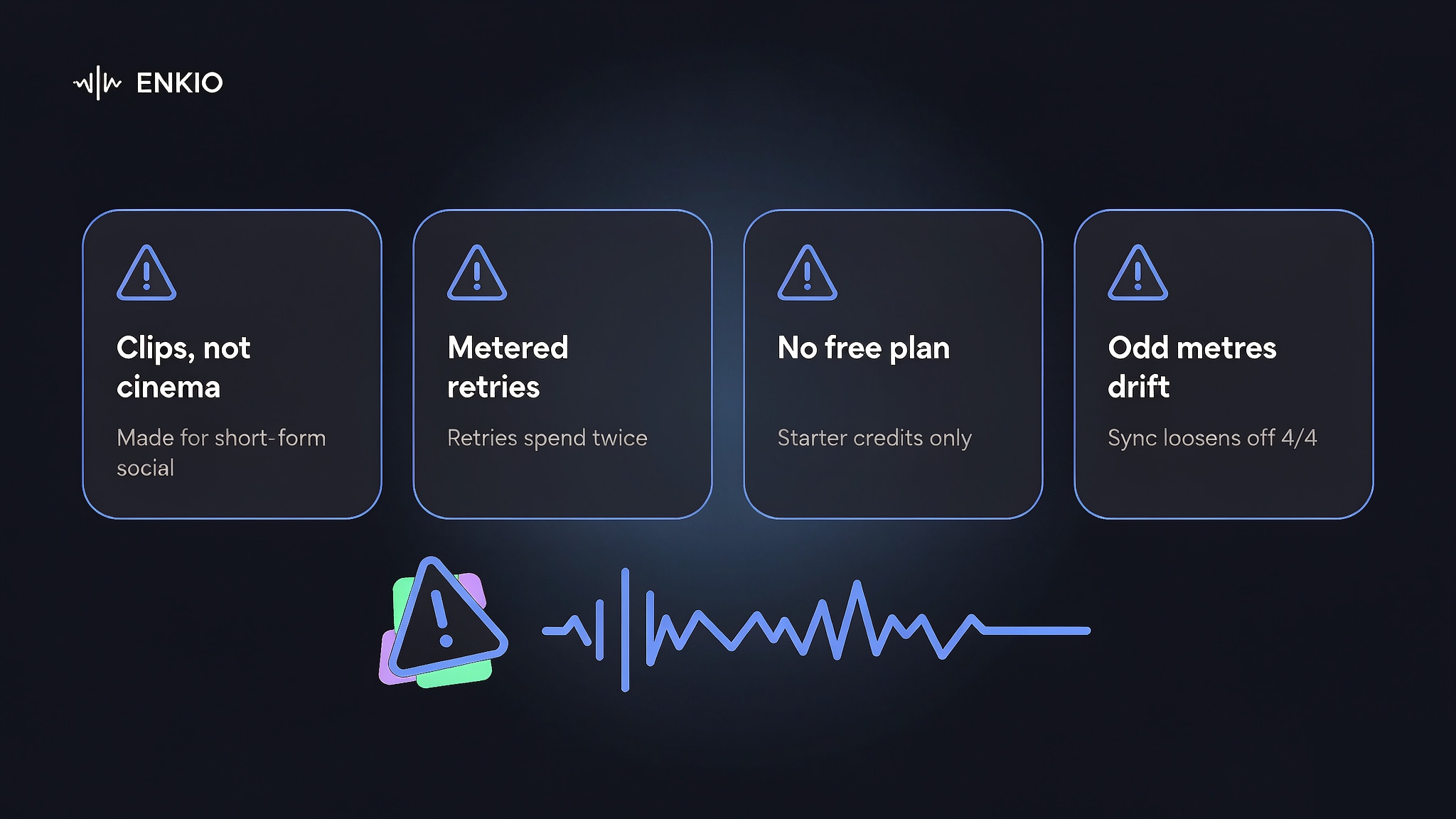
Revid optimises for short-form, music-first social visuals. If you want a narrative music video with actors, locations, and frame-by-frame direction, the tool's own guidance points to Runway or Kling. This is the clearest boundary of the product, and pretending otherwise is the most common way users overshoot what it delivers.
Credit costs add up on retries
Trustpilot reviewers and independent write-ups single out credit price as the most common complaint. Generation is not deterministic, so a clip that needs a do-over spends credits twice. At higher quality settings a single render can cost well into the hundreds of credits, so the effective cost per usable video varies sharply with your settings and your luck on the first pass.
If you would rather see the credit cost before you spend it, Enkio's AI Music Video Generator prices in credits, with the current credit costs listed on its pricing page and watermark-free downloads depending on the plan.
No permanent free plan
As of September 2026, new accounts get a small starter credit balance, but there is no lasting free tier; steady use means a $39-per-month commitment at minimum. ToolChase rates Revid as pricey for casual users, which matters if you post rarely and cannot spread the credit allowance across a real publishing schedule.
Music-driven, but it does not write the song
The generator is music-driven, not music-creating. You must bring the track; Revid maps visuals to it. A separate AI music feature exists on the platform, but the music video generator itself expects an input file or link, so the "music video" starts with music you already own or have licensed.
Sync is less reliable on irregular time signatures
Published tests report tight sync on 4/4 tracks with clear kicks, but lo-fi and ambient material produces softer transitions, and complex time signatures such as math rock or progressive metal can drift. If your catalogue lives in odd metres, expect to trim the result by hand rather than trusting the automatic cut.
Trademarked style presets raise rights questions
The preset library includes styles that borrow the names of well-known animation studios and game franchises. Using those looks on a video you plan to monetise is a rights question worth resolving before you publish, because the names signal third-party IP that platforms and rights holders may flag.
How It Compares With Other Music Video Tools
We compared Revid against the tools that show up most often in the same searches, using published specs and tests rather than marketing copy. The split is consistent: Revid wins on speed and social export, and it yields on visual control.
| Tool | Strength | Sync style | Best for |
|---|---|---|---|
| Revid | Speed and one-pass social export | Beat and lyric auto-sync | Quick promos and same-day drops |
| Vidnoz | Music video plus digital-presenter video | Beat sync | Presenter-led clips |
| Kaiber | Artistic, manual control | Partial | Stylised visual tracks |
| Runway | Cinematic, film-level generation | Not music-driven | Narrative music videos |
| Neural Frames | Frame-level editing | Highly reactive | Power users who tune every cut |
For a head-to-head with another music-video-first tool, our Vidnoz AI Music Generator Review covers a platform that adds digital-presenter video to the same beat-synced job. If your track comes from a generator and you are weighing the wider field, Alternatives to Suno AI Music Generator lists the options beyond the two we tested here.
Who the Revid AI Music Video Generator Is For Right Now
The fit is specific, and saying so protects you from buying a subscription for the wrong job. In our read of the user base, two groups get real value and two do not. Plan prices change, so confirm the current tier on the vendor's page before you commit to a subscription.
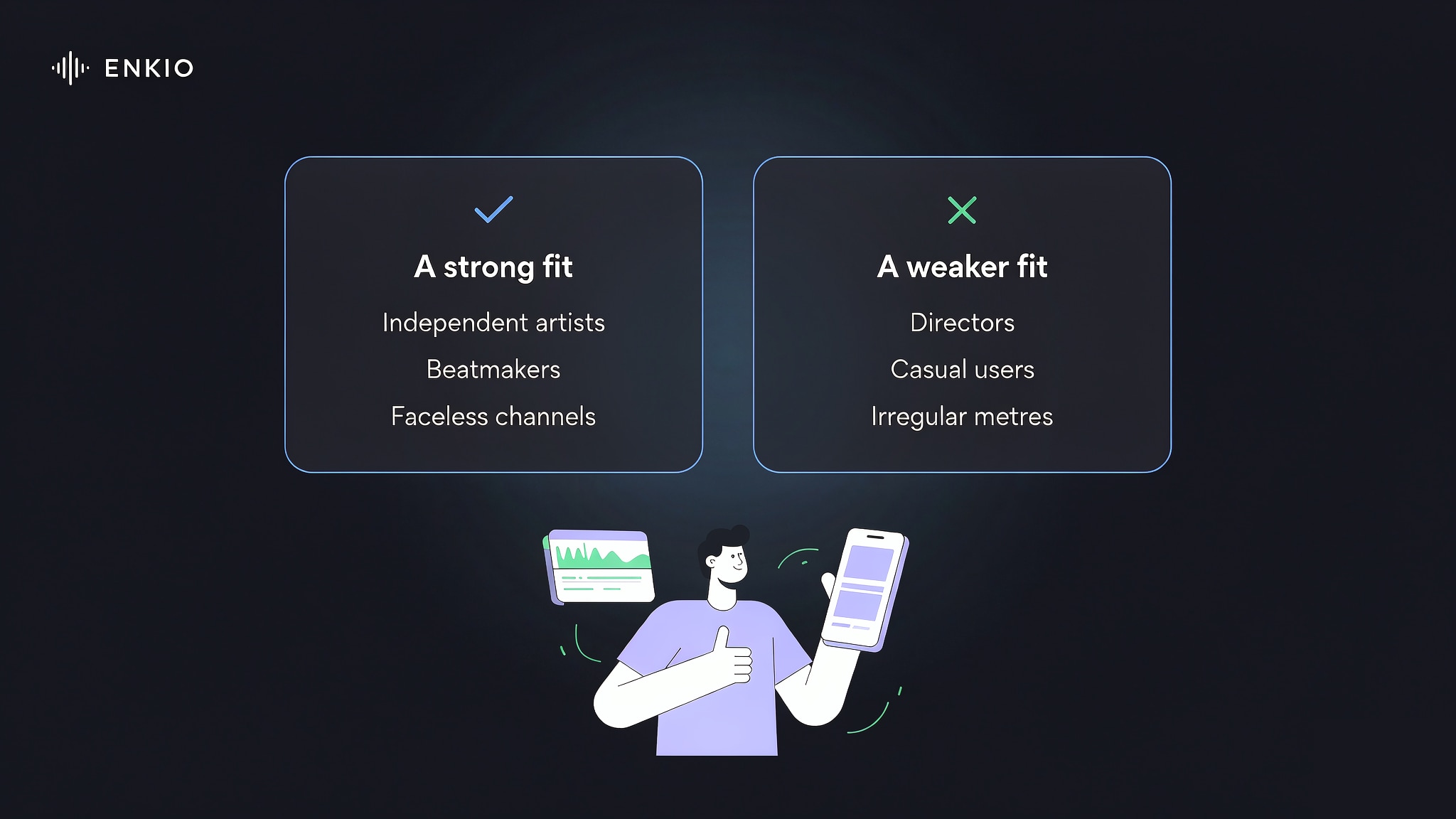
Fit: independent artists who need a single visual the day a single drops, beatmakers shipping instrumental clips, faceless channel owners who post on a schedule, and marketers running client music. The three-minutes-to-published promise suits a Friday release date more than a slow craft project.
Not a fit: directors who want shot-level control, casual users who post once a month and balk at a subscription, and anyone whose music sits in irregular metres and needs tight sync without hand edits. For those last two, a cinematic tool or a free visualiser is the cheaper first step, and confirm the current plan on the vendor's page before you commit.
For what you can actually build from one track, AI Music Video Ideas breaks down the use cases, and AI Music Video Prompts collects prompt patterns you can adapt once you have a visual direction in mind.
From a Track to Something You Can Publish
Revid answers the "my track is done, I need a video today" case well, and it is the fastest thing we found for that exact sentence. If you want the video to do more than carry the post, Enkio is built around cinematic music videos from a song, a photo and a prompt, and returns output at 720p or 1080p across five aspect ratios including 9:16 and 16:9, which suits a creator who publishes on a rhythm rather than once.

Make more from your MV.
Let Enkio create a complete AI music video from your song with cinematic templates.
Frequently asked questions
These are the questions we see most often about the Revid AI music video generator, answered from its docs and the public benchmarks around it.
Does Revid actually have a music video generator?
Yes. Revid lists a dedicated AI Music Video Generator among its tools. It turns an uploaded track or a pasted Spotify or Suno link into a beat-synced or lyric-synced video, and Revid flags it as the most-used tool in a recent month, so the capability is real rather than a renamed template.
Is the Revid AI music video generator free?
You can start without a card, and independent listings describe around 100 starter credits, but there is no permanent free plan. Ongoing use needs a paid plan beginning near $39 per month as of September 2026. Treat the free start as a trial, not a publishing tier.
How much does Revid cost in 2026?
As of September 2026 the entry paid plan is about $39 per month, a mid plan sits at $39 on a locked discount from $99, and the top plan is $199 per month, with credit allowances from roughly 2,000 to 12,000. Check the official pricing page for current numbers, because plan names and promo prices vary between sources and change over time.
How fast is the music video generator?
Published tests render a three-minute track in roughly 80 to 100 seconds, with accurate beat alignment on the first pass for standard 4/4 material. Speed is the feature reviewers cite most, and it is the main reason the tool ranks high for same-day promos.
Does Revid write the song for the video?
No. The music video generator is music-driven, not music-creating; you supply the track by upload or link. The platform has a separate AI music feature, but the video tool expects an input song and maps visuals to it rather than composing the music. If you are starting without a finished track, Enkio covers music generation with vocals and user-written lyrics, and the credit costs for the video step are listed on its pricing page.
Is Revid better than Kaiber or Runway for music videos?
For speed and social-ready output, yes; for cinematic or narrative control, no. Revid's own guidance sends film-level work to Runway or Kling, while Kaiber and Neural Frames offer more manual visual control for creators who want to tune each cut.
Conclusion
Revid's AI Music Video Generator does one job with unusual speed: turning a finished song into a beat-synced clip you can post the same day. It is not a director's tool, the credit model rewards steady users more than dabblers, and the sync loosens on irregular time signatures.
Use it when the priority is a fast, platform-ready visual; reach for a cinematic tool when the video has to carry the story. Decide which lane your next release needs before you generate, not after, and the tool will do the job it was built for.