




The Short Answer: Match the Tool to the Job
The short answer: there is no single best AI music generator from text — only better and worse fits. We compared the seven most-discussed tools against the same five criteria, and the picks split by scenario: Suno for complete songs with vocals, Soundful or Mubert for royalty-free background and instrumental tracks, and MusicGen for free, open-source experimentation. The rest of this guide explains what "from text" means, where each tool genuinely differs, and the four questions that settle the choice.
At Enkio, we work on music-to-video workflows, and the question we hear most often is not "which tool is best" but "which tool is best for *my* situation." What follows is our answer, organized so you can skip straight to your scenario.
How We Evaluated These Tools
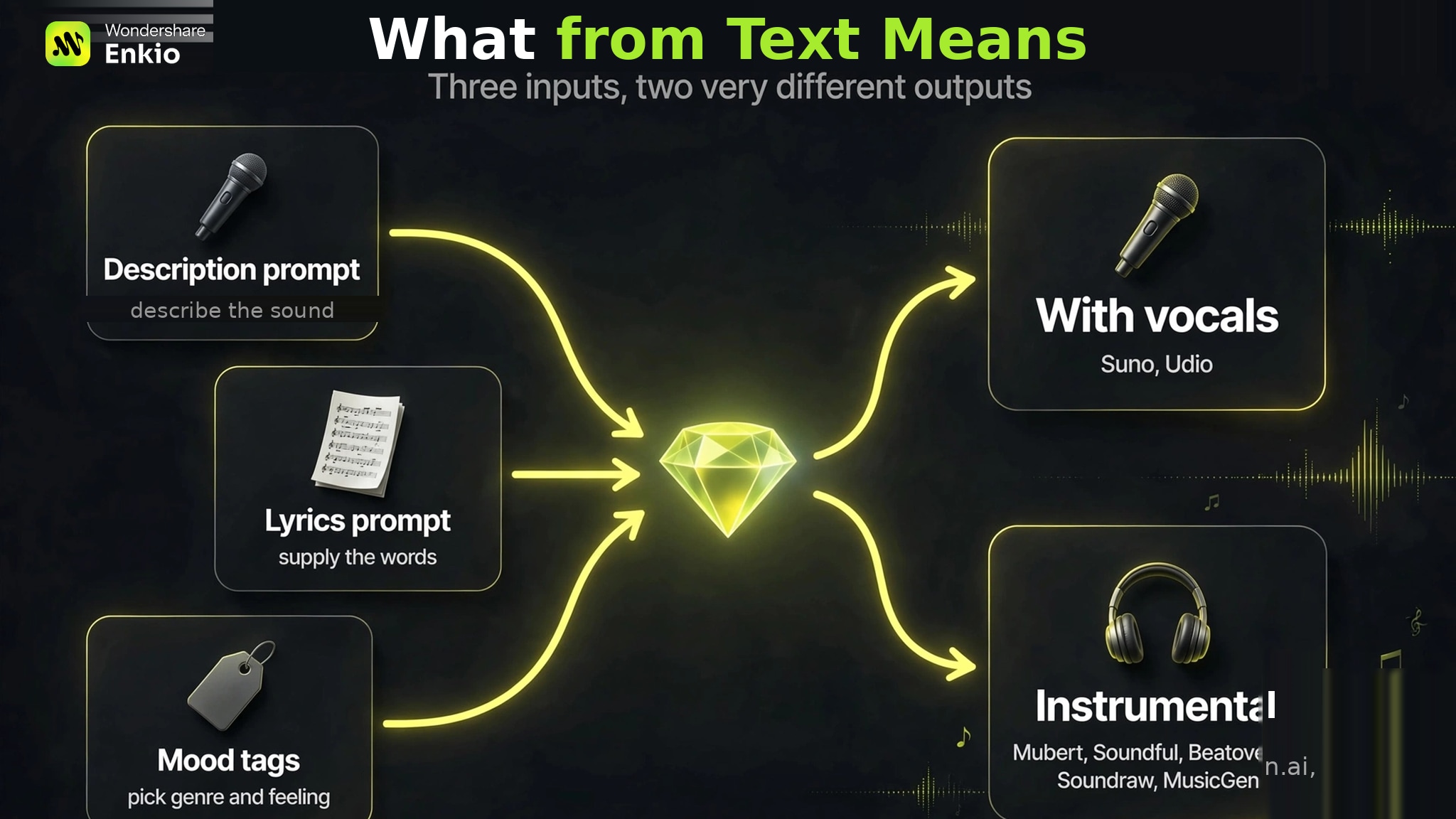
"From text" sounds like one input method, but ranking pages conflate three different ones, and the distinction decides which tool you need. Description prompts are the most common: you write what you want to hear ("upbeat synth-pop, driving drums, optimistic mood") and the model composes from that description. Lyrics prompts go further — you supply the actual words, and the tool writes a melody and arrangement around them. Mood and tag inputs are the lightest: you pick a genre, tempo, or feeling from menus rather than writing sentences.
For the broader landscape beyond text-prompt tools, our Best AI Music Generators roundup covers the full category.
We scored nothing by ear. This is desk research (October 2026), not hands-on testing — we read each vendor's current pages and named independent reviews, so every claim below traces to a source, never to an invented listening session. Each tool was checked against the same five criteria:
- Vocal capability — full sung vocals, or instrumental only.
- Commercial-rights clarity — what the paid tier's license actually covers.
- Export and stems — whether you can take files (and separate parts) out.
- Cost per song — what a finished, usable track effectively costs.
- Free-tier limits — what $0 actually gets you.
Pricing changes fast in this category. Every figure below is an October 2026 snapshot — check the vendor's pricing page before you pay. If you want background on the underlying technology first, try Enkio AI Music Generator directly.
The 7 Best AI Music Generators from Text
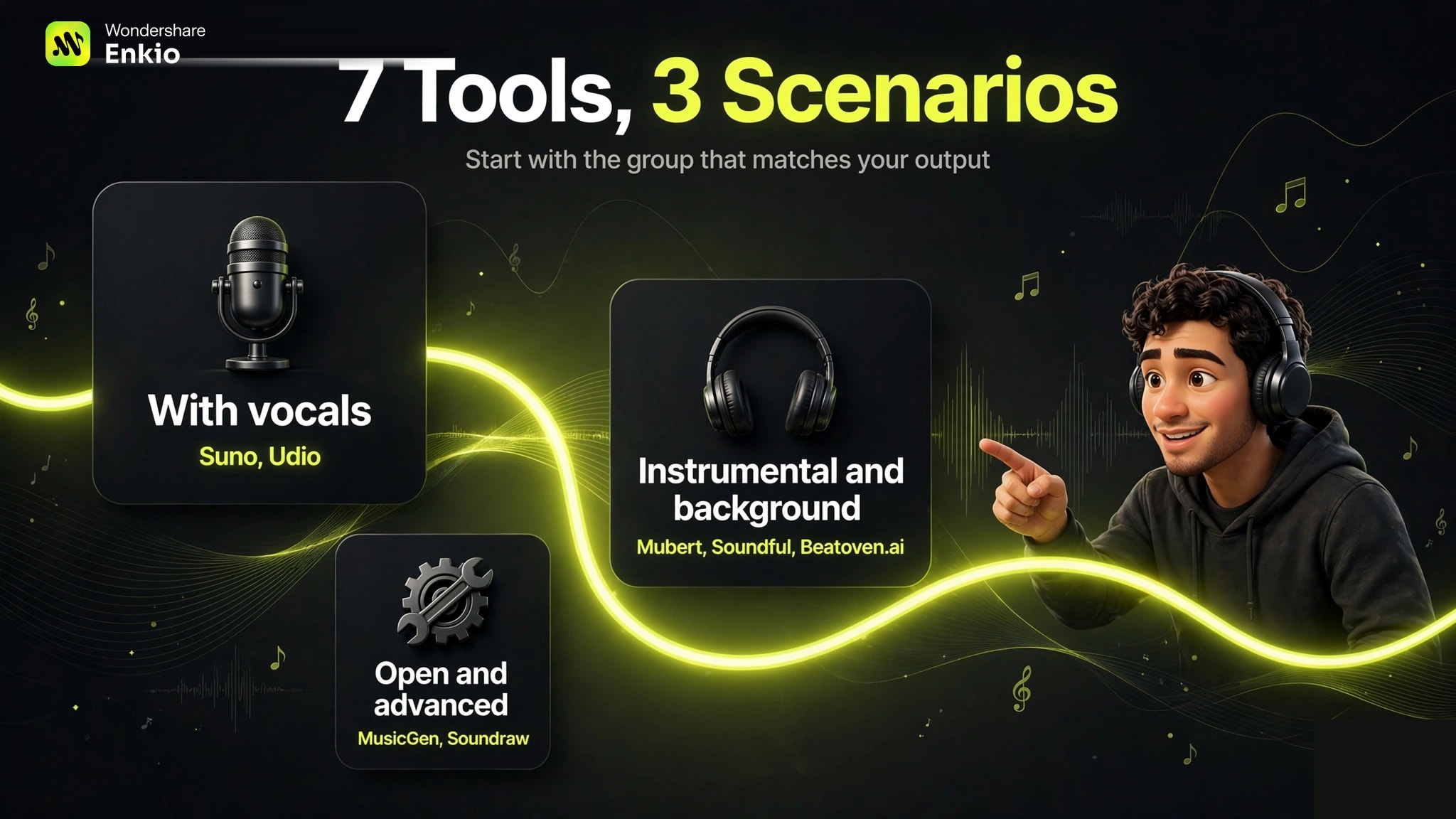
The seven tools fall into three natural groups. Start with the group that matches the output you need — vocals or instrumental — then compare within it.
1. Suno — Best for Complete Songs with Vocals
Suno is the reference point for text-to-song generation: a description or your own lyrics in, a structured song with sung vocals out. It remains the most complete package for creators who want a finished vocal track without touching a DAW.
Price: Free ($0, 50 credits a day — roughly 10 songs); Pro $10/month ($8 billed annually, 2,500 credits); Premier $30/month ($24 billed annually, 10,000 credits), as of October 2026. Paid plans include commercial rights. Note a newer constraint: since September 2026, downloads are capped by plan (20 a month on Pro, 60 on Premier), which is now the binding limit for heavy users rather than credits.
Strength: Full songs with vocals from a short text prompt, plus stem separation and WAV export on paid tiers.
Weakness: The free tier carries no commercial rights, and the download caps mean high-volume releasers need to plan around a monthly quota, not just credits.
Fits: Songwriters and content creators who want release-ready vocal tracks. Our Suno Music Generator Review goes deeper on each plan.
2. Udio — Best for Natural-Sounding Vocals and In-Platform Editing
Udio's reputation rests on vocal naturalness — independent reviewers consistently rate its sung performances above the field — plus granular editing tools like inpainting and section extension that let you repair a track instead of regenerating it.
Price: Free ($0, 10 credits a day plus 100 a month); Standard $10/month (2,400 credits); Pro $30/month (6,000 credits), as of October 2026.
Strength: Vocal quality and the edit-and-repair workflow (extend, remix, inpaint) are genuinely differentiated.
Weakness: Downloads of audio, video, and stems are disabled on every plan, so nothing you make can currently leave the platform. That single fact decides most purchase decisions before anything else.
Fits: Experimenters and demo-makers who work inside the platform and do not need exportable files. See our Udio AI Music Generator Review for the full picture.
3. Mubert — Best for Royalty-Free Background Music at Scale
Mubert generates royalty-free instrumental tracks and continuous streams from text descriptions, built on samples from real contributing musicians. Its developer API and long-form generation (up to around 25 minutes) make it a background-music engine more than a song studio.
Price: Ambassador free tier (25 generations and 5 MP3 downloads a month, non-commercial, attribution required); paid Render plans start around $12–14/month for creators, rising to roughly $32–39/month for Pro and higher for Business, as of October 2026. Exact figures differ between monthly and annual billing — check the vendor's pricing page.
Strength: Royalty-free licensing structured for content use, an API for apps and games, and non-repeating long-form output.
Weakness: Instrumental only — no sung vocals — and the output is atmospheric beds rather than structured songs with verses and choruses.
Fits: YouTubers, podcasters, streamers, and developers who need safe background music in volume.
4. Soundful — Best for Template-Driven Tracks with Stems
Soundful takes a template approach: pick a genre and style, and it produces a royalty-free track in seconds, with stem packs on higher tiers for detailed editing.
Price: Standard free tier (unlimited generations, 1 download a month, personal license); Premium from about $5/month (100 downloads a month); Pro $14.99/month (400 downloads plus 20 stem packs a month), as of October 2026.
Strength: Royalty-free commercial licensing on paid plans, stem packs for producers, and unlimited generations even before you pay.
Weakness: No vocal generation, and the free tier's single monthly download makes it a trial rather than a working tier.
Fits: Creators who want consistent, brandable background tracks with editing headroom.
5. Beatoven.ai — Best for Mood-Matched Video Underscoring
Beatoven AI Music Generator is built for one job: pick a mood, genre, and duration, and get a licensed instrumental matched to your video. Its Maestro model carries Fairly Trained certification, and downloads come with a commercial license.
Price: A limited free trial; third-party reviews list Creator around $10/month and Pro around $20/month as of October 2026, with pay-as-you-go near $3 per download minute. Caution: the official pricing page was unreachable in early October 2026, so treat these as reported figures and confirm on the vendor's site before paying.
Strength: Mood-based composition with a clean licensing story for video work.
Weakness: Instrumental only with no vocal generation, and pricing transparency is currently poor — verify before committing.
Fits: Video editors who score by mood and need a download license without a song-release workflow.
6. MusicGen — Best Free and Open-Source Option
MusicGen is Meta's open-source text-to-music model: describe the music, optionally supply a melody to condition on, and generate a clip. It runs free through a Hugging Face demo or locally via Meta's AudioCraft toolkit.
Price: $0 — open source, no subscription, as of October 2026.
Strength: Free, open, and hackable, with melody conditioning that lets you steer generation with your own audio.
Weakness: Instrumental only with no vocals; clips run short (around 30 seconds); local use needs a Python/GPU setup; and the model license is CC-BY-NC — non-commercial use only.
Fits: Developers, researchers, and tinkerers who want full control at zero cost.
7. Soundraw — Best for Editable Instrumental Tracks
Soundraw generates royalty-free instrumental tracks from genre, mood, and tempo selections, then lets you rebuild them in the browser — muting or soloing instruments bar by bar. Its AI is trained only on in-house-produced music, which underpins its commercial licensing claims.
Price: Free signup with limited use; Creator plans from around $17/month; Artist tiers (with stems) from roughly $30 to $100/month, as of October 2026. Annual billing lowers the monthly figure — check the vendor's pricing page.
Strength: Real-time bar-level editing and stem exports on higher tiers, with a worldwide commercial license.
Weakness: No vocal generation, and stems are gated behind the pricier Artist tiers.
Fits: Creators who want editable, licensable instrumental tracks without a DAW.
How to Choose: 4 Questions That Decide It
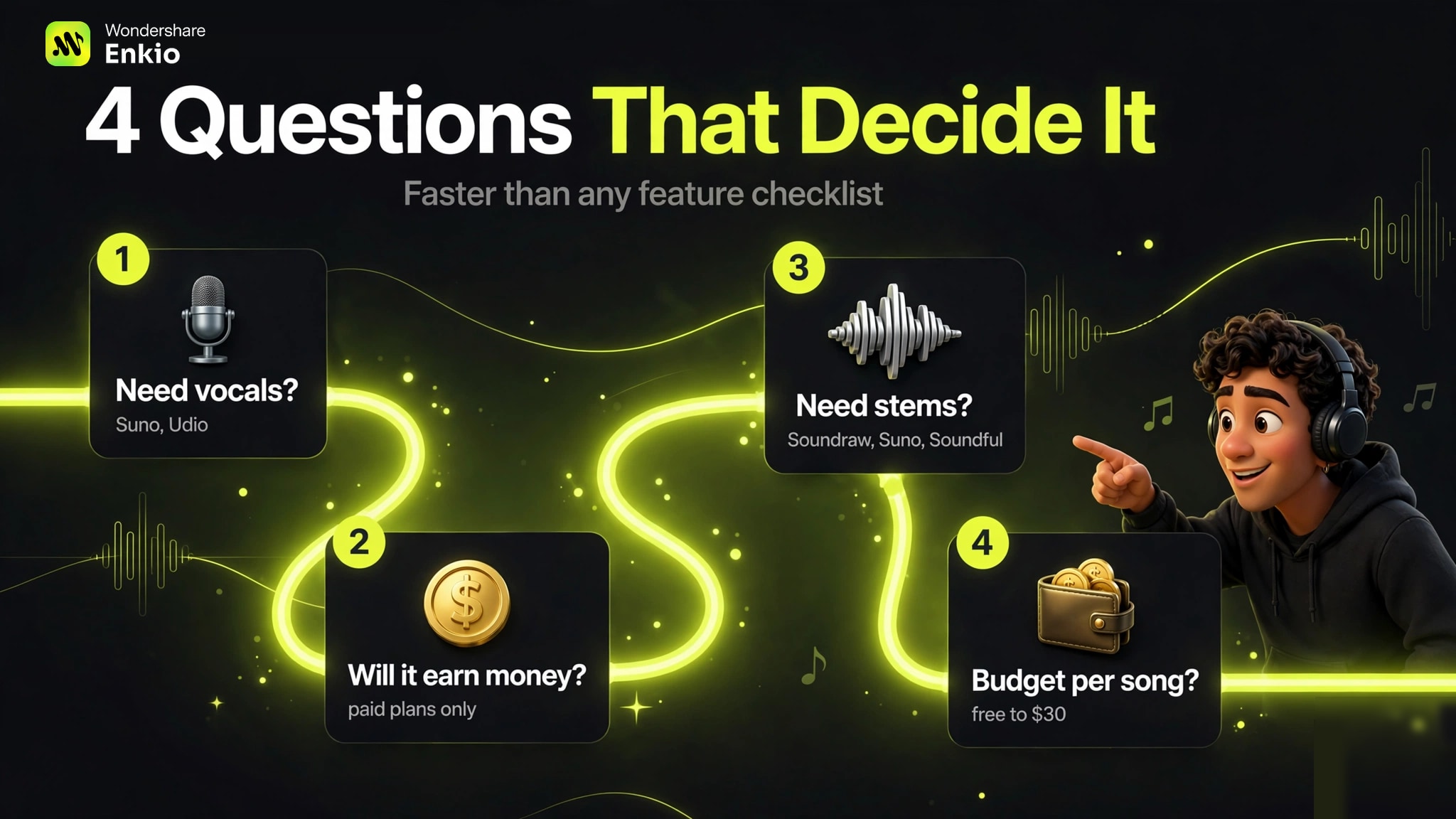
Forget feature checklists — we found four questions separate these tools faster than any comparison grid:
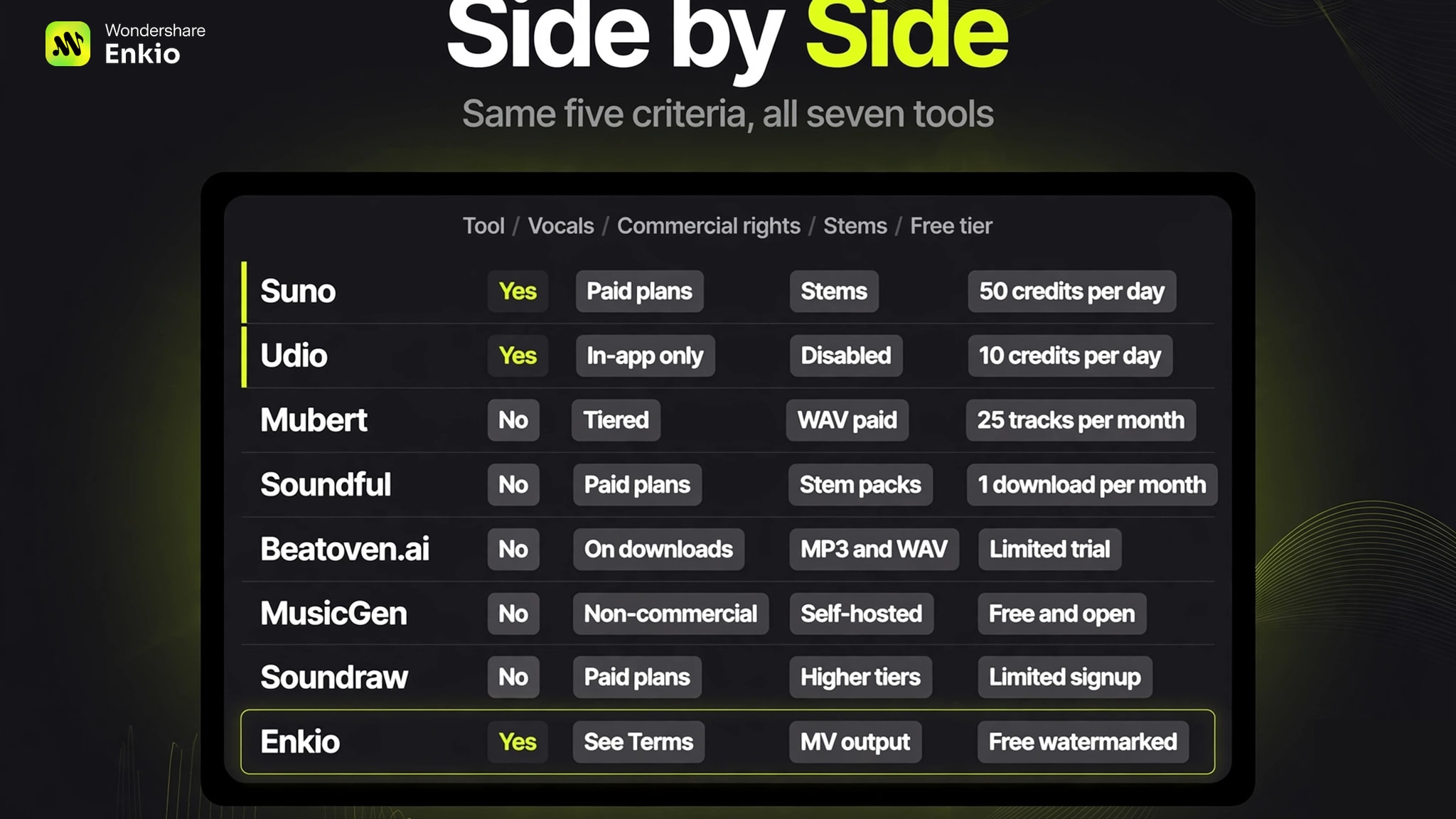
Our comparison table puts the same five evaluation criteria side by side, including Enkio — our own product, which generates music from text with vocals and continues natively into music-video creation. All prices are October 2026 snapshots; check each vendor's pricing page before you pay.
| Tool | Vocals from text | Commercial rights | Stems / deep export | Free tier | Paid from (Oct 2026) |
|---|---|---|---|---|---|
| Suno | Yes — full songs | Yes, paid plans | WAV + stems (paid; monthly download caps) | 50 credits/day | $10/mo |
| Udio | Yes — natural vocals | Paid plans (in-app only) | Disabled on all plans | 10/day + 100/mo | $10/mo |
| Mubert | No — instrumental | Tiered paid licenses | WAV downloads (paid) | 25 tracks/mo | ~$12/mo |
| Soundful | No — instrumental | Yes, paid plans | Stem packs (Pro) | 1 download/mo | ~$5/mo |
| Beatoven.ai | No — instrumental | License on downloads | MP3/WAV (paid) | Limited trial | ~$10/mo* |
| MusicGen | No — instrumental | Non-commercial (CC-BY-NC) | WAV (self-hosted) | Free, open source | $0 |
| Soundraw | No — instrumental | Yes, paid plans | Stems (higher tiers) | Limited signup | ~$17/mo |
| Enkio | Yes — with vocals | See Terms of Use | 720p/1080p MV output | Free uses (watermarked) | $19.99/mo |
Writing Better Text Prompts
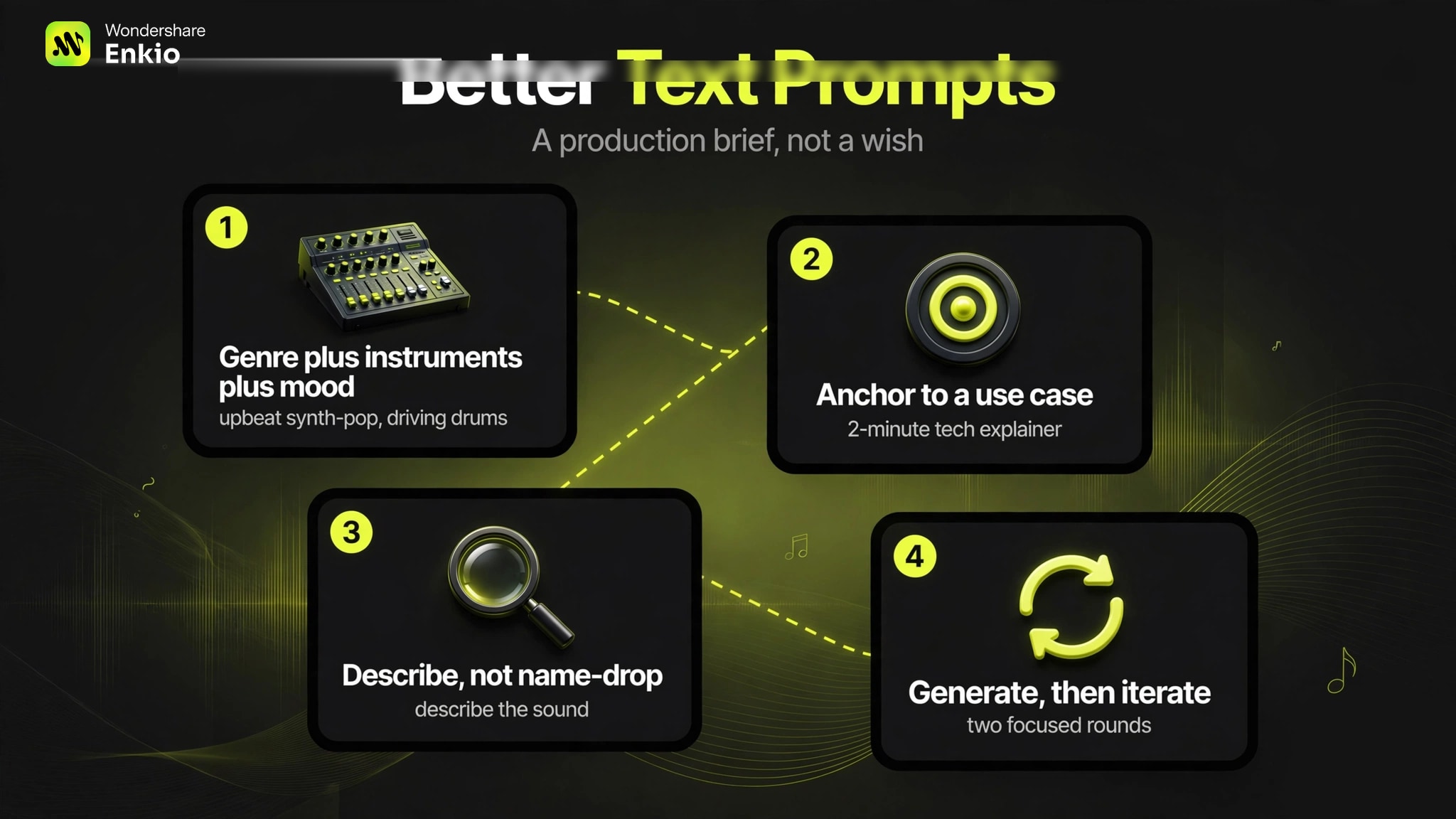
An ai music generator from text prompt is a production brief, not a wish. Four patterns cover most needs:
1. Genre + instruments + mood. Name the style, the lead instruments, and the feeling: "upbeat synth-pop, driving drums, bright synth leads, optimistic." Concrete nouns beat adjectives — "walking bass line" guides the model more than "groovy."
2. Anchor it to a use case. "Background music for a 2-minute tech explainer, calm, minimal piano, no drums" tells the model the duration, energy ceiling, and arrangement limits in one line.
3. Describe, don't name-drop. Referencing artist or brand names is both a copyright grey zone and unreliable — models interpret it inconsistently. Describe the sound you want instead.
4. Generate, then iterate. Treat the first output as a direction check. Keep what works in the prompt, replace what doesn't with more specific language, and regenerate. Two focused rounds beat ten random ones.
What About Commercial Rights?
Short version: the free tier is almost never the commercial tier. Across these tools, free plans are consistently personal-use only (MusicGen's license says so explicitly; Suno and Udio reserve commercial rights for paid plans; Mubert's free tier requires attribution). Paid plans grant commercial rights, but the scope differs — Mubert excludes streaming releases and Content ID on every tier, while Soundraw and Soundful offer broader royalty-free licenses. Udio is the special case: rights exist on paper, but with downloads disabled there is currently no file to exercise them on. For commercial usage terms, check each vendor's Terms of Use and keep a copy of the license that came with your plan.
Frequently asked questions
These are the questions that come up most often around text-to-music tools, answered from the same evidence used above.
Can AI music generators make full songs with vocals?
Yes — but only the vocal-capable tools. Suno and Udio generate complete structured songs with sung vocals from a text description or your own lyrics. The instrumental tools (Mubert, Soundful, Beatoven.ai, Soundraw, MusicGen) produce background tracks without singing, no matter how you phrase the prompt.
Are AI music generators from text free?
Most offer a free tier with real limits as of October 2026: Suno gives 50 credits a day (about 10 songs), Udio gives 10 credits a day plus 100 a month, Mubert gives 25 tracks a month, and MusicGen is free and open source. Free tiers are personal-use only across the board — commercial use requires a paid plan.
Should I pick a tool with vocals or instrumental output?
It depends on what the music is for. If the song itself is the product — a release, a demo with lyrics, a vocal showcase — you need Suno or Udio. If the music sits under something else — a video, a podcast, a stream — instrumental tools are usually cheaper, better licensed for that job, and easier to edit.
Can I use AI-generated music commercially?
On paid plans, generally yes — but the scope varies by vendor. Suno, Soundful, Soundraw, and Beatoven.ai include commercial rights with paid tiers; Mubert's licenses are tiered with specific exclusions; MusicGen's open-source license is non-commercial. Always check the vendor's Terms of Use for the plan you are actually on.
I have my song — what should I do next?
A finished song is only half a release. The highest-leverage next step is a music video: it multiplies the song's reach on every platform that rewards video. Enkio's AI Music Video Generator takes a finished track plus images and turns it into a complete music video with cinematic templates — no camera or crew needed — so the text-to-song workflow above continues directly into a visual release.
Conclusion
There is no best AI music generator from text — there is only the right one for the job in front of you. Need a sung single? Start with Suno's free tier; if vocal naturalness matters more than export, try Udio. Need background music for content? Soundful and Mubert offer the cleanest licensing at the lowest prices. Need stems to edit? Soundraw's Artist tiers or Suno's paid plans. Need it free and open? MusicGen, accepting the non-commercial license and short clips.
And when the song is done, the decision shifts from audio to video. If your track is finished and the visual is the next step, Enkio continues the same workflow — song and images in, music video out — without learning a separate video-production pipeline. For commercial usage terms, see Enkio's Terms of Use.