



Who it's for: teachers who want a Halloween atmosphere without handing the lesson over to it — music that stays in the background while students read, write, and make things. From our testing for this guide: we generated instrumental tracks on Enkio.
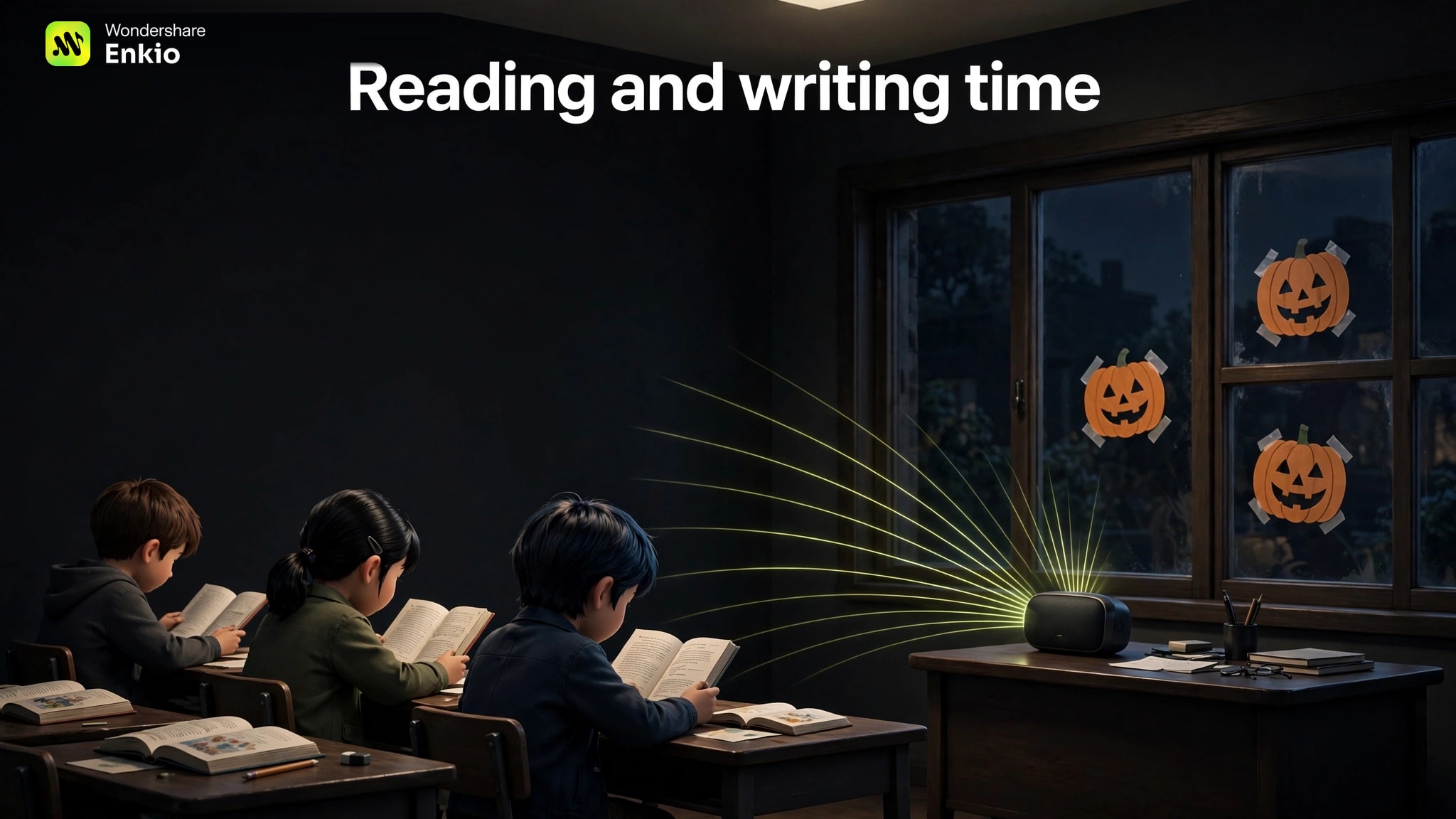
Classroom halloween music has to set an October mood while asking nothing of your students — no lyrics to decode, no jump-scare sting, no chorus that pulls heads up from their work. Generate it yourself, and all three settings are decided before the first note exists:
- Instrumental only. No lyrics means nothing to screen, mishear, or explain later — that whole category of risk never enters the room.
- No sudden sounds. You describe a calm track, then preview the finished thing once, start to finish.
- Volume that behaves. A track built for quiet work sits under your speaking voice.
Enkio is the tool this guide builds on, because your tracks stay in your projects, named and ready to reuse next October. For the rest of the night's sounds — party songs, ambience, orchestral pieces — see our Halloween Music guide.
Planning for your own children at home instead of a class? Halloween Music for Kids is the parent-side companion to this teacher-side guide: the same safety stance, built around a custom song and a starring video for one child.
Make the calm version first.
Describe the classroom moment, choose instrumental, and hear the whole track before your students do.
How to Generate Classroom-Safe Halloween Music with Enkio
The four steps below follow the music-generation flow we tested end to end.
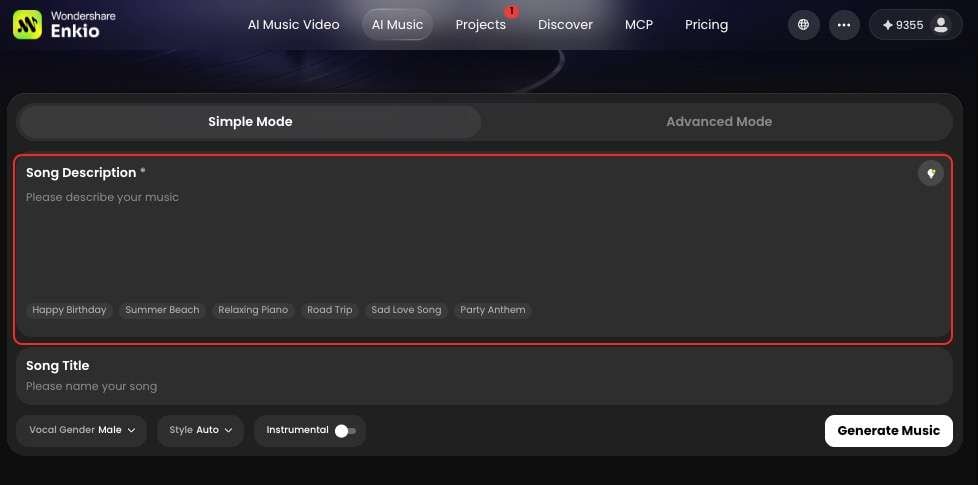
Step 1: Describe the classroom moment, not a song title
Open the AI Music Generator and describe the moment in simple words: "slow instrumental background music for quiet reading, soft piano and gentle strings, a mild Halloween mood, nothing sudden." Naming a moment beats naming a song — a title drags in someone else's tempo and surprises. Keep the description to what students should feel, and what they should never hear: steady, low, even; no stingers, no shouts, no slamming doors.
Step 2: Choose instrumental, and skip lyrics entirely
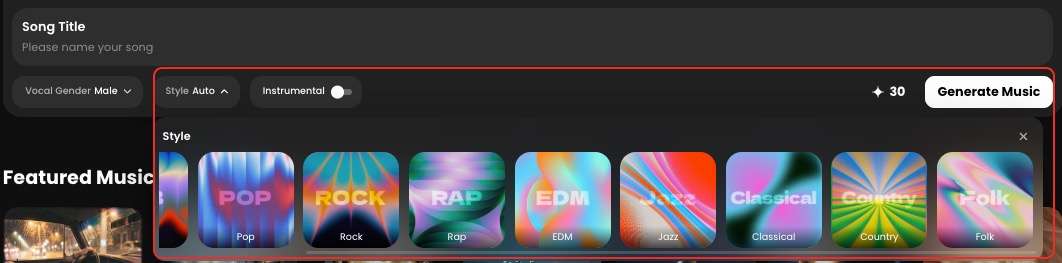
This step makes the track classroom-safe: select the instrumental option and leave lyrics out altogether. Teachers search for this three ways — halloween instrumental music, instrumental halloween music, halloween music instrumental — and all three land on one setting: a track with no words in it. With no vocal line, there is nothing to screen before class and nothing to mishear. The vocal gender and style choices (around ten styles) sit in the same panel, but they belong to the party track below; here, instrumental is the whole decision.
Step 3: Generate, then preview the whole track once
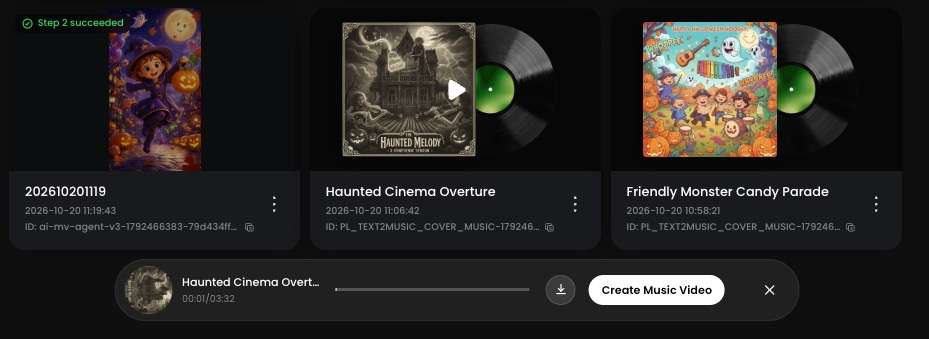
Click Generate music and follow the job in Projects. When it finishes, Enkio attaches an album cover automatically, and the track is ready to play.
Step 4: Download the MP3, and name it
Download the MP3, and name the file for the moment it serves — reading, craft, party — not for the date you made it. Keep the three kinds in separate folders — the party file above all, the one you must never grab by accident mid-lesson. A track identifiable from its filename never has to be re-audited in front of a waiting class.
The No-Surprises Check Before You Press Play in Class
Generation settles what the track is; this check settles how it behaves in your room. Run it once per track — after that, a named file from your own library needs no re-checking.
- Volume peaks: replay the loudest moment at teaching volume; it should sit under your speaking voice.
- Sudden sounds: confirm no sting, slam, scream, or bell hit hides anywhere in the track — if you have not heard it all, it is not checked.
- Duration: the track, or the track on repeat, must cover the full lesson block, so the music never dies mid-lesson.
- Disconnect backup: keep the downloaded MP3 on the device you teach from, not only online — a dropped connection should cost you neither.
If your class ends the month wanting something families can watch, the AI Music Video Generator turns a track like these into a short showcase video, and our Halloween Music Videos guide walks through that build.
And if the question from a parent or a department head is whether you may use the music at all, our Free Halloween Music guide works through the usage-scope questions teachers ask. For commercial usage terms, see Enkio's Terms of Use.
Give the class a video to take home.
Your calmest track plus a reference image becomes a short class showcase video families can keep.
See what the plans cover in Halloween.
Plans, credits, and download options are listed on the official pricing page.
Frequently asked questions
How long can I play Halloween background music before students stop noticing it?
That fade is the goal, not a failure — background music has done its job when students stop hearing it as an event. A calm instrumental track settles into the room within the first stretch of a lesson and stays unnoticed while it never changes character: same tempo, same level, no surprises. Rotate between your reading and craft tracks across the week so no single melody becomes a signal, and keep the party track out of quiet work entirely.
Is generated background music okay during a test or quiet work time?
For most classes, yes, under two conditions. Use the reading track, the exact file you already previewed in full, at low volume; a test is not the moment to debut a new generation. Check your school's norms first: some schools keep assessments silent by policy, and a few students focus better in silence than under any music. A workable compromise: music during the work period, silence once the test papers come out.
What should I do if a parent asks about the music I played?
Answer with the three facts that make it easy to explain: you generated it yourself, it is instrumental with no lyrics at all, and you listened to the entire track before it played in class. Most questions end there. If a parent wants to hear it, play it at pickup or send the MP3 — a track with no words in it makes for a short conversation.
Can students help describe the track we generate?
Yes — it is the quickest way to make the background feel like the class's own. Collect three words from students first ("spooky but sleepy" is a workable brief), build the description from them, and let the class vote between two finished versions. Keep the adult jobs with the adult: the account, the full pre-listen, the separate folders.
Do I need a different track for the morning and the afternoon?
No — you need the same tracks used at the same moments. A reading track that opens every quiet-work block becomes a routine cue: students settle when it starts. What changes across the day is the moment you press play, not the music. Arrival time often suits the lighter craft track; the last quiet block before pickup goes back to the reading track. Two background tracks, used consistently, cover the whole day.
Conclusion
Halloween in a classroom is a balancing act: enough atmosphere that October feels different, enough control that the lesson never has to compete with it. Generating it yourself makes both halves possible: the mood is written into the description, and the risks are removed before a roomful of students is listening.
Start with the reading track: it is the one you will use most, and it proves the workflow in one sitting — describe the moment, choose instrumental, preview everything, name the file. Once that file sits checked in your library, next October's halloween music for classroom use is already done — and the only surprise left in the month is the good kind, the costumes. And if the class ends the month proud of its track, Enkio can turn that same checked file into a showcase video families can replay at home.