



In our testing on October 20, 2026, we generated a Halloween track on Enkio and carried it through the complete MV workflow — reference image in, blueprint and clips reviewed, character three-view confirmed, finished video saved.
Yours starts from two things you already have: the track, and one reference image. Our Halloween Music guide covers making the songs themselves; this page is only about turning one into a video tonight.
Three things are all the preparation there is:
- Your song, as a finished audio file — a released track, a demo you still like, or one you generate first (last section below).
- One reference image to cast the lead: a photo of the performer, or the album cover your song already carries.
- The rights to both. Use music and photos you own or are cleared to use — the pre-publish check in the conclusion takes thirty seconds.
Enkio is the tool this guide builds on, because one account covers both halves of the job: it generates the song when you need one, and its video agent builds the MV from the song you bring.
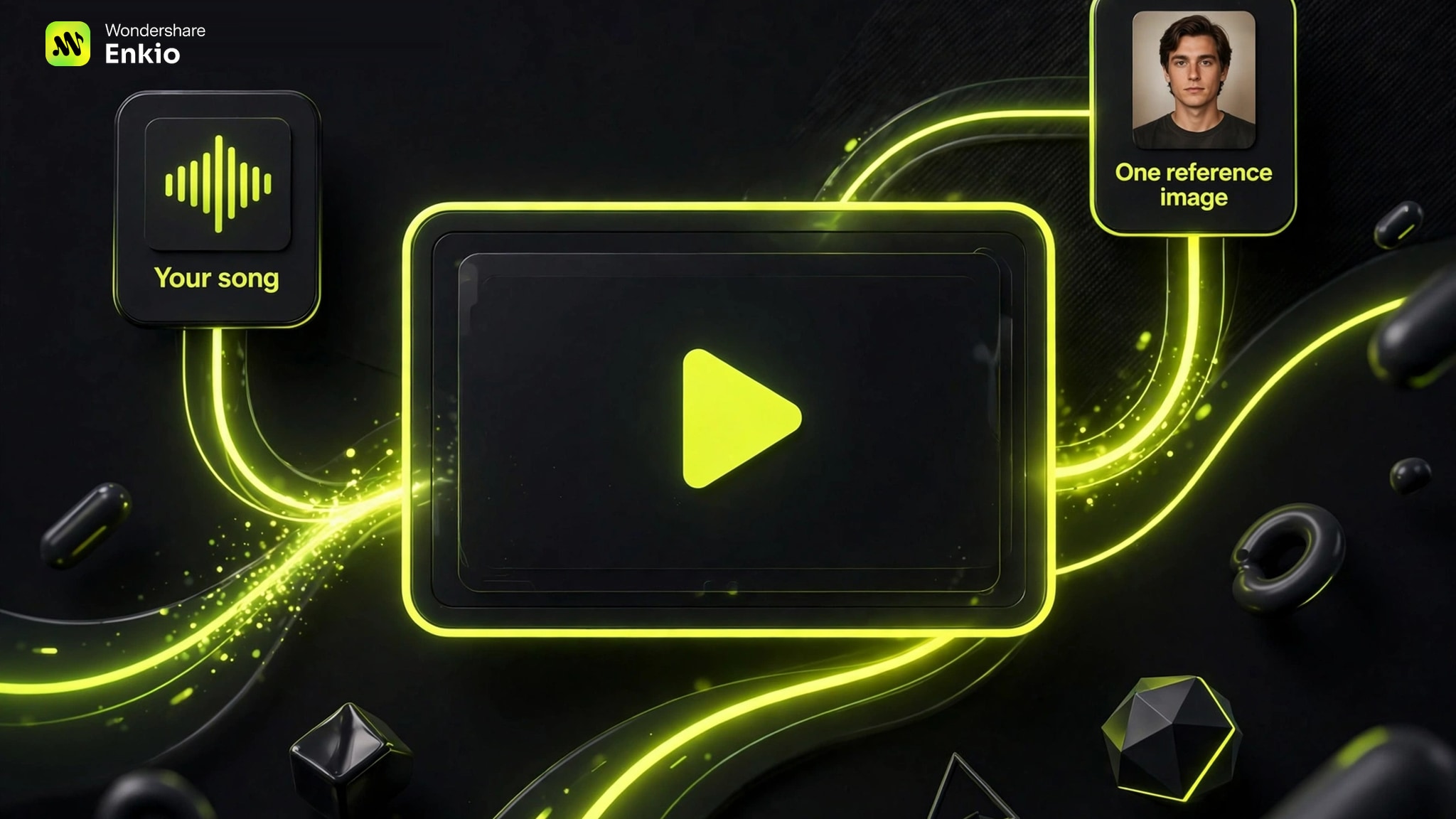
Your song is already the hard part.
Bring the track and one photo — Enkio's agent handles the cameras you don't have.
Make Your Halloween Music Video with Enkio
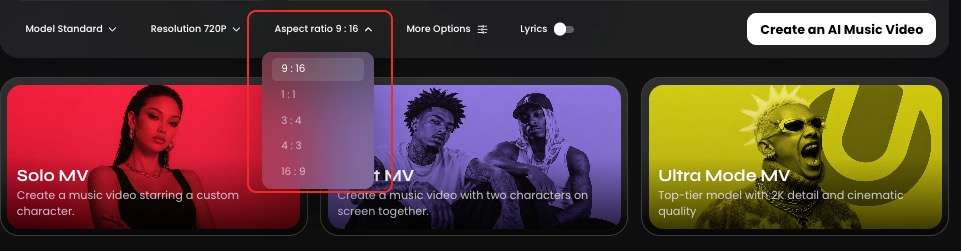
The five steps below are the workflow exactly as we ran it, start to finish. Most halloween music videos are commissioned months ahead; this one is assembled in an evening, because every decision sits on two screens — the upload and the workflow page. Confirmed specs, so you can plan the post before you start: output at 720p or 1080p, and five aspect ratios — 9:16, 1:1, 3:4, 4:3, and 16:9.
Step 1: Upload your song and one reference image
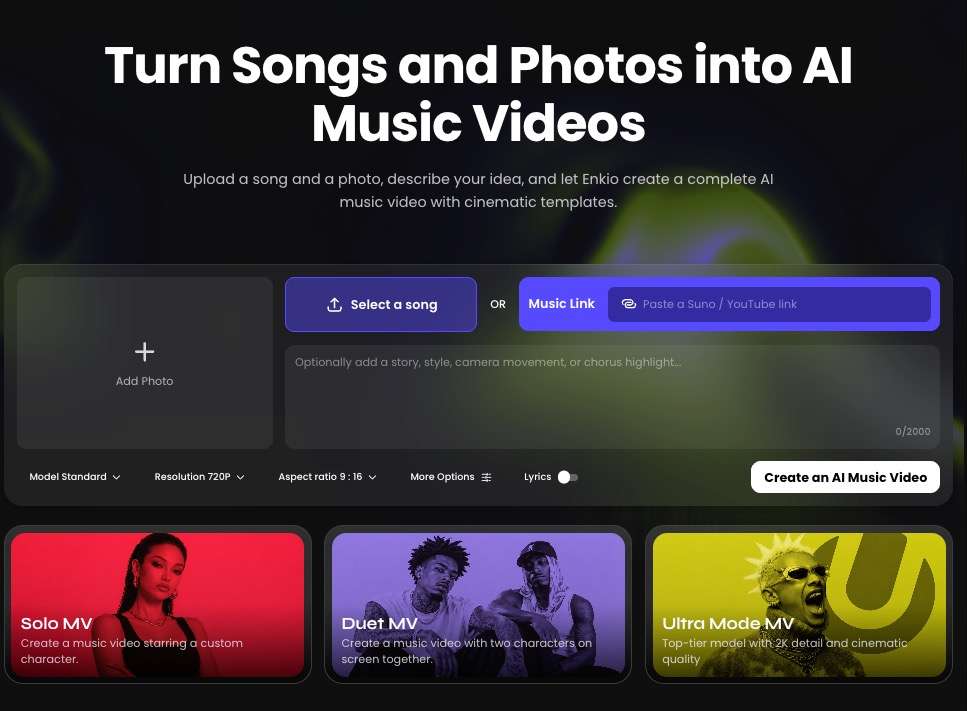
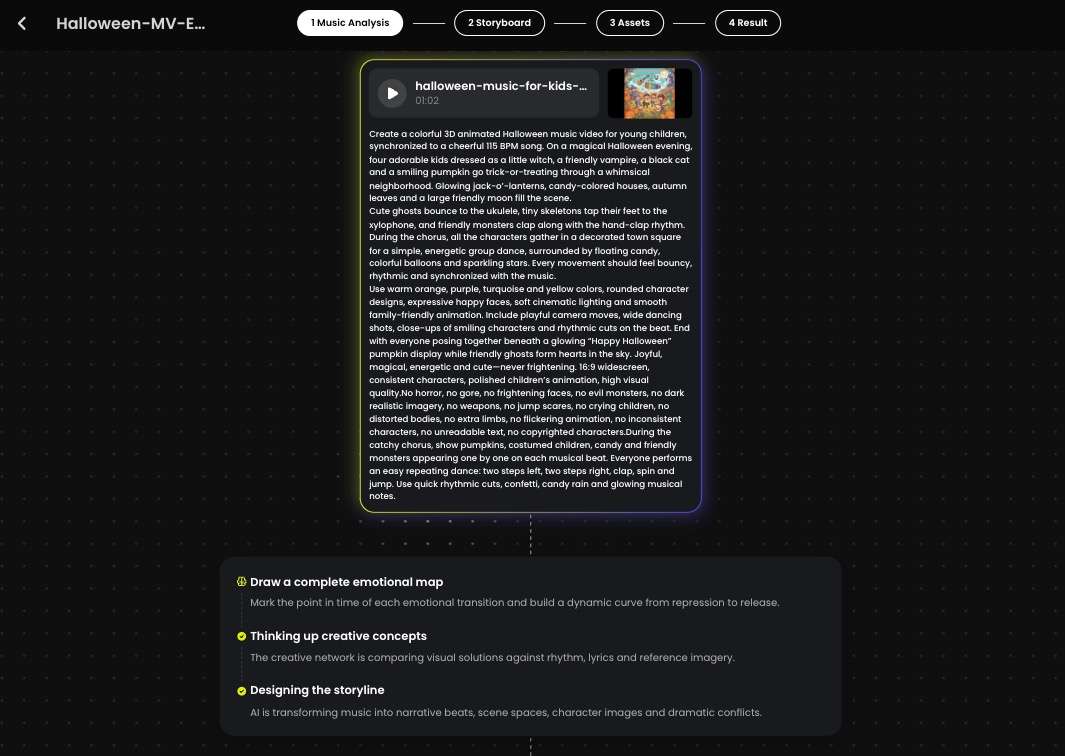
Open the AI Music Video Generator and upload the finished audio. Then add the reference image that casts your lead: a photo of whoever should star — you, your singer, your band's frontperson — or the album cover that came with the song, which already carries its mood. Underneath sits an optional prompt field for direction notes: the story you want told, a scene that has to appear, a scare level to stay under. Leave it empty and the agent directs on its own; fill it in, and the looks in the next section are written to paste straight into it.
Making the family version instead, with a child in the lead role? Our Halloween Music for Kids guide runs this same upload with the safety checks a young star needs.
Step 2: Pick the mode, resolution, and frame
Choose the MV mode — Solo for one lead, Duo for two, or Ultra — then the resolution, 720p or 1080p, and the aspect ratio for where the video will live: 9:16 for vertical feeds, 16:9 for YouTube and TVs, with 1:1, 3:4, and 4:3 in between. Confirm with Create.
Step 3: Review the blueprint before anything renders
Create lands you on the workflow page, where the whole production is laid out for inspection: the MV blueprint, the timecode, the visual materials, the lead's three-view, and every clip in sequence. Read it like a shot list. A scene that misses your song's mood, a prop that belongs to a different holiday, a clip that runs long — each clip can be adjusted on its own, so one wrong scene never means restarting the video. This review pass is the cheapest production meeting you will ever hold: everything is still words and thumbnails.
Step 4: Confirm the three-view and let it build
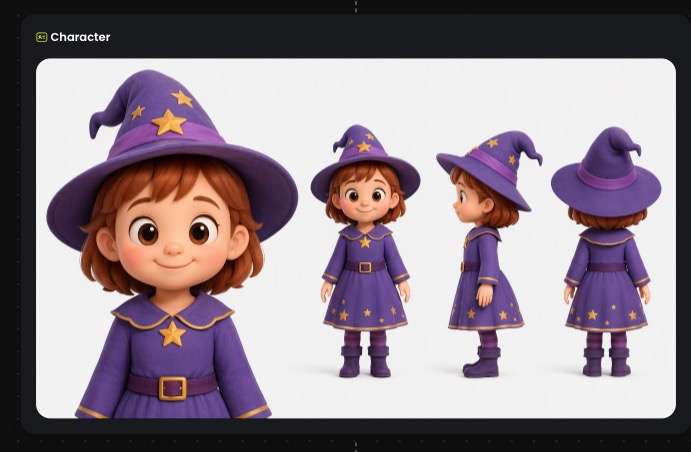
The gate before production is the lead character's three-view — front, side, and back — built from your reference image. Check it the way a costume department would: same face, same outfit, same silhouette from every angle. If it matches the performer you cast, confirm it. From that click, Enkio runs the full build automatically; there is no editing timeline waiting for you on the other side.
Step 5: Preview the whole video, then Save
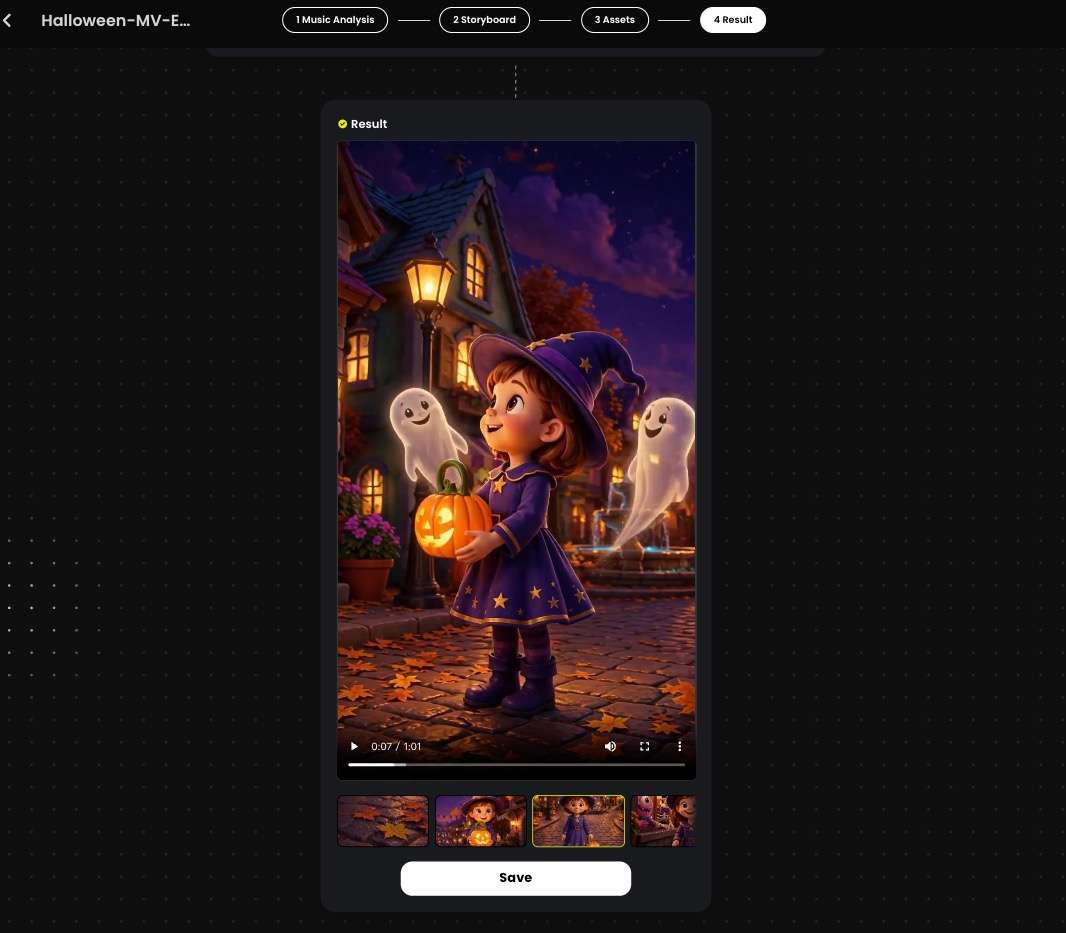
Watch the finished MV once, end to end, at the size it will be posted. Full-screen exposes what thumbnails hide: a face that drifts in one shot, a lyric moment the visuals step on. Anything off can still be fixed at clip level — go back, adjust that clip, and leave the approved scenes untouched. When the cut passes, click Save and the video is stored on your device, ready to post.
Three Halloween Looks to Describe in Your Prompt
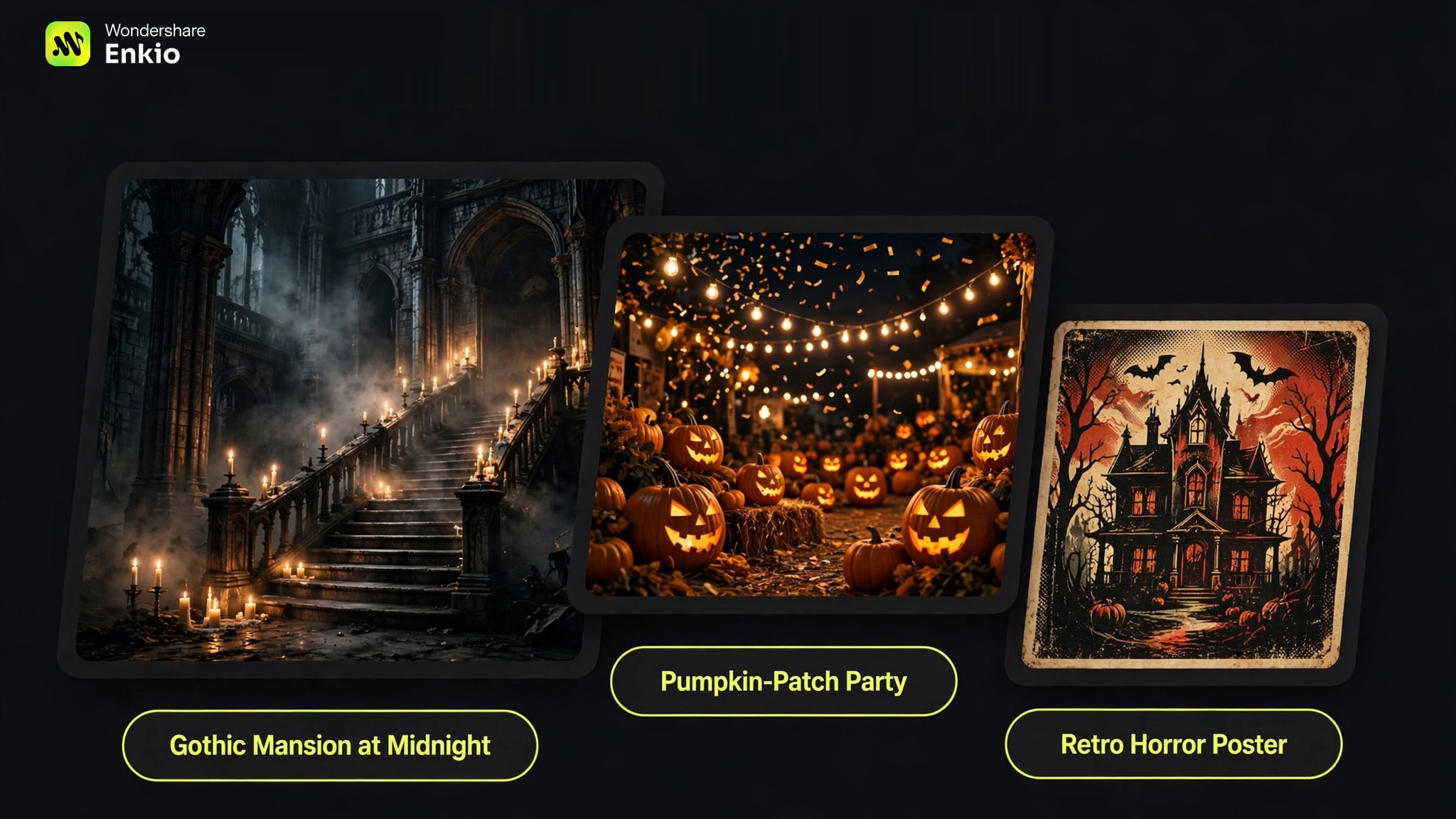
The optional prompt from Step 1 is where a generic spooky video becomes yours. People hunting for the best halloween music videos usually want a look worth borrowing, not a ranking — so borrow at the level of ingredients: a setting, a light source, a texture.
The famous videos set the visual grammar decades ago: the zombie-dance short film, the ghost-comedy theme, the haunted-house pop clip. Each look below translates one corner of that grammar into the exact sentence we would paste into the prompt field. Swap the singer, the details, and the camera move to fit your track; keep the structure.
Gothic Mansion at Midnight
This is the home turf of halloween movie music — the look that sounds like a film score, strings swelling under a scene that has not scared you yet. Candlelight does the lighting design for free, a staircase gives the camera somewhere to travel, and fog forgives every hard edge. It suits slow, dramatic, or orchestral tracks; if the song itself needs that score feel, our Classical Halloween Music guide covers generating it.
Paste-ready line: "A singer in a long black coat descends a candlelit marble staircase at midnight, fog pooling on the steps, tall windows behind her, the camera drifting backward as she sings."
Pumpkin-Patch Party
Horror with the brightness turned up: jack-o'-lanterns grinning instead of lurking, string lights over a hay-bale dance floor, costumes played for laughs. This is the look for upbeat tracks and party releases — the scare stays in the dressing while the energy is a celebration. If the audio underneath needs to match that brightness, our Spooky Halloween Music guide covers the ambience side of the night.
Paste-ready line: "Friends in playful costumes dance between rows of glowing pumpkins at dusk, string lights overhead, confetti in the air, bright warm colors, the camera circling the group."
Retro Horror Poster
The oldest trick in the genre, printed: heavy film grain, hand-drawn lettering energy, colors slightly misregistered, like a poster left in a drive-in window since last October. It flatters lo-fi, rock, and novelty tracks, and it is where the family-soundtrack feel lives — that sing-along spookiness whole households grew up with, aged forty years in the sun. Lean on texture words; this look is made of them.
Paste-ready line: "A band performs in front of a painted haunted-house backdrop, heavy film grain, bold hand-drawn poster lettering on the signs, faded reds and oranges, slight print misregistration."
Don't Have a Song Yet? Generate One First
Everything above assumes a finished track. If the song does not exist yet, it is a short detour, not a blocker. Open the AI Music Generator and describe the song in plain words — a haunted-house party anthem, a slow organ ballad, whatever the video needs. Vocal gender and style (about ten styles, r&b, pop, and jazz among them) are optional; skip both and the sound is matched for you. Press Generate music, then follow the job in Projects. When it completes, the track arrives with an album cover attached automatically — play it, download the MP3, and keep that cover: it doubles as the reference image Step 1 asks for, already matched to the song's mood.
No track yet? Make it first.
Describe the song, generate it, and its cover becomes your MV's starting image.
See the plans before the premiere.
Credits, resolutions, and export options are listed on the official pricing page.
Frequently asked questions
Can I make a Halloween MV from a song I already released?
Yes — that is this workflow's home ground. Upload the released track's audio file at Step 1, and the video is built around the recording your audience already knows. One condition: upload only music you own or hold the rights to use, and the same goes for any photo you cast as the lead.
What aspect ratio works for a Halloween MV on TikTok vs YouTube?
Vertical 9:16 for TikTok and other full-screen phone feeds; 16:9 for YouTube, where the video sits in a wide player. The five ratios Enkio offers — 9:16, 1:1, 3:4, 4:3, and 16:9 — cover both, plus square and near-square feed posts. Pick the ratio at Step 2 for the platform that matters most; the same song can go through the flow again for a second frame. Platform policies on AI-generated content differ — check the platform's current guidelines.
How do I keep the same character in every shot?
Treat the three-view as a checkpoint, not a formality. Before confirming, compare its face, outfit, and silhouette against your reference photo. After the preview, scan the clips where the lead appears small, backlit, or mid-motion — those are the shots where a character drifts. When one shot drifts, adjust that single clip rather than rebuilding the video. Results still vary by shot and scene, so budget the review pass into your evening.
Can I use my own face or my band's photos as the reference picture?
Yes. A photo of the performer is the standard casting choice — your own portrait, your singer's, or a band photo with one clear lead. If the face in the photo is not yours, get that person's OK before you upload it: a bandmate's cameo should never be a surprise to the bandmate.
What makes a reference photo work well for the three-view?
The three-view is built from this one image, so give it information to work with: one person, facing the camera, in clear light, face unobstructed — no sunglasses, no heavy costume makeup, no crowd behind them. A plain background and a sharp, uncropped shot beat a dramatic stage photo; the drama belongs in the prompt, not in the casting photo.
Conclusion
The famous videos had studios, choreographers, and months. Yours has an advantage none of them had: the song is already yours, and the video can be too — cast from your photo, built from your blueprint, approved by your eye before anyone else sees it. One honest limit: this builds a directed MV, not a one-take live performance film, so if the live take is the point, a camera is still the right tool. Before you post, run the thirty-second rights check our Free Halloween Music guide lays out — the track, the photos, and your plan's terms — so the release never has to come down. If the track is finished and only the video is missing, Enkio is the shortest route from the audio you already have to a Halloween MV you can post tonight.