



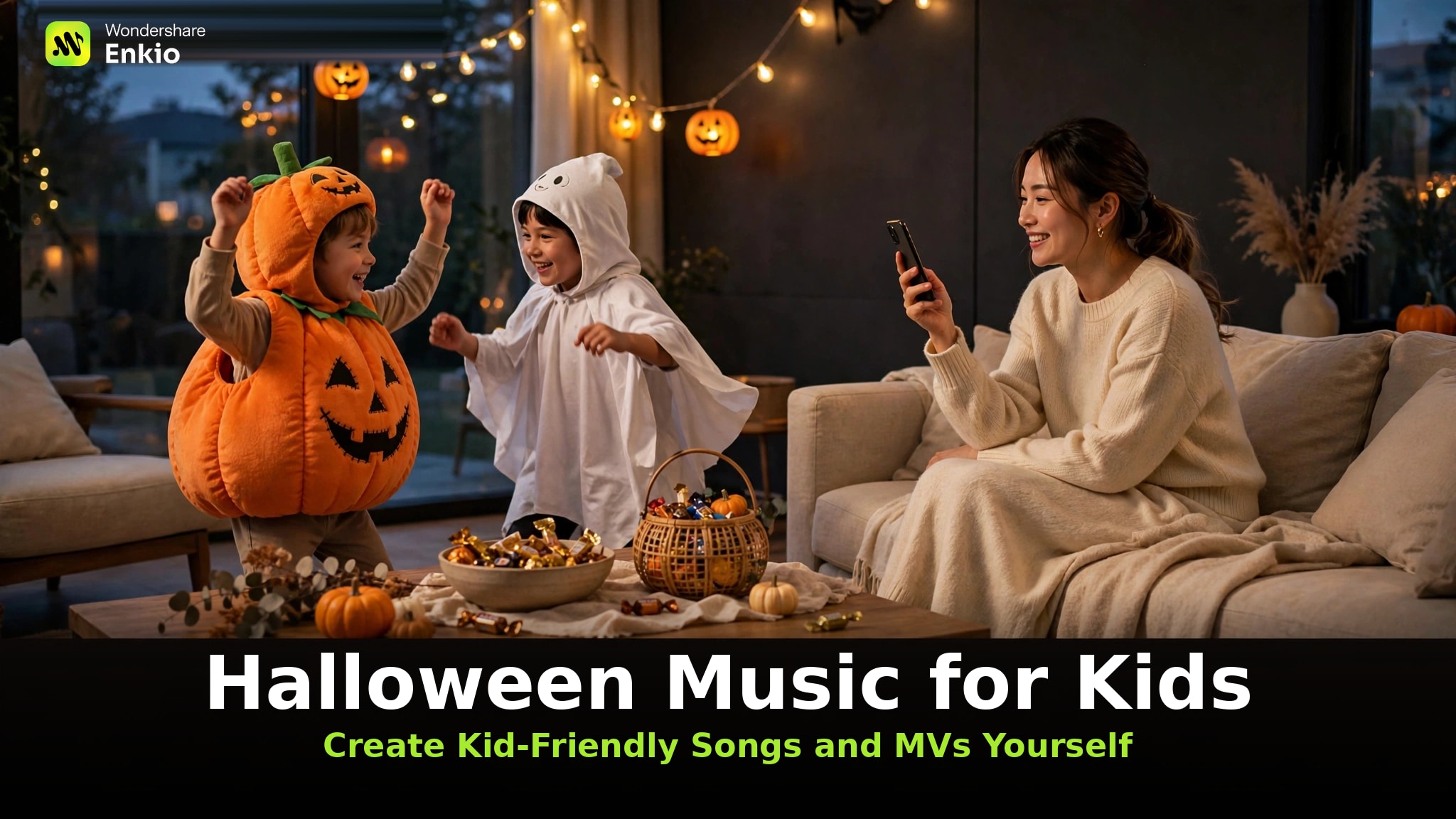
Who it's for: parents and teachers who want Halloween music for kids that is fun without being frightening — and who would rather give a child a gift no store sells: a song written for them, and a music video they star in. (From a hands-on run: we generated a kid-friendly Halloween song on Enkio and turned it into a music video through the full cover-to-MV flow, checking every lyric line along the way — October 20, 2026.)
Three safety checks do the heavy lifting:
- The words are yours. You write the lyrics, or approve every line before anything is generated — scary lines never enter at the source.
- The scare level is yours. You set a playful tone; nothing in the workflow asks for horror.
- Nothing ships unchecked: you read the lyrics back and preview the video before anyone else does.
Enkio is the tool this guide builds on, because it covers both halves of the gift: the song and the video.
Our Halloween Music for Classroom guide runs this same workflow for calm background tracks and classroom party moments.
How to Make a Kid-Safe Halloween Song with Enkio
Halloween kids music you generate yourself flips the playlist problem: instead of auditing other people's choices, you make three of your own — the words, the sound, and the final check. Our Halloween Music guide covers generating every other sound of the night; the steps below follow the song-creation flow exactly as we ran it to make our reference track.
Step 1: Describe the song — and paste in your lyrics
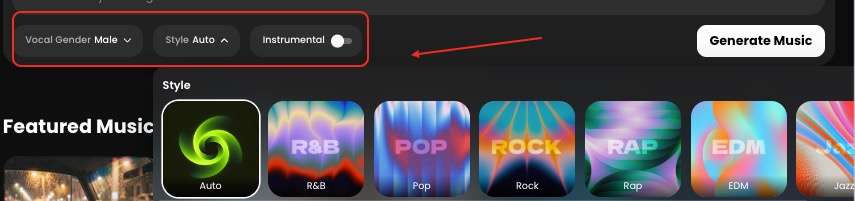
Open the AI Music Generator and describe the song you want in simple words. Paste in lyrics you have written — or draft them with your child first and paste the result. You can also pick a vocal gender and a style (about ten to choose from, like pop, r&b, or jazz) — or skip both and let it match a fitting sound for you.
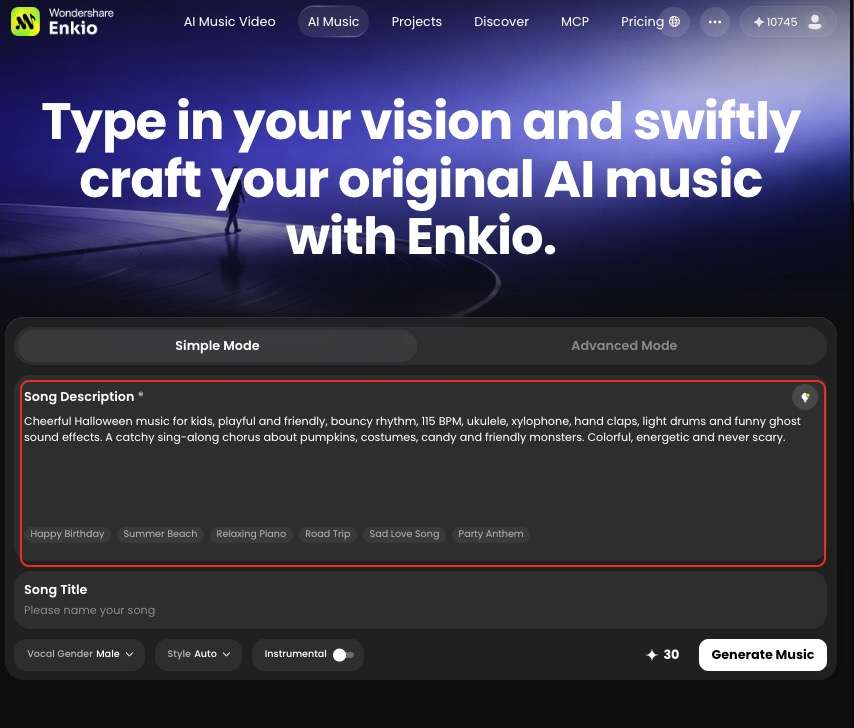
Give them a Halloween song that is theirs.
Write the words, set the tone, and let Enkio build the song around your lyrics.
Step 2: Set the sound — playful-spooky, never frightening
Describe the sound in the plain words you would use with a DJ at a school disco: bouncy, silly, a little spooky around the edges. Spooky Halloween music for kids works when the spookiness lives in the dressing — a creaky-door effect, a theremin-style wobble under a cheerful melody — not in the story the song tells.
Two settings matter most: a danceable tempo (kids read scariness through speed and volume more than words) and a bright arrangement rather than a minor-key dramatic one — the same lyrics over a slow, low arrangement feel twice as scary. If the plan is background music or dancing rather than singing along, choose the instrumental mode instead — it generates the same playful track with no lyrics at all.
Step 3: Generate, then play it from your library
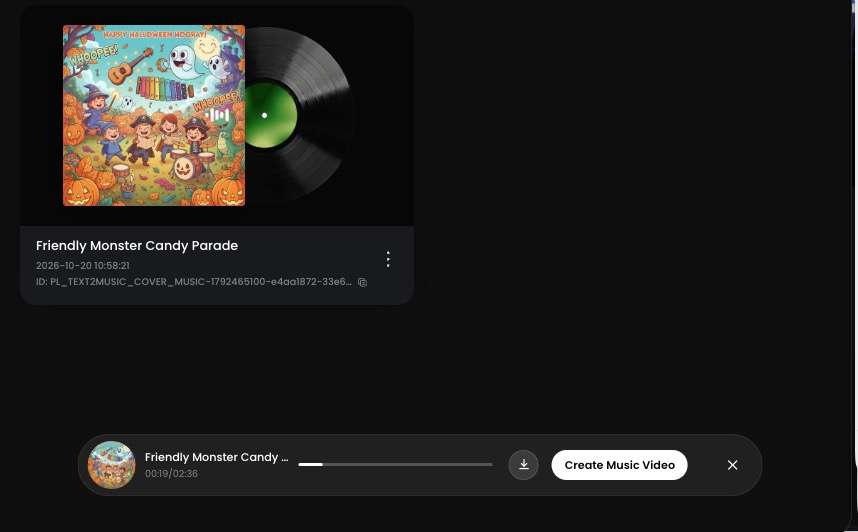
Hit Generate music and the job starts — follow its progress in Projects instead of staring at a spinner. When it finishes, an album cover is attached automatically (it becomes your starting image in the video section), and the track is ready to play — or download as MP3.
Step 4: Save the party-ready version
Save the version that passed your read-back, named clearly — "Maya's Pumpkin Song, party version" beats "final_v3." Making more than one? Line the approved versions up and you have your own kids Halloween music playlist, built only from vetted tracks.
For a brand-new song, though, the bigger gift is a real video — the next section.
Turn the Song into a Halloween MV Kids Can Star In
A song is half the gift; the other half is a child seeing themselves in it. The five steps below follow the video workflow exactly as we ran it — our song came with its album cover, and the agent built the starring character from it. Specs mentioned are the confirmed ones: 720p or 1080p, five aspect ratios.
Now put your child in the video.
Your song already has a cover. Enkio's agent turns it into a music video your child stars in.
Step 1: Upload your song and a reference photo
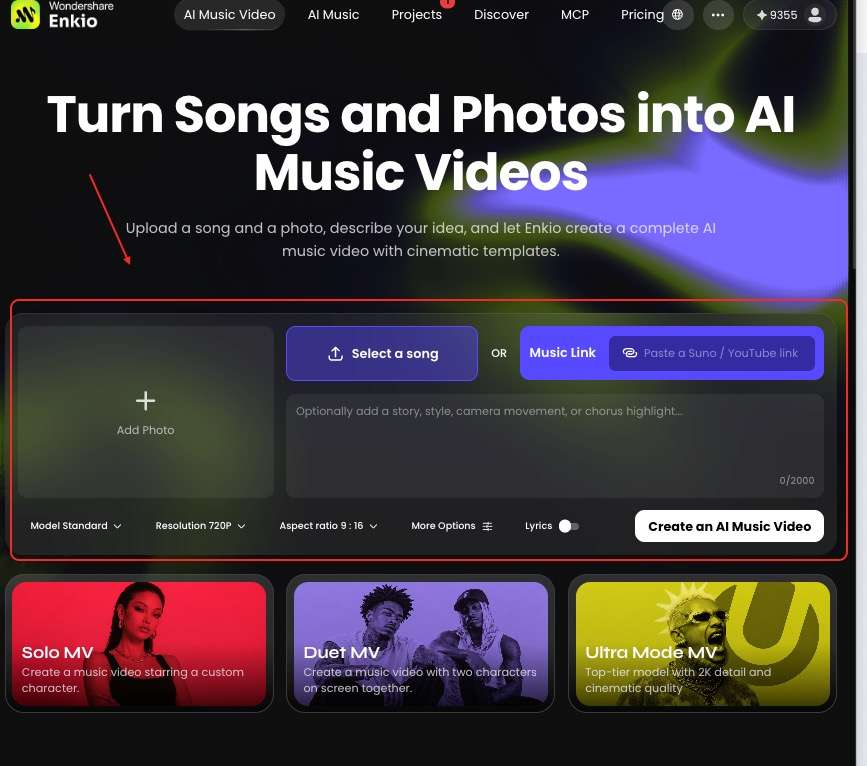
Open the AI Music Video Generator and upload your finished track plus a reference picture — your child's photo makes the most personal starring role. You can also start from the album cover Enkio made for your song; it already matches the song's mood. Add an optional prompt describing the story, special requests, or how spooky the scenes should be — or skip it entirely, the agent works without one.
Step 2: Choose your MV mode, resolution, and aspect ratio
Pick the MV mode — solo, duo, or Ultra — then the resolution (720p or 1080p) and the aspect ratio for where it will play: 9:16 for phones, 16:9 for the family TV, with five ratios in total. Then confirm with Create.
Step 3: Check the blueprint on the workflow page
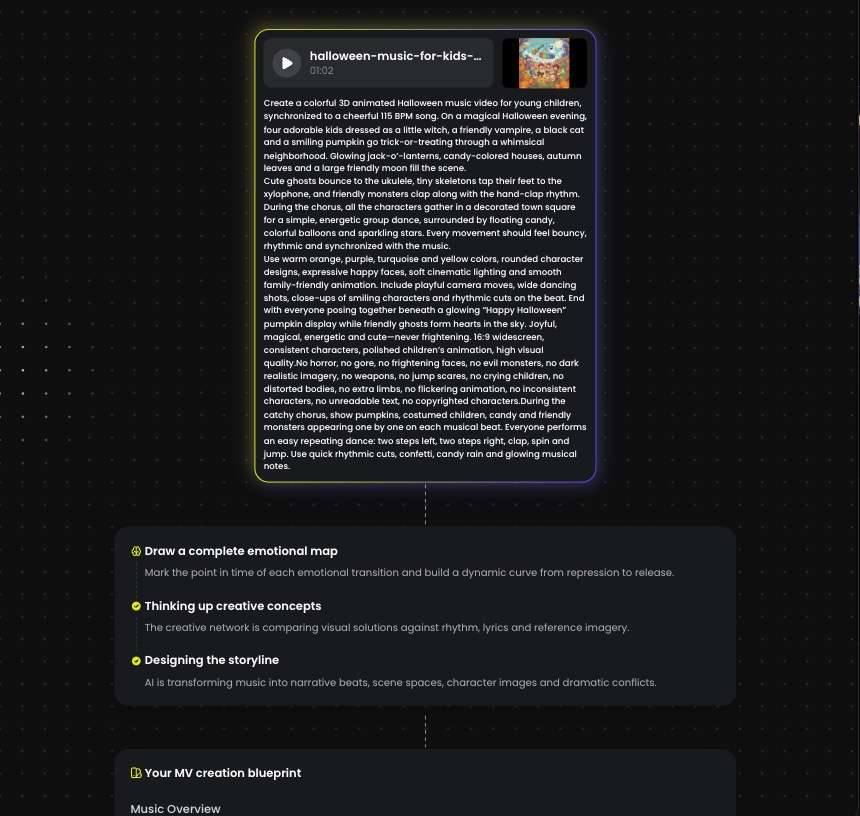
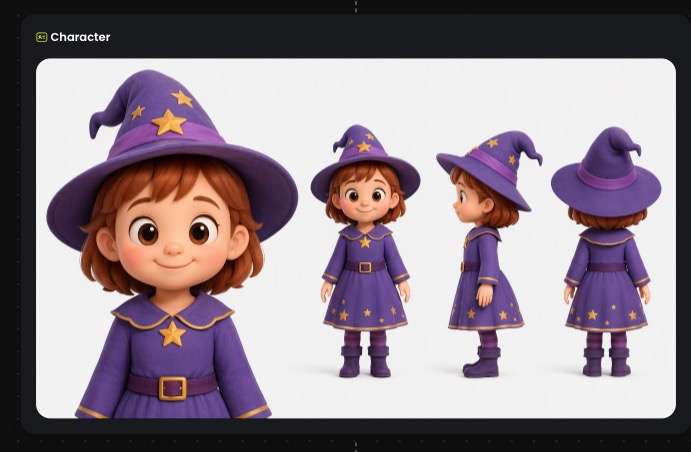
Next you land on the workflow page: the MV blueprint, the timecode, the visual materials, the main character's three-view, and every clip the video will contain — all laid out before the real render. This is your main checkpoint: if a clip's scene is too dark or a prop does not belong, you can change that single clip without touching the rest. And if the three-view does not look right, fix it here — the cheapest moment to change anything.
For the grown-up, party-first version of this same workflow, see our Halloween Music Videos guide.
Step 4: Confirm the three-view, then let the MV build
If the three-view matches your child — or the character you approved — confirm it, and Enkio runs the full MV production automatically. Your only job from here is to review the preview.
Step 5: Preview, then Save
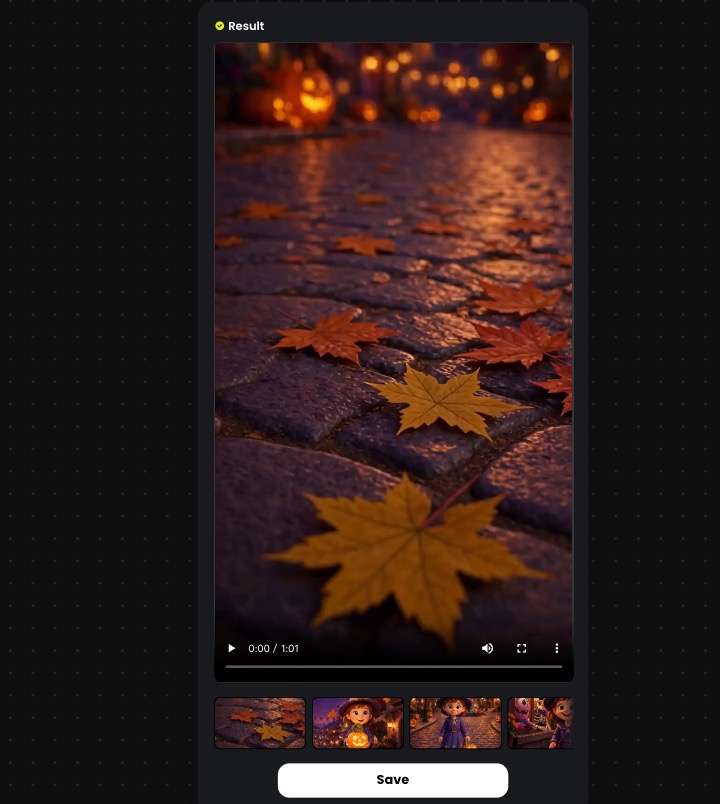
Watch the finished video once, start to finish. If one scene is off, fix that scene only and re-render — the rest stays as confirmed. Then hit Save to keep it on your device.
Lyrics You Can Trust: Write the Words Together
Clean Halloween music is mostly a writing problem — and writing is the part kids enjoy most. The prompts below are starting points for drafting lyrics together, each with the safety rules baked in.
Five copy-ready lyric prompts you can use today
- "A friendly pumpkin scared of the dark learns the moon is just a big night-light. Chorus: glow, little pumpkin, glow."
- "Five little ghosts who are really kids in bedsheets, counting down as they dance. One new dancer joins each verse."
- "A black cat named Biscuit hands out candy street by street; each verse names one neighbor and one silly costume."
- "A skeleton band playing instruments made of pumpkins and soup cans. Silly sounds in the chorus, nothing sudden."
- "Trick-or-treat at grandma's house: knocking, laughing, and a candy bowl that refills itself. Everyone home safe and sleepy."
Swap the names, pets, and streets for your own — personal details are what make kid Halloween music feel made-for-them rather than downloaded, and they cost a minute of editing.
Fix one line instead of starting over
When a draft is almost right, resist regenerating the whole song: ask for one change — the spider in verse two becomes a butterfly — and everything your child already loves stays put. It is also how you retire a word your child finds scary without losing a melody they have hummed all week.
Let your child name the friendly monster
Give one decision to the smallest person in the room: the monster's name. A monster your child named — Captain Broccoli, say — is a character, not a threat, and the naming is usually the part they retell. Write the name into the lyric sheet before you generate.
See what your gift costs before you start.
Plans, credits, and export options are listed on the official pricing page.
Frequently asked questions
Can I post the finished MV on our family channel or the class page
Yes. Two checks first: as of October 2026, your plan's terms are set out on the official pricing page, so check what usage your plan includes before posting anywhere public. For commercial usage terms, see Enkio's Terms of Use. Our Free Halloween Music guide walks through the checks to run before publishing anything you generated. Platform policies on AI-generated content differ — check the platform's current guidelines.
How do I make a Halloween song for a child who doesn't want any monsters or ghosts at all?
Skip the characters and write about the ritual: costumes, candy trading, flashlight walks, the pumpkin on the porch. A song about the walk to grandma's door, listing what you pass on the way, makes running out of candy the scariest thing in it.
Can my child help create the song, or should an adult handle it?
Both, in sequence. Your child is the best co-writer you will get: names, jokes, the monster's personality. Keep the account, the lyric approval, and the final preview in adult hands — that split is what makes this guide's safety checks work.
What if my child is sensitive to loud or sudden sounds?
Ask for a gentle arrangement — soft instruments, no sudden hits, no jump-scare effects — then preview the full track once at playing volume. Sound sensitivity is an arrangement issue, set back in Step 2, not in the words.
Can I turn the song into a short invitation video instead of a full music video?
Yes: make it a short jingle, keep party details out of the sung lines, and put the date and time on screen as text. The three-view and auto-build steps work the same way; you simply export a shorter cut.
Conclusion
A playlist gives your child the same Halloween every other child gets. A song you wrote together — words you approved, a monster they named, a video they star in — exists exactly once. That is the argument for making halloween music kids will remember: not better technology, a memory with their name in it.
Start with one song: write the words at the kitchen table, run the three safety checks, and let the agent handle the cameras.
If the song is finished but a video still feels like one step too many, Enkio can build that video from the cover your song already has — you only confirm the character and approve the cut. And once the kids are asleep, the after-dark version is yours to make too — our Spooky Halloween Music guide covers the genuinely scary side of the night.