



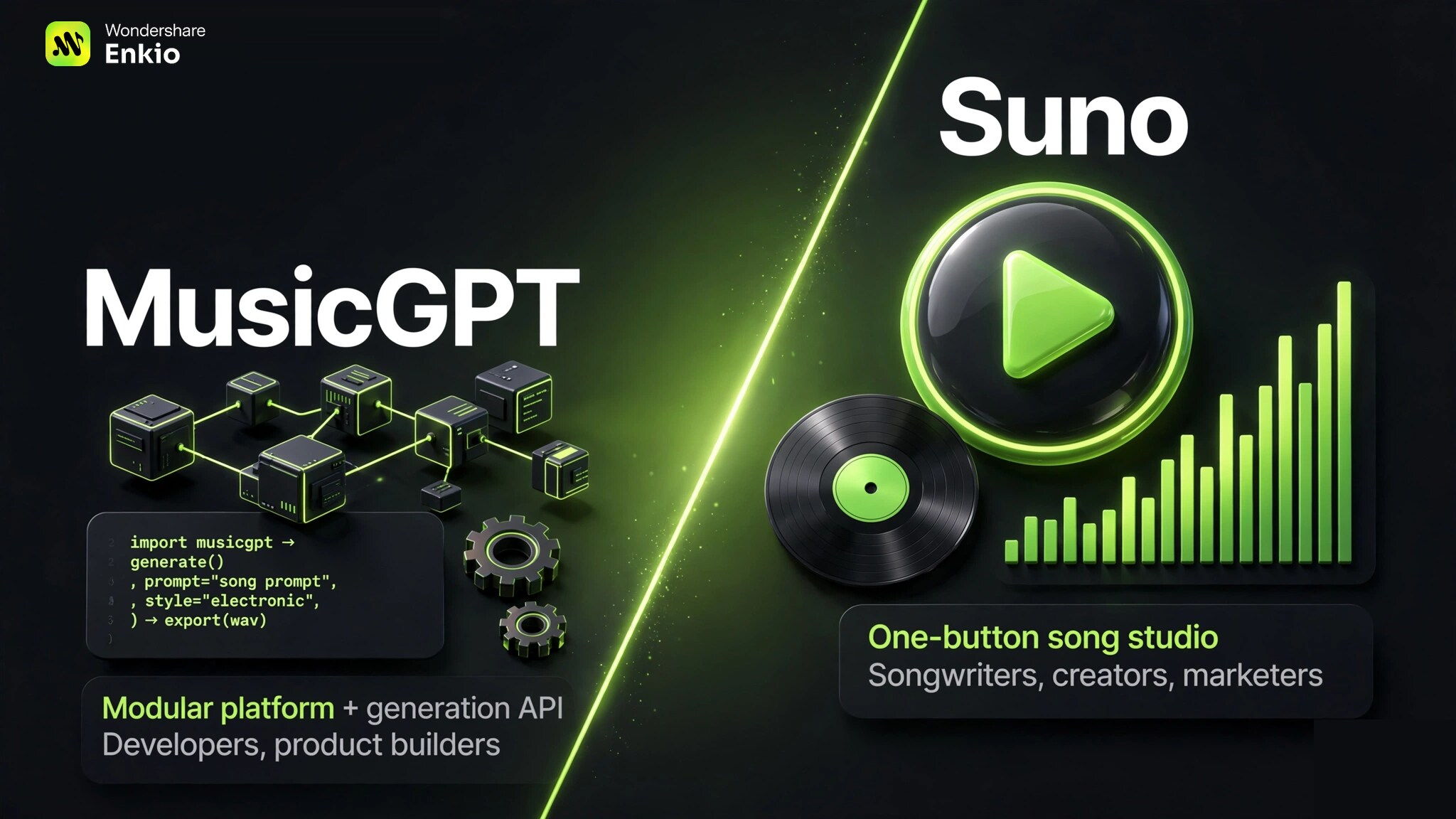
MusicGPT and Suno both turn text into music, but they are built for different people. Suno is the better pick for creators who want finished, vocal-led songs fast, while MusicGPT suits builders who want modular control and API access to embed generation in their own products.
MusicGPT vs Suno: Side-by-Side Comparison
The table states the differences as of September–October 2026, drawn from both vendors' published plans, independent reviews, and our earlier deep dives.
Read it as a map of trade-offs rather than a scorecard: no tool wins every row, and the right pick depends on which rows matter to your project. The sections below unpack what each row means in practice.
| MusicGPT | Suno | |
|---|---|---|
| Core approach | Modular platform + generation API for builders | One-button song studio for creators |
| Vocals & lyrics | Vocal support lags; gap vs Suno noted in independent testing | Strong vocal-led output with custom lyrics |
| Song length | Shorter generations; length gap vs Suno | Full-length songs; 8-minute audio uploads on Pro |
| Pricing & free tier | Free/Plus/Pro/Ultra; ~500 signup credits (listings vary) | Free ~10 songs/day; Pro ~$10/month |
| Commercial rights | Check plan terms before publishing | Included on paid plans for songs made while subscribed |
| API / developer access | Yes, generation API | No public API focus |
| Ease of use | More control, steeper learning curve | Minimal steps from prompt to song |
| Best for | Developers, product builders | Songwriters, creators, marketers |
| Detailed Reviews | MusicGPT Reviews | Suno Reviews |
Pricing and Credits Comapre: Suno Wins
MusicGPT lists four plans — Free, Plus, Pro, and Ultra — on a credit model, but the numbers are unusually hard to pin down. Independent listings place the paid tiers anywhere between about 2,500 and 50,000 monthly credits, with one-off credit packs quoted at 2,500, 7,500, 16,900, and 42,069 credits. The Free plan's signup allowance sits around 500 credits in most listings — enough to try the modules, not enough for volume work. Because the listings disagree, check the official pricing page for current rates before subscribing, and compare unit cost per song rather than headline credit counts.
Suno's pricing is simpler to read. The free tier allows roughly ten songs a day for non-commercial use with no payment details required, and multiple independent reviews confirm audio quality is not throttled — the limits are on volume, priority, and rights. Pro runs about $10 a month, cheaper with annual billing, and adds commercial-use rights for songs generated while subscribed, priority generation, stem separation, and audio uploads of up to eight minutes. A higher Premier tier raises the allowance to around 2,000 songs a month and unlocks a browser-based multitrack editor with MIDI export.
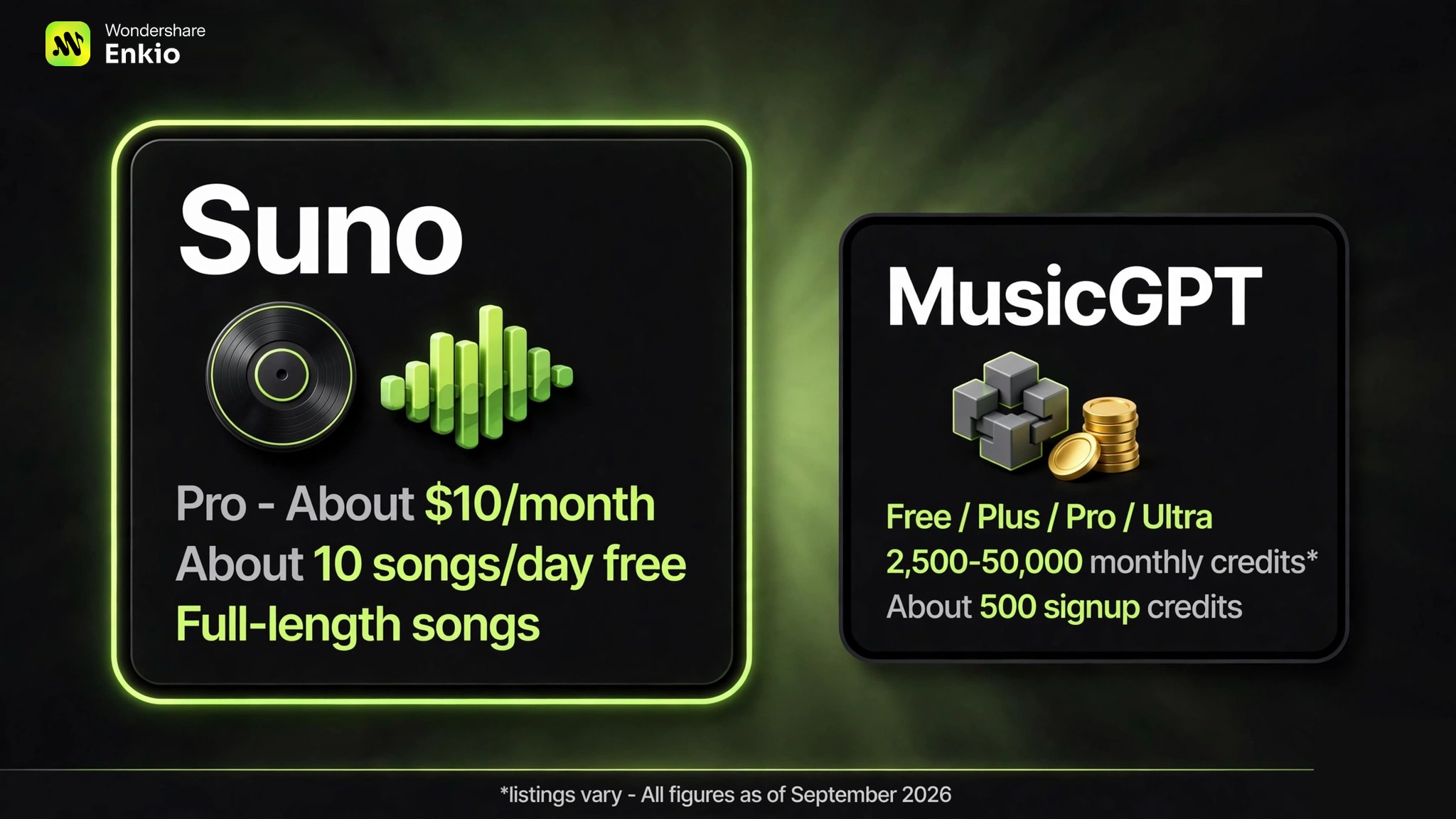
The deeper pricing difference is not the sticker price but whether you can compute a unit cost. With Suno, the math is straightforward: Pro at about $10 a month divided by however many songs you actually generate. With MusicGPT, the listings rarely state how many credits a finished song consumes, so the per-song cost is unknowable until you burn through a pack — the opacity itself is part of the price. If you generate fewer than a dozen songs a month, Suno's free tier alone may cover you; there is no equivalent high-volume free path on MusicGPT's one-time credit grant.
Compare plans before you commit.
Choose a more competitve price plan offered by Enkio, which support AI music generation and AI MV generation.
Output Quality and Specs
Vocals are the clearest dividing line. Suno's vocal-led output with custom lyrics is the benchmark most creators compare against, and our MusicGPT testing notes confirm a vocal gap: MusicGPT's singing voices sound less natural and handle lyrics less reliably. If the song needs a believable lead vocal, Suno wins this row without much contest.
Length is the second gap. Suno produces full-length songs and Pro accepts audio uploads of up to eight minutes; MusicGPT's generations run shorter, which matters for anything beyond a demo clip or loop. On raw audio quality, Suno is consistent across tiers — including the free tier, where quality is explicitly not throttled.
A third, quieter difference is what happens after generation. Suno's paid tiers include stem separation, and Premier's Studio adds multitrack editing with MIDI export — so a generated song can become source material for further production. MusicGPT's modular design gestures at the same idea, but the modules center on generation rather than post-generation editing. If your workflow ends at "export the song," this row barely matters; if you produce in a DAW afterward, Suno's stems shorten the path. For the latest spec sheet, see our Suno v6 Review.
Workflow and Ease of Use
Suno is built for speed: describe the song, get a finished track in a few steps. There is almost nothing to learn, which is why it dominates casual and creator use. Our Suno AI Music Generator How-To-Use walks through the exact flow.
MusicGPT trades that simplicity for control. The modular setup lets you pick generation modules and tune the process, and the API lets developers embed generation into their own apps — but expect a learning curve before the output matches what you imagined.
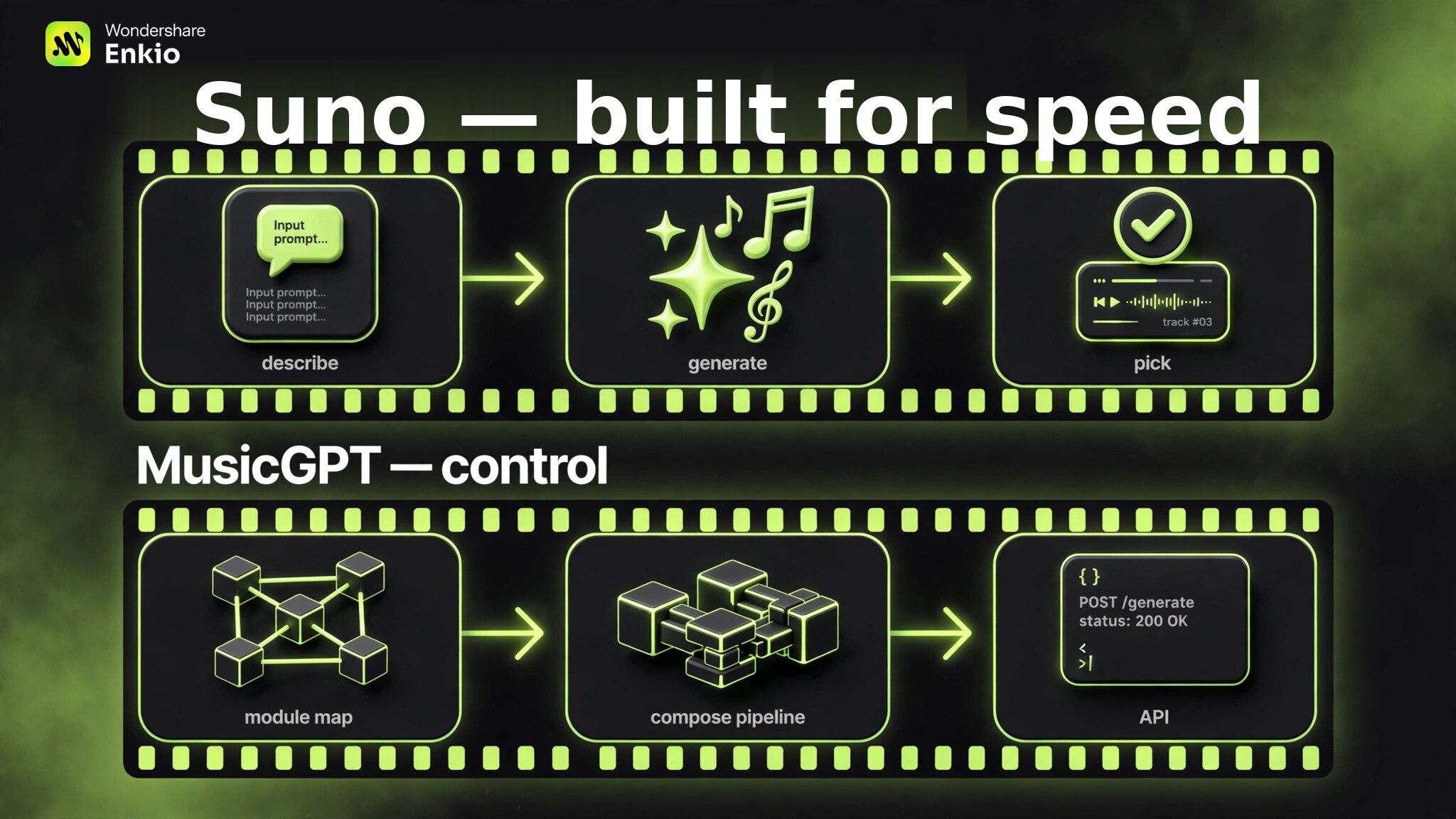
In practice, Suno asks three things (describe, generate, pick); MusicGPT asks you to understand its module map first, then compose the pipeline. That extra step pays off only if you will reuse the pipeline many times — for a one-off song, it is pure overhead. Pick Suno if you want songs; pick MusicGPT if you want a music-generation component.
Who Should Pick Which: MusicGPT or Suno?
The decision comes down to what you are making. Songwriters, content creators, and marketers who need finished songs with vocals should pick Suno — it is faster, the vocals are better, and the free tier is generous enough to validate the workflow before paying.
Developers and product teams who need generation as a feature should pick MusicGPT for its API and modular control, accepting the vocal and length trade-offs — especially if generated music is one input among many in a larger pipeline rather than the final deliverable itself. Budget testers can start free on either, but Suno's roughly ten songs a day goes further than a one-time credit grant.
We have compared Suno against other rivals too — see Suno vs Mureka for a second data point. And if your shortlist is really "which tool gives me a song I can publish with visuals," AI Music Generator turns text and your own lyrics into vocal tracks inside Enkio's workflow.
A Third Option Worth Considering: Enkio
Neither MusicGPT nor Suno turns your song into a video. If the end goal is a finished song plus a music video, Enkio keeps both in one subscription: text-to-music with vocals and your own lyrics, then a three-step flow — upload the song and an image, add an optional prompt, generate — to a 720p or 1080p music video across five aspect ratios. Templates let you start without writing a prompt at all, and Solo and Two-Person MV modes cover the common performance setups.
Frequently asked questions
Do MusicGPT and Suno support non-English lyrics?
Both accept non-English prompts and lyrics, but quality varies by language — English is the best-tested path on each. Suno's larger user base means more community examples exist for major European and Asian languages, so you can preview what to expect before spending credits. For niche languages, test the free tier on both before committing; neither vendor publishes per-language quality benchmarks.
Which is better for instrumental or background music?
Suno, in most cases. Its full-length generations and style control suit background tracks, loops, and underscores. MusicGPT's shorter outputs and vocal gaps make it a weaker fit unless you specifically need its modules or API.
Can I bring my own lyrics or melody?
Yes on both, with different mechanics. Suno takes custom lyrics directly in the prompt flow. MusicGPT accepts lyric input through its modules, and developers can feed structured inputs via the API. Neither reliably clones an exact melody you hum — treat them as interpreters, not transcribers. If the melody must match a demo recording exactly, generate the song first and re-record or produce over it in a DAW rather than expecting either tool to trace your audio.
Do MusicGPT or Suno have mobile apps?
Neither offers a first-party mobile app as a core product surface; both are primarily browser-based. Check each vendor's current site before planning a mobile-only workflow, since app availability changes.
Can I cancel or switch plans anytime?
Both sell month-to-month subscriptions you can cancel, with annual billing discounted. The practical lock-in is credits, not contracts: unused credits typically do not roll over, so time your purchase to a project rather than subscribing speculatively. Switching between the two tools costs nothing but the learning curve — your generated songs stay licensed under the terms of the plan that made them, so export and back up anything you might reuse before canceling.
Conclusion
For most creators, Suno is the safer pick: better vocals, full-length songs, and transparent pricing. MusicGPT earns its place when you need API access or modular control and can live with the vocal and length gaps. If neither quite fits — or if the song is only half the deliverable and you also need the video — Enkio pairs vocal text-to-music with an all-in-one music video flow. Browse Alternatives to Suno AI Music Generator for the wider landscape before you decide. Either way, start on a free tier: Suno's daily allowance and MusicGPT's signup credits both let you hear the difference before money changes hands.
Make more from your track.
Let Enkio create a complete AI music video from your song and photos, with 720p and 1080p output.