



Lami is a browser-based AI music studio that turns a description or lyrics into a song and places vocal removal, stem splitting, cover creation, extension, sound effects, and lyric video tools nearby. The short answer: Lami is worth considering for experimentation and frequent monthly generation, but not for a release workflow that depends on clear free-tier commercial rights, private drafts, or credits that accumulate.
Plan the visual before the song is finished.
Enkio turns a finished track and images into a complete music video after the audio stage.
How We Tested This Tool
What the Lami AI Music Generator Is
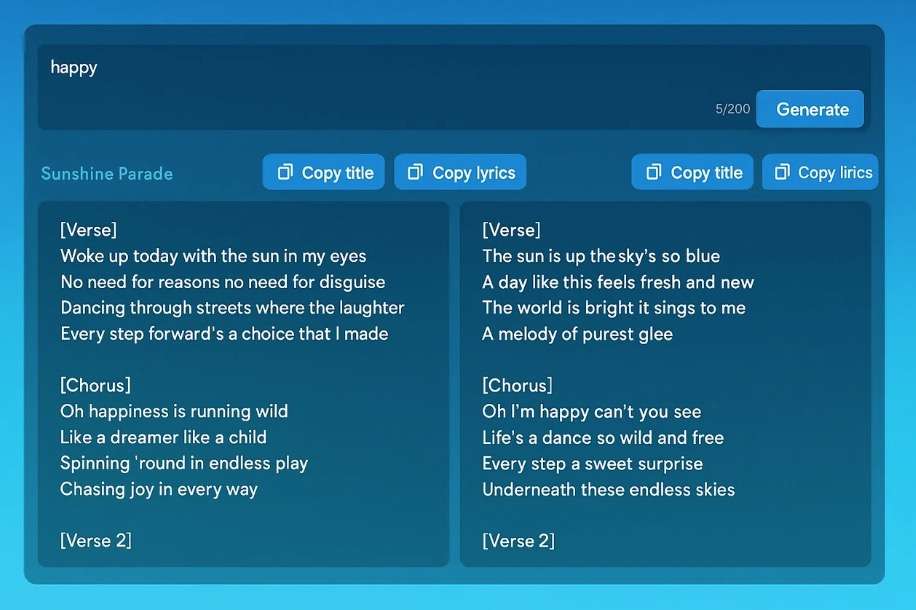
The Lami AI music generator is a credits-based web workspace for making songs and processing the audio around them. A user can start from a text prompt or lyrics, generate a track, then move to utilities such as vocal removal, stem separation, sound effects, cover images, music extension, lyric generation, and lyric video.
That breadth places Lami in the workbench side of the AI Music Generator category. It is not merely a single prompt box, but neither is it a full digital audio workstation with a multitrack timeline. Its advantage is convenience: related AI actions live under one account and draw from one credit system.
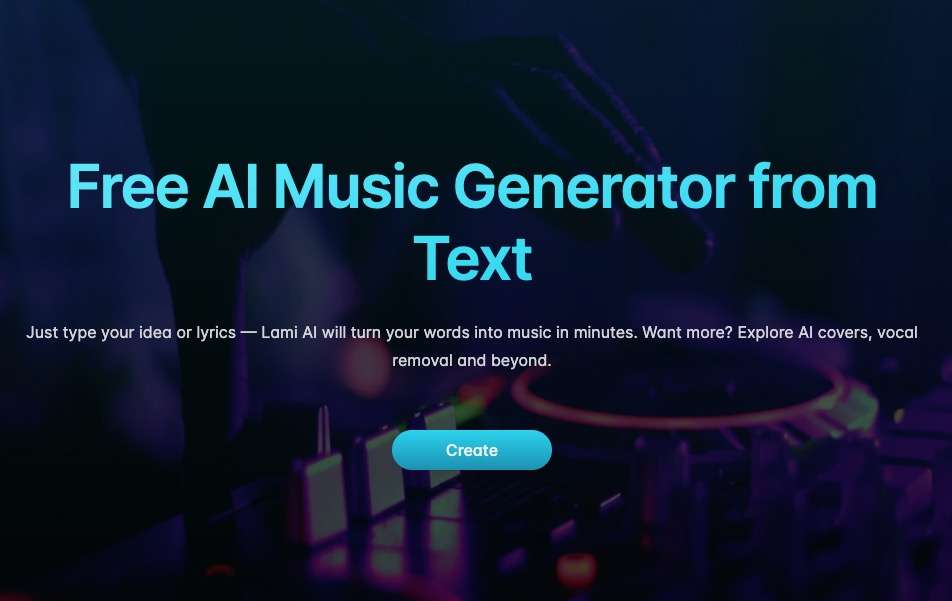
The official pricing page separates access into Free, Pro, and Ultra. Free lists Prime and Core models, while the two paid plans list a newer v5.5 Soul option. Lami does not explain the model architecture or publish a controlled quality comparison, so those names should be read as plan labels rather than proof of better output. Readers comparing this structure with a more established prompt-to-song platform can use our Suno Music Generator Review as a separate reference.
How to Use Lami
Lami's public workflow is short: create a brief, generate a song, then spend additional credits only on the post-production actions you need. The sequence below describes the visible product structure without claiming results we did not test.
-
Describe the genre, mood, subject, and vocal direction, or provide your own lyrics. Keep the first brief focused enough that you can tell which instruction affected the result.
Done whenThe brief names the sound, mood, and intended use.
-
Run the song generation, then listen for structure, vocal clarity, and whether the arrangement follows the brief. Song generation costs five credits according to the published table.
Done whenYou know whether to keep, revise, or regenerate the track.
-
Use vocal removal, stem splitting, sound effects, cover images, or extension after deciding what the finished deliverable requires. Each paid action draws from the same balance.
Done whenThe selected tools match a specific publishing task.
-
Download the permitted audio format and save a local copy before the storage window expires. Free-plan projects are listed with seven-day storage.
Done whenThe output and its usage documentation are stored outside Lami.
For a comparable prompt-to-song sequence with a different interface, How to Use Udio AI Music Generator shows what changes when the workflow is more song-focused and less utility-heavy.
What Lami Gets Right
Lami gets three practical things right: it publishes its action costs, keeps several audio utilities together, and offers a low paid entry price. Those strengths reduce the amount of guessing before a user subscribes.
The credit table is unusually specific
The official page states that a generated song costs five credits, vocal removal costs five, a sound effect costs two, a cover image costs two, and music extension costs three. Lyrics and lyric video are listed as free actions. A visible consumption table makes it possible to estimate a real monthly workload instead of treating a credit total as an abstract number.
The bundle covers work around the song
Vocal removal, stem splitting, cover images, extension, lyrics, and lyric video are adjacent to the generator. That arrangement suits creators who want a quick browser toolkit and do not need detailed multitrack editing. The Soundful AI Music Generator Review provides a useful contrast with a tool oriented more narrowly around generated music and licensing.
Paid plans scale concurrency and storage
Pro lists four concurrent jobs and unlimited storage; Ultra lists ten concurrent jobs and unlimited storage. That is a meaningful difference for a creator running multiple briefs, because the paid upgrade changes both volume and project retention rather than adding credits alone.
Pricing and Credits
As of October 2026, Lami displays Free at $0, Pro at $7.99 per month on annual billing, and Ultra at $23.99 per month on annual billing. The page also offers a monthly tab, so confirm the billing period and current total before paying. Check the official pricing page for current plans.
| Plan | Listed price | Credits | Approximate song volume | Storage |
|---|---|---|---|---|
| Free | $0 | 20 per day | 4 per day at 5 credits each | 7 days |
| Pro | $7.99 per month | 1,500 per month | 300 per month before extra tools | Unlimited |
| Ultra | $23.99 per month | 10,000 per month | 2,000 per month before extra tools | Unlimited |
The simple song count is only a ceiling. A Pro user who generates a song and then removes vocals spends ten credits across those two actions, cutting the theoretical 300-song volume to 150 comparable song-plus-removal jobs. Cover images, sound effects, and extensions reduce it further.
Unused credits reset at the end of each monthly billing cycle and do not roll over. This makes Pro and Ultra monthly production allowances, not savings accounts. The value therefore depends on regular use. Our AIVA AI Music Generator Review examines another plan structure where download limits and ownership rules, rather than a shared action balance, drive the decision. Check the official pricing page for current plans.
Compare the complete release workflow.
Review current music and video benefits before choosing a plan.
Real Limitations
Lami's main limitations are not hidden interface quirks. They sit in the plan logic: contradictory free-tier rights language, expiring monthly credits, public free generations, and restricted licence documentation.
The free-plan rights statements conflict
The Free card lists private generations and a commercial licence, while the FAQ says paid users receive commercial usage rights, free users do not, and free generations are public. These are two answers on the same official page. The safer reading is the stricter FAQ, but anyone planning commercial use should obtain written confirmation from Lami.
That uncertainty matters most when the next deliverable is public. If the audio rights are already settled and the missing step is a full visual rather than a lyric clip, the publisher's music video workflow accepts a song and image and supports 720p or 1080p output across five aspect ratios. For commercial usage terms, see Enkio's Terms of Use.
For that specific song-to-video handoff, our desk-research rubric weights workflow fit 30%, output coverage 25%, pricing clarity 20%, documented limitations 15%, and rights clarity 10%. The score is not an audio-quality judgment.
Our verdict
A practical next step when the song needs a full video.
Enkio covers the audio-to-video handoff with multiple aspect ratios, while keeping its 1080p ceiling and plan-dependent benefits visible.
Pros
- Song-to-video workflow
- Five aspect ratios
- Failed jobs refunded
Turn a finished track and images into an AI music video.
AI Music Video GeneratorCredits disappear instead of accumulating
Unused paid credits do not roll over. A creator who works in release bursts may pay for a large allowance during quiet months and lose the remainder at reset. This is a structural mismatch for seasonal work even when the unit price looks low.
Free generations are public and short-lived
The FAQ says free generations are public, and the plan card lists seven-day storage. That combination makes Free suitable for disposable experiments, not unreleased client material or projects that require a durable archive.
Formal licence files require annual billing
As of October 2026, the FAQ states that annual subscribers may receive licence files for music created during their subscription, while other users cannot obtain them. A month-to-month customer may have usage rights under the plan but lack the same downloadable proof. Teams that archive rights documents should confirm this before choosing the billing cycle. Check the official pricing page for current plans.
How Lami Compares With AIMusic.so and Enkio
Lami and AIMusic.so still share a three-tier commercial shape, but their public details have diverged. The comparison uses only fields visible on October 28, 2026. The final column is included because this review appears on the publisher's own site; it follows the same criteria and includes its own limitations.
| Decision point | Lami | AIMusic.so | Enkio |
|---|---|---|---|
| Free allowance | 20 credits per day | 15 credits per day plus a 5-credit visitor trial every 14 days | Free uses available; current quantity not published in our fact set |
| Paid entry | Pro at $7.99 per month on annual view | Pro at $7.99 per month, $95.88 billed yearly | $19.99 per month as of September 2026 |
| Song cost | 5 credits | 5 credits | Current music cost is listed on the pricing page |
| Paid storage | Unlimited | Unlimited | Tasks retained 7 or 30 days depending on plan |
| Visual output | Lyric video | Lyric video on paid plans | Full music video in 720p or 1080p across five aspect ratios |
| Main constraint | Rights contradiction and no rollover | Rights contradiction and no rollover | Metered credits and 1080p ceiling |
The final column's visible output stops at 1080p, benefits vary by plan, and commercial use still requires checking the Terms of Use. Treat the table as a decision aid, not a claim that one product wins every use case.
Who Lami Is For
Lami best fits frequent hobbyist creators, small content teams, and users who will use several bundled tools every month. The low paid entry price and published action costs make it easy to model a steady workload.
It is a weaker fit for burst-style production, free-tier commercial projects, confidential drafts, or teams that require a licence certificate while paying month to month. Readers who have not settled on a workflow can compare the wider field in Best AI Music Generators.
Before subscribing, estimate one representative month rather than dividing the credit balance by five and stopping there. Count the expected song generations, vocal removals, cover images, extensions, and sound effects separately. Then compare that total with the plan allowance and assume that unused credits vanish at reset. This calculation exposes whether the low headline price actually matches the way you work.
Privacy deserves the same preflight check. Free generations are public and short-lived, so use a disposable brief when exploring the interface. Move to a plan with private generation before uploading client lyrics, unreleased concepts, or material tied to a launch calendar. Save both the exported file and the applicable licence documentation outside the platform.
From a Lami Track to a Music Video
Lami can produce a lyric video, but a lyric video and a full music video solve different publishing problems. Timed text is useful when the words are the visual; character-led or scene-led releases require another step.
Once the song is ready, Enkio can start from the audio and an image, use a template or optional prompt, and build the visual in Solo or Two-Person MV mode. Platform policies on AI-generated content differ, so check the current rules of the channel where you plan to publish.
Frequently asked questions
Can I stop a paid Lami plan at any time?
As of October 2026, the Lami FAQ says customers can cancel through user settings. Confirm the effective cancellation date and any remaining access before ending a paid period. Check the official pricing page for current plans.
What happens when Lami credits run out?
The FAQ says users can wait for the next billing reset or contact support to upgrade. It does not describe an ordinary self-service top-up pack on the pricing page we reviewed.
How can I contact Lami support?
The pricing page directs users to support@lami.ai. Keep written answers when the question involves licensing, privacy, or plan entitlements.
Does Lami offer a downloadable licence file?
As of October 2026, the FAQ limits licence files to annual subscribers and to music generated during the subscription period. Other users should not assume they receive the same document. Check the official pricing page for current plans.
Is Lami the same product as AIMusic.so?
The two sites share plan names and paid prices, but their free allowances, model labels, format rules, and some action costs now differ. The available evidence supports describing overlap, not claiming common ownership or identical products.
Conclusion
This Lami AI music generator review finds a useful low-cost browser toolkit with transparent action pricing and enough adjacent utilities to simplify a steady monthly workflow. Its deciding drawbacks are equally concrete: credits do not roll over, free work is public and stored for seven days, licence files require annual billing, and the Free card conflicts with the FAQ on privacy and commercial rights.
Choose Lami when you will use the bundle regularly and can confirm the rights needed for the release. If the song is finished and the open task is a full visual rather than a lyric clip, Enkio covers that next step from the audio you already have.