



The short answer: a music video MCP server connects an AI agent to tools that turn a song and visual references into an MV. A general video server may return one clip; a music-video workflow must follow the track, monitor a longer render, and hand back a video you can keep.
Make an AI music video inside Codex.
Enkio MCP turns a finished song and reference images into an AI MV through an agent-guided workflow.
We reviewed current MCP architecture documentation and official setup pages on November 5, 2026. This is a documentation guide, not a visual-quality benchmark. Authentication, client support, credits, and output rules can change, so check the current product page before a paid render.
What Is a Music Video MCP Server?
A music video MCP server exposes song-to-video operations as tools an MCP-compatible client can call. The agent gathers the inputs, sends the job, checks its status, and reports the result.
MCP defines how a client and server exchange tools, arguments, and results. It does not define the creative model, licence, render price, or final deliverable; the provider does.
For music video work, the tool may require reference audio, images, and optional visual direction. A full-track render can return a task ID before it returns a video. Our Video Generation MCP Server guide explains authorization, polling, and output handoff.
How Music Video MCP Differs from General Video MCP
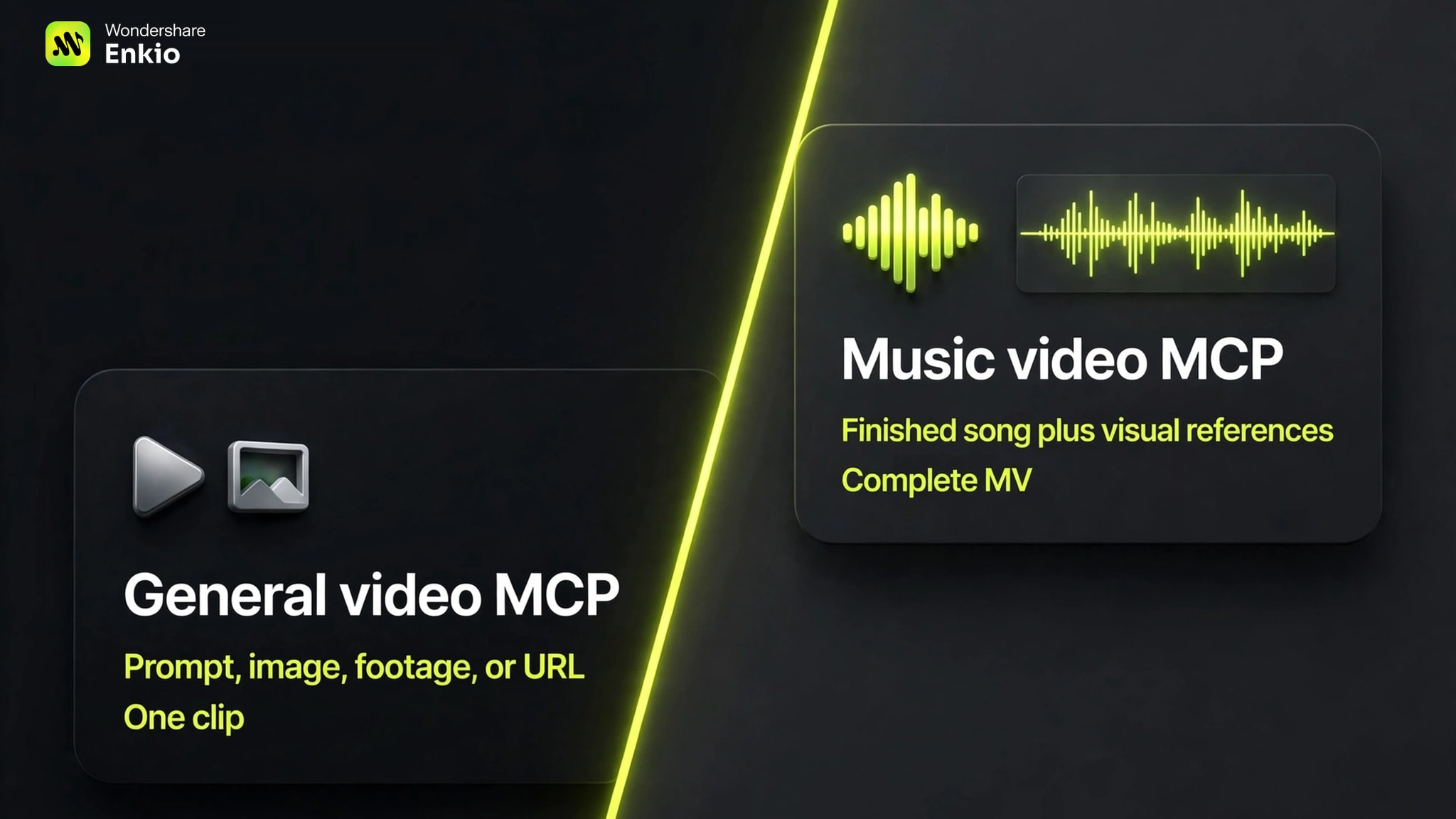
The protocol is the same, but the job differs. General video MCP often centers on a prompt, image, clip, or editing operation. In our documentation review, we found that music video tools instead begin with audio and coordinate visuals across the track.
| Decision point | General video MCP | Music video MCP | Enkio MCP |
|---|---|---|---|
| Starting input | Prompt, image, footage, or URL | Finished song plus visual references | Song, reference images, and optional direction |
| Time structure | Often one shot or a short sequence | Track sections, rhythm, and continuity | Song-led agent workflow |
| Typical result | Clip, asset, or editable project | Complete or near-complete MV | AI MV with local result handoff |
| Long-job handling | Varies by provider | Status tracking is essential | Progress remains in the Codex conversation |
| Revision path | Regenerate an asset or edit a project | Revise scenes without losing the song brief | Request a targeted shot reshoot |
| Main boundary | Assembly may remain outside the tool | Credits and render time vary | Specialized scope and output up to 1080p |
This is not a server ranking. A clip generator, timeline editor, and song-to-MV workflow can all expose MCP tools while producing different outcomes.
An MCP server may call an API or local command underneath. The MCP vs API vs CLI guide explains which layer owns authentication, files, debugging, and long-running work.
What You Need Before You Start
Prepare the song, visual references, account, and a bounded brief before starting. Fix missing media or an unclear deliverable before a long render begins.
Use a finished audio file that you own or may use. If it is not ready, create it with an AI Music Generator or finish it before moving to visuals.
Add at least one reference image you may use, then decide whether it represents a performer, character, cover, or overall direction. An optional prompt can add aspect ratio, atmosphere, style, and camera direction.
For a song made elsewhere, a local audio file is a clear handoff. The upcoming Suno MCP Music Video workflow uses that boundary without implying an unverified native connection.
Finally, confirm the charged account and available credits. Installing a connector does not imply a separate balance or free render.
How to Use Enkio MCP to Make an AI Music Video
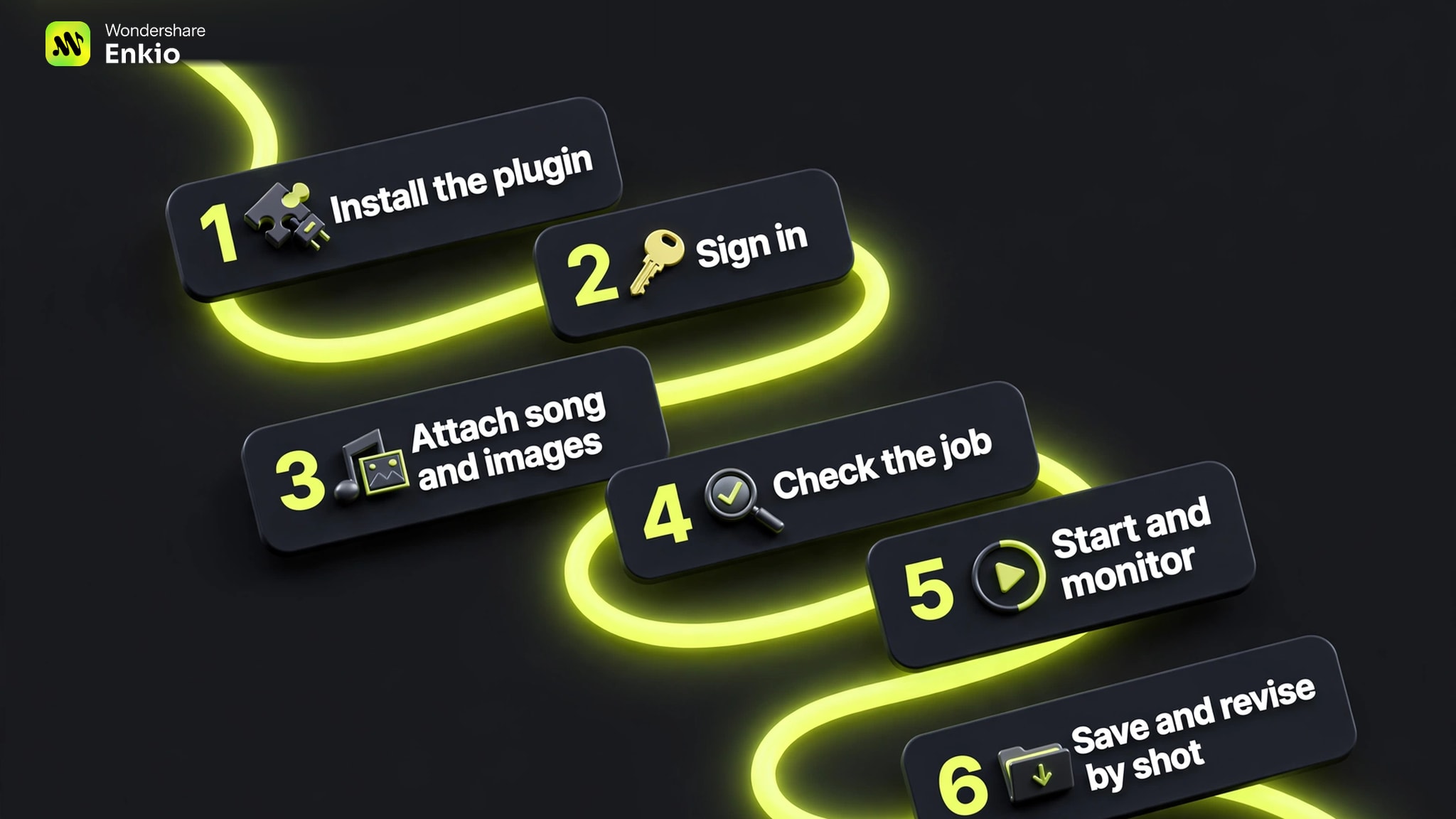
The documented workflow starts in Codex, uses an account rather than a separate API key, and requires reference audio plus at least one image. The web app and plugin use the same credit balance.
-
Download Enkio MCP Installer. Restart Codex if the plugin does not appear.
Done whenThe plugin is visible under Plugins.
-
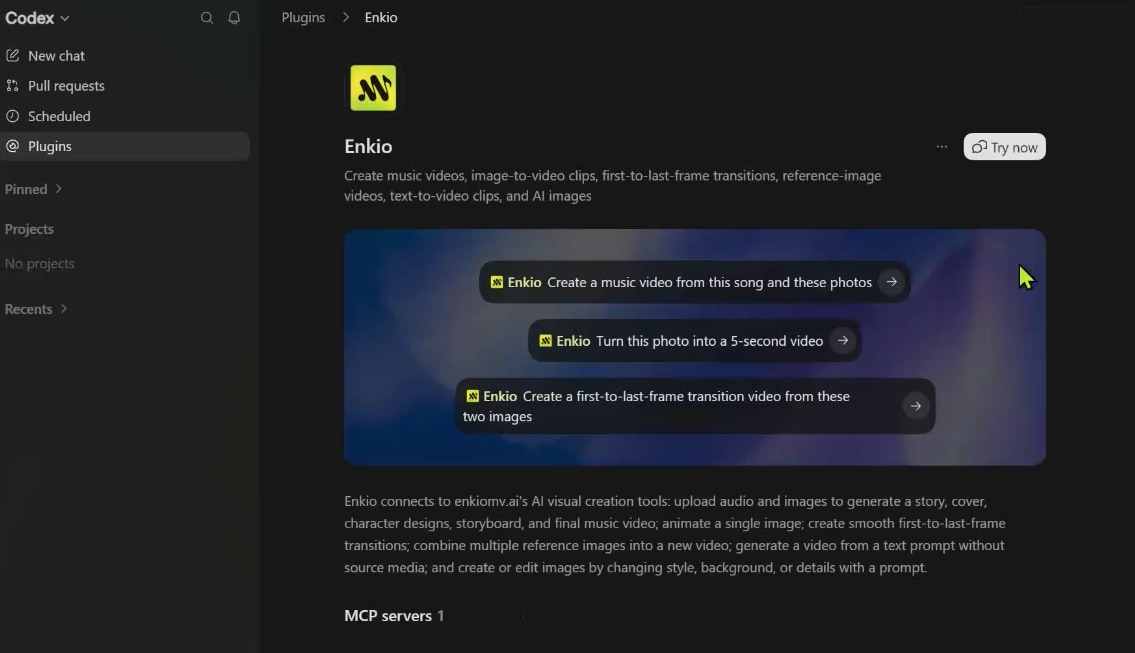
Choose Plugins, open the installed connector, click Try Now, and authorize the account holding the credits you plan to use.
Done whenThe conversation shows the connector as active.
-
Add the finished audio and at least one image. Include aspect ratio, mood, visual style, or camera direction only when it helps define the brief.
Done whenBoth required media types are readable in the conversation.
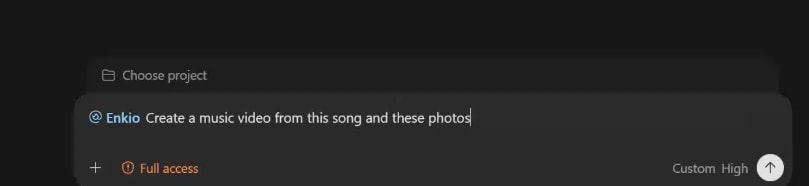
-
Ask the agent to verify the attachments, account status, available credits, and song length before generation begins.
Done whenThe prerequisites are confirmed and the request is bounded.
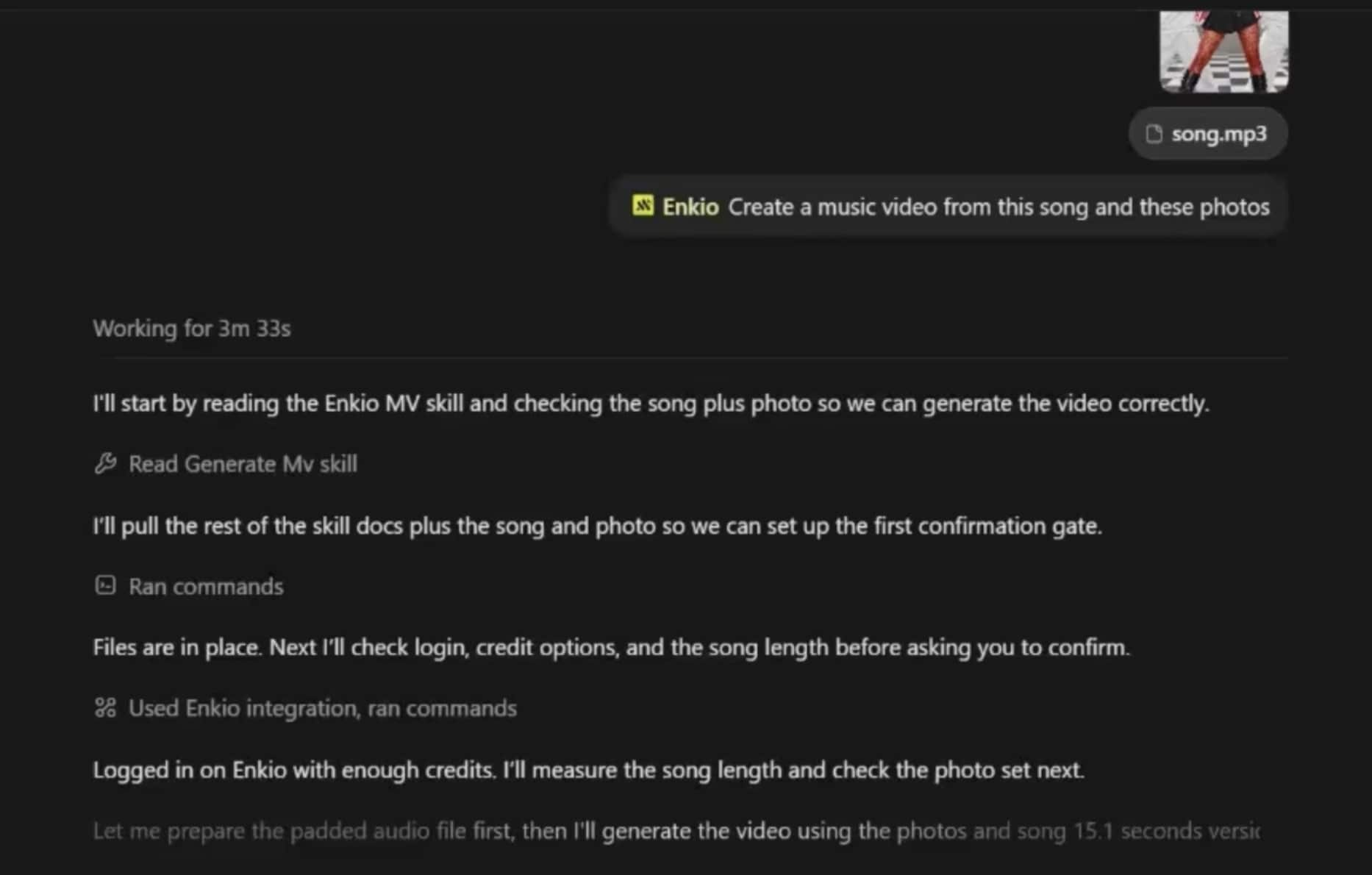
-
Submit the MV request and follow its status in the same conversation. Check the active job before retrying so a slow response does not create a duplicate render.
Done whenCodex reports a completed result rather than only a submitted task.
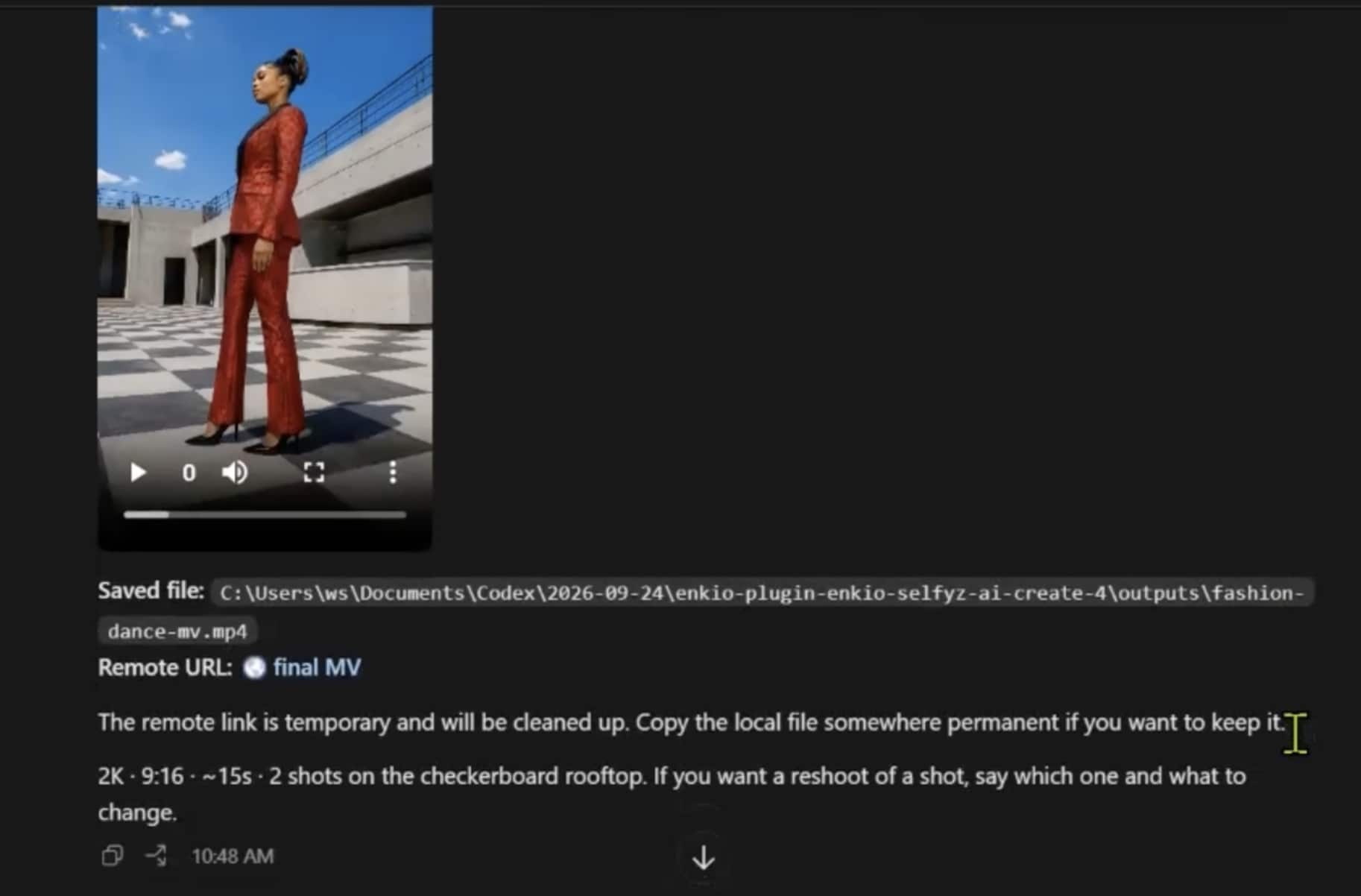
-
Save the reported local path as the permanent copy. If a scene needs work, identify that shot and request a targeted reshoot in the same conversation.
Done whenThe MV is stored locally and each revision request is specific.
Enkio keeps the request, status, result, and follow-up instruction in one agent conversation. You still need to check credits, review the output, and keep the file.
Set up Enkio MCP in Codex.
Follow the official installation path, attach a song and reference images, and keep the locally saved MV when the job finishes.
How to Choose a Music Video MCP Server
Choose a music video MCP server by the final deliverable. Our comparison uses six checks: input, output, authentication, spending control, task status, and revision scope.
Determine whether the server makes full MVs, clips, or an editable timeline. Then check its audio inputs: local file, public link, provider library, or generated song. Prompt-and-image tools may require separate assembly.
Inspect authentication and spending controls. Account authorization can avoid a separate API key, but the charged account must remain clear. For metered work, look for an estimate, approval step, or visible balance.
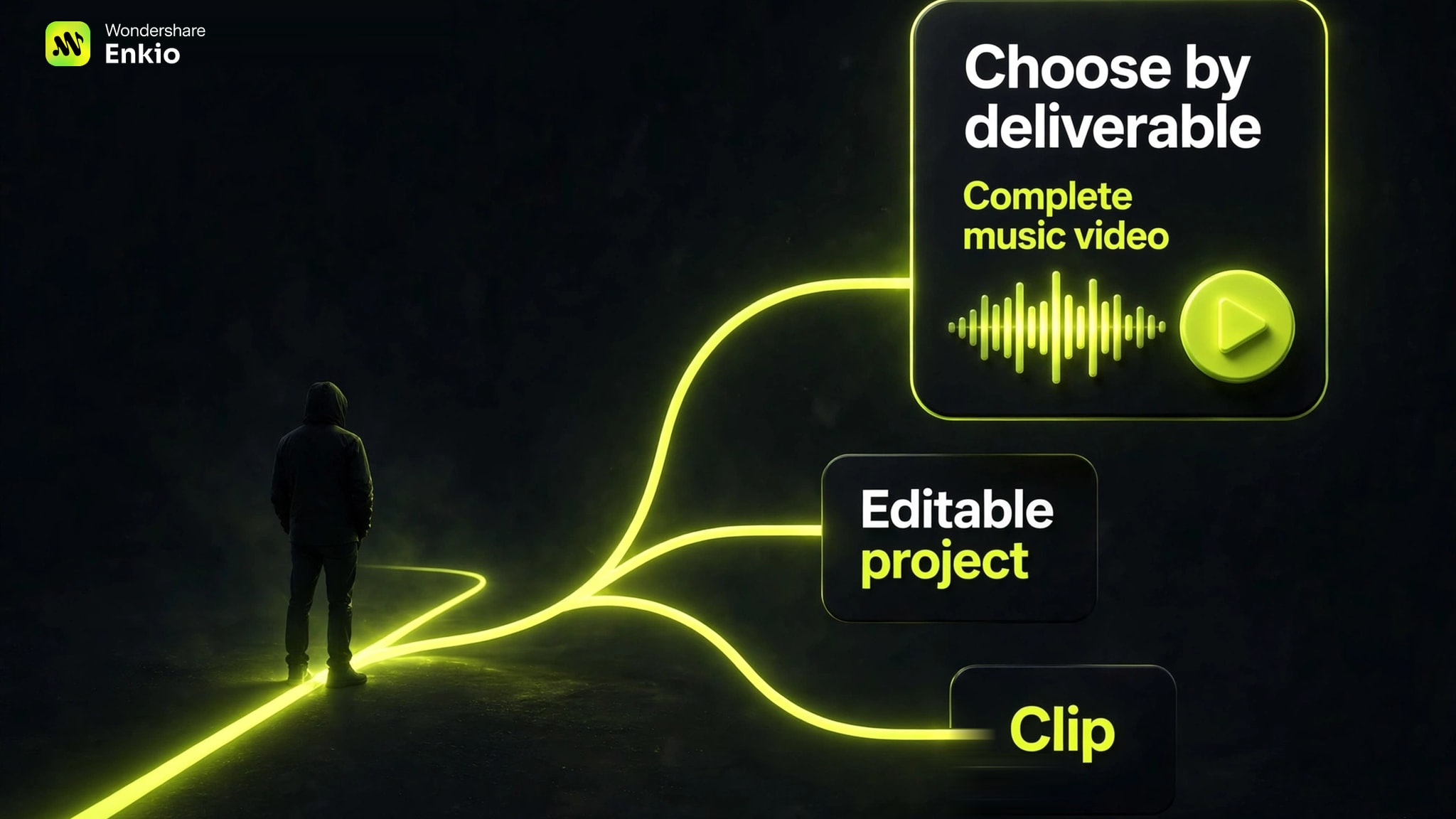
For long jobs, the client should preserve a task ID, distinguish pending from failed work, and check status before retrying. The result should become a local file, cloud asset, or editable project rather than only an expiring URL.
Check revision scope and current client support. Targeting one shot differs from restarting the video, and compatibility can change. Our upcoming Best Video Generation MCP Servers guide applies these criteria across major workflow types.
When Enkio Is and Is Not the Right Fit
This workflow fits when the song and reference images are ready and the intended result is a complete AI music video inside Codex. It is not a raw-model catalogue, self-hosted provider router, or general-purpose nonlinear editor.
This guide is published by Enkio. We scored the documented workflow on music-video fit 30%, input clarity 20%, setup and authentication 15%, task visibility 15%, output and revision handoff 10%, and limitation clarity 10%. The 8.5 excludes visual quality, speed, and long-term reliability because we did not run a controlled output test.
Our verdict
A focused fit for turning a finished song into an AI MV.
Enkio MCP is primarily built for AI music video generation inside Codex. It uses a song and reference images in an agent-guided workflow, with local result handoff and shot-level revision.
Pros
- Song-led workflow
- Account-based setup
- Local file and reshoots
Use a finished song and reference images to start an AI music video workflow.
AI Music Video GeneratorThe recommendation is conditional. Output currently tops out at 1080p, generation uses plan-dependent credits, and client support can change. Check current product and pricing pages before relying on any workflow detail.
If raw-model breadth or character systems decide the purchase, compare this narrower use case with our upcoming Higgsfield MCP Alternatives analysis rather than treating the products as complete substitutes.
Common Setup and Generation Problems
Most failures come from connection state, unreadable attachments, account limits, duplicate submissions, or temporary links. Diagnose the failed boundary before starting over.
The plugin does not appear after installation
Confirm the installer completed, restart Codex, and reopen Plugins. If the connector remains absent, verify the installer and Codex use the same local user environment.
The agent cannot read the song or image
Attach the media directly in the active conversation and confirm both items are visible before requesting generation. Replace an inaccessible cloud link with a local file you are allowed to use.
The job seems stuck and gets submitted twice
A quiet chat does not prove failure. Ask for the active task's status before resubmitting; one task reference reduces duplicate work and unintended credit use.
Credits or approval stop the render
Confirm the connected account and balance. Credit costs and benefits can change, so check the official pricing page for current plans.
Check the account before a long render.
Enkio MCP uses the connected account's credit balance. Review current plans and benefits before submitting the MV.
The result exists only at a temporary URL
Keep the reported local path as the durable copy. Temporary URLs are useful for transfer, not long-term storage.
One shot needs revision
Name the shot and requested change in the same conversation. A bounded reshoot is clearer than remaking the entire MV.
Frequently asked questions
Does MCP itself improve music video quality?
No. MCP standardizes how an agent discovers and calls tools. Visual quality depends on the connected service, the source song and images, the creative direction, and the selected workflow.
Can a music video MCP server change commercial-use rights?
No. Commercial-use terms come from the provider, plan, source assets, and distribution platform rather than the MCP protocol. Review the current terms before monetizing or delivering client work.
Can one MCP client connect to more than one music video server?
Yes, if the client supports multiple MCP connections. Give tools clear names and specify the intended deliverable so the agent can distinguish a full-MV workflow from clip generation or editing tools.
What should you archive after an AI music video job finishes?
Keep the local video, the source song and images, the creative brief, and any task or project identifier. Those records make later revisions easier and reduce dependence on an expiring link.
How should you compare full-MV servers with clip generators?
Count the steps needed to reach the deliverable. A clip generator may offer broader shot control, while a full-MV server carries more timing, continuity, assembly, and output handoff. For a finished song and one AI MV, this workflow is the narrower path.
Conclusion
A music video MCP server should verify the media, authorize the account, start one render, preserve its status, and return a video the creator can keep. Judge that complete handoff, not the number of loosely related tools.
Choose a general video server for raw clips, model routing, or editing operations. If your inputs are a finished song and reference images and your next deliverable is an AI music video, Enkio provides a focused Codex workflow while remaining bounded by credits, current client support, and output limits.