



A video generation MCP server connects an MCP-compatible AI agent to a video service. The agent can discover tools, pass instructions and media, monitor a render, and return an output or project link. Choose by deliverable: raw clips, an editable timeline, or a finished-video workflow.
Create an AI music video inside Codex.
Enkio MCP turns a finished song and reference images into an AI MV through an agent-guided workflow.
We reviewed current official pages from seven video-MCP providers and read their setup documentation on November 4, 2026. This is desk research, not an output-quality benchmark. Product support, authentication, and credit rules can change, so verify the current server page before connecting an account.
What Is a Video Generation MCP Server?
A video generation MCP server presents video capabilities as callable tools. The client may be a chat assistant, coding agent, or desktop app. The server describes each tool's required inputs and structured results, while the connected media service still performs the generation or edit.
Unlike a chatbot that only explains a website, an MCP-enabled agent can start a request, send a reference, check a job, or retrieve an output. MCP standardizes that exchange; it does not standardize the creative model or final deliverable.
In this guide, we use “video MCP server” broadly because current results mix generation, clipping, timeline editing, channel management, and analytics. A server that finds highlights is not doing the same job as one that creates a clip, and neither automatically produces a complete music video.
How a Video Generation Request Moves Through MCP
A video request usually passes through six stages: tool discovery, input validation, authorization, submission, status polling, and output handoff. Understanding the lifecycle helps prevent accidental duplicate renders.
The client first discovers the tools, matches the instruction, and checks required fields. Text-to-video may need a prompt and aspect ratio; image-to-video adds an accessible image; a music-video workflow may require reference audio and images.
Authorization may use OAuth, an existing vendor account, or an API key. The server then uploads or references the media and submits the job. Because video rendering is commonly asynchronous, the first response may be a task ID rather than a video.
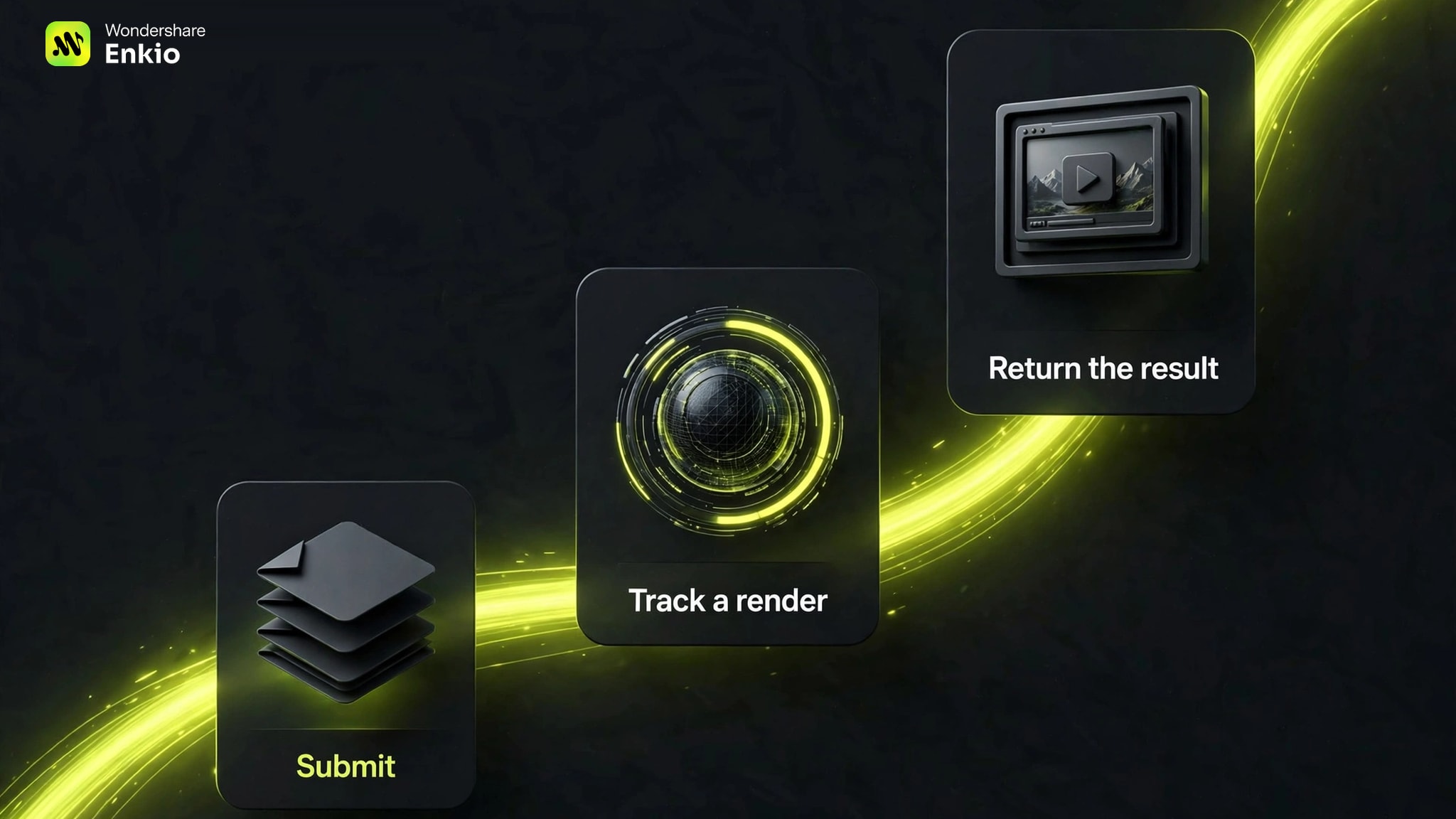
The client polls the task and distinguishes “still rendering” from “failed.” Completion may return a download URL, save an asset in a cloud library, open a live editor, or write a local file. That handoff determines whether the workflow is truly finished.
What MCP Gets Right for Video Workflows
MCP reduces the custom glue needed for an agent to use video tools. The server advertises callable tools and schemas, which the agent can inspect before choosing an operation.
An agent can ask for missing inputs, keep the creative brief beside the task, and explain the result in the same conversation. The creator avoids copying prompts between chat, an API console, and a status page.
A server can expose separate operations for generating, animating, checking, and downloading, or package those operations around a defined goal such as producing a music video from a song and reference images.
Real Limitations of Video Generation MCP Servers
We found that MCP standardizes tool access, not video services. Each server still defines its inputs, accounts, credits, storage, and output boundaries. Moving servers may require different prompts, files, and expectations of what “complete” means.
Long renders can outlast a chat turn. If the client loses the task ID or retries a job that is already running, the user may create duplicates. The server needs status tools, and the client needs to use them before resubmitting.
A local path is not automatically visible to a remote server. The client may upload the file, create a temporary URL, or use an asset library. Outputs have the reverse problem: a temporary link is not a permanent archive.
Connecting a server can also permit an agent to upload files, spend credits, or edit a project. Review permissions, isolate the working files, and confirm expensive actions before rendering.
Hosted vs Local Video MCP Servers
Hosted and local servers solve different operational problems. A hosted server supplies a remote URL and keeps runtime updates and scaling with the vendor. A local server runs on your computer and may call video APIs with keys stored in your environment.
Hosted servers are usually easier to add. OAuth can connect an account without exposing a key in chat. The tradeoff is trust: media, prompts, metadata, and billing pass through the service's infrastructure.
Local servers offer more control and auditability. In return, you own updates, secrets, provider changes, and the process keeping long renders alive. “Open source” does not mean “free to generate” when paid providers remain underneath.
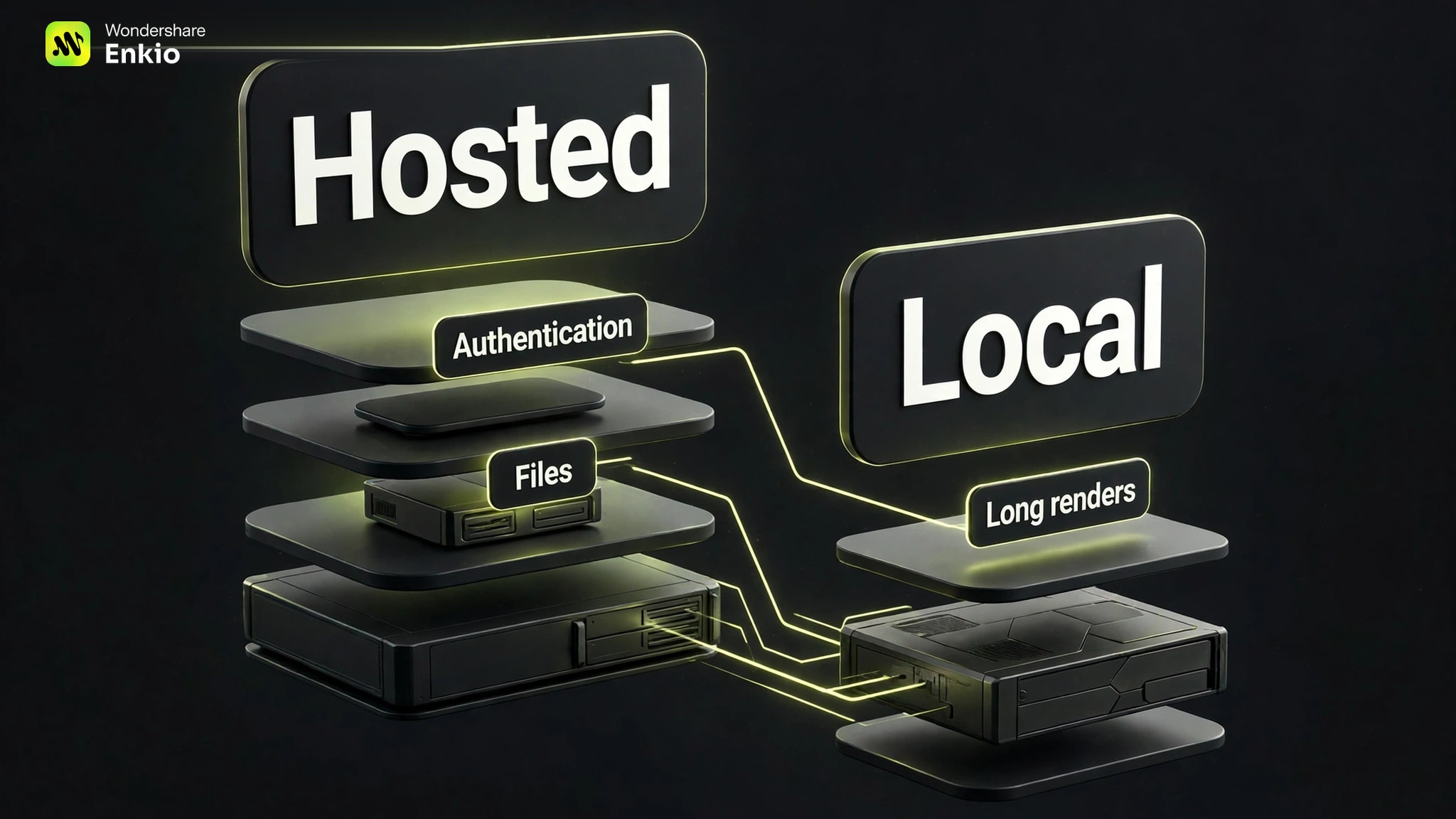
Many products are hybrid: the MCP process is local while rendering is remote. Separate server deployment from generation deployment. Readers switching for workflow rather than model breadth can use our upcoming Higgsfield MCP Alternatives comparison.
Pricing, Credits, and Long-Running Render Risks
As of November 2026, the cost of a video MCP workflow comes from the connected media service, not from the protocol. A server can be free to install while renders consume subscription credits or provider charges. Check each provider's official pricing page for current rates, billing ownership, and failed-job rules.
If the server cannot quote the expected charge, we recommend starting with the smallest valid request. Keep the task ID and poll before retrying; a stalled client is not proof that the provider missed the job.
Include storage in the calculation. A cloud library, expiring URL, and immediate local download create different archival costs.
Check current credits before you render.
MCP jobs use the connected Enkio account and its existing credit balance. Review current plans and benefits before starting a long video.
Three Different Video MCP Workflows
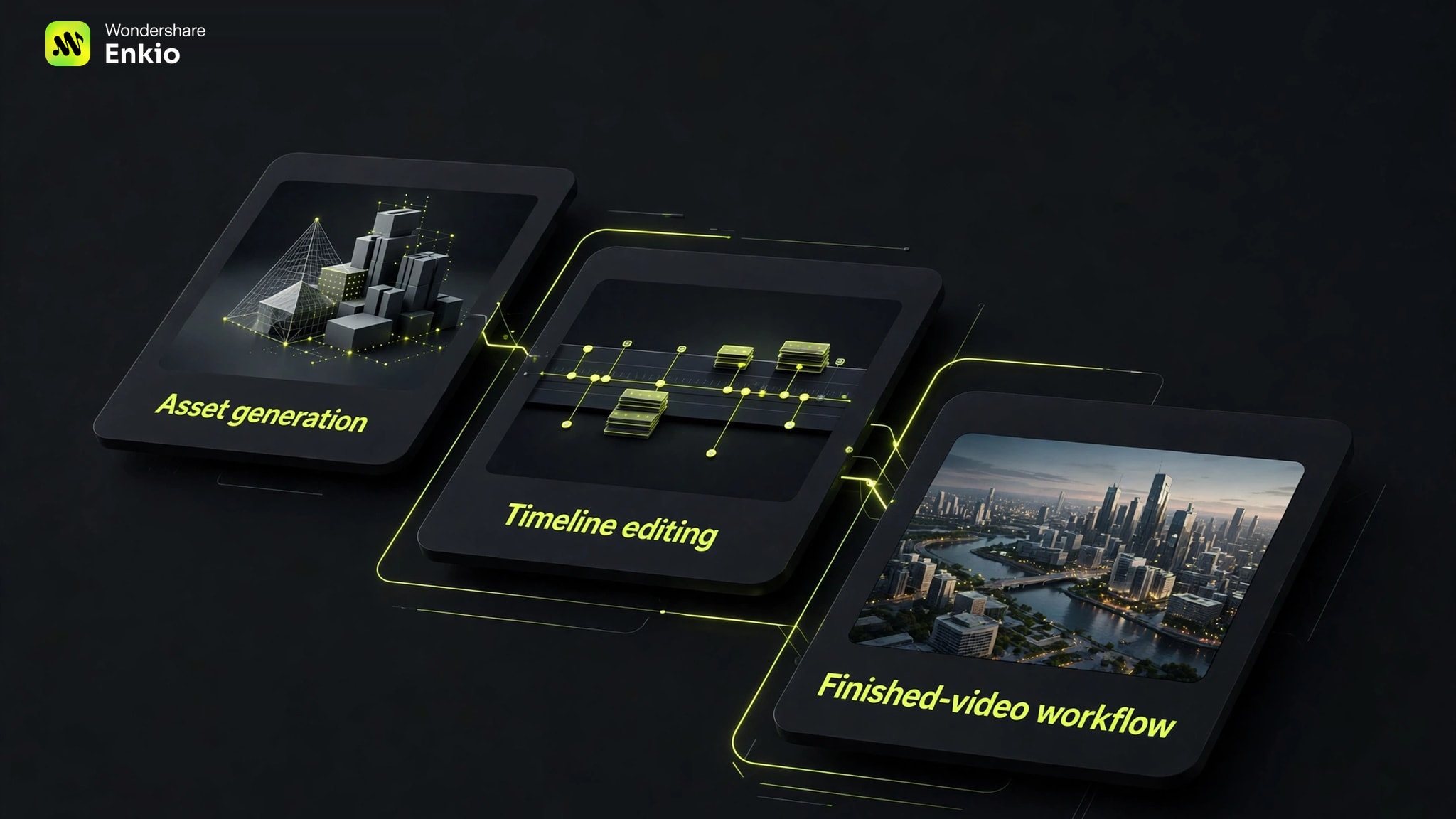
We compared by deliverable, not a vague “best server” label. This guide is published by Enkio, so our product receives the same fields and a visible limitation. Runway represents generated assets, invideo an editable timeline, and the third column a song-led music-video workflow.
| Decision point | Runway MCP | invideo MCP | Enkio MCP |
|---|---|---|---|
| Primary job | Generate image and video assets | Edit an NLE timeline and generate supporting media | Turn a song and reference images into an AI MV |
| Typical starting input | Prompt, image, or web-based creative brief | Existing footage, an editor project, or a generation brief | Finished song, reference images, and optional visual direction |
| Agent handoff | Add the MCP and authorize a Runway account | Connect the hosted server and sign in to invideo | Install the Codex plugin and sign in |
| Long-job result | Output is saved to the Runway library | Changes appear in a live invideo editor project | Codex reports the result and local file path |
| Best fit | Creating shots and visual assets | Rough cuts, captions, color, audio, and timeline delivery | Generating a complete AI music video from existing music |
| Main boundary | The creator still defines the wider assembly workflow | The workflow centers on an editable timeline | Music-video specialization, metered credits, and output up to 1080p |
This is not a universal ranking. Raw generation fits individual shots; editing servers fit cuts, captions, mixing, and NLE delivery. If the deliverable is driven by a finished track, start with a specialized Music Video MCP Server instead of assembling unrelated clip tools.
Our upcoming Best Video Generation MCP Servers guide compares hosted platforms, adapters, model routers, editors, and finished-video pipelines with one rubric.
Who Should Use Which Type of Video MCP Server?
Choose a raw-generation server when your deliverable is an image or short clip and you want direct control over prompts, reference frames, or model selection. Choose a timeline-editing server when your source footage already exists and the work is cutting, reframing, captioning, mixing, or exporting an editable project.
Choose a finished-workflow server when the output is defined before the first tool call. For musicians, that means the task is not “generate some video”; it is “turn this song and these reference images into one coherent MV.” Enkio is positioned for that narrower job inside Codex, using an agent-guided workflow rather than a generic model catalogue.
Our documentation-based rubric weights song-to-MV fit 35%, input handoff 20%, task visibility 15%, output handoff 15%, and limits clarity 15%. It does not score visual quality because we did not run a controlled render test. The documented workflow scores 8.3 out of 10: inputs and local output are clear, while the 1080p ceiling, variable render time, and plan-dependent credits keep the result conditional.
Our verdict
Best when a finished song needs a complete AI music video.
Enkio MCP is primarily built for AI music video generation inside Codex. It turns a song and reference images into an AI MV through an agent-guided workflow, rather than acting as a general model catalogue.
Pros
- Song-led workflow
- Local file handoff
- Reshoot in chat
Use a finished song and reference images to start an AI music video workflow.
AI Music Video GeneratorUse another MCP when you primarily need raw model access, an NLE timeline, video analytics, or self-hosted provider routing.
How to Use Enkio MCP in Codex
The documented workflow starts in Codex and uses the same account and credit balance as the web app rather than a separate API key. Music-video generation requires reference audio and at least one reference image.
-
Run the official installer and restart Codex if the plugin does not appear.
Done whenThe plugin is visible under Plugins.
-
Click Try Now and sign in to the account holding the credits you intend to use.
Done whenA new Codex conversation shows the plugin as active.
-
Add the finished audio and at least one image. Include aspect ratio, atmosphere, or camera direction when needed.
Done whenBoth media types and a bounded brief are present.
-
Send the request. Follow the status in the conversation instead of resubmitting while the job is active.
Done whenCodex reports a completed result.
-
Save the reported local file as the permanent copy. Identify any shot that needs a targeted reshoot in the same conversation.
Done whenThe MV is stored locally and revisions are specific.
If the audio is not finished, create it first with an AI Music Generator or bring in a song you already control. The upcoming Suno MCP Music Video workflow treats the local song file as the handoff between music creation and the visual stage rather than claiming an unverified native connection.
Set up Enkio MCP in Codex.
Follow the installation steps, attach a song and reference images, and keep the locally saved MV when the job finishes.
MCP vs API vs CLI for Video Generation
MCP, API, and CLI are different layers. An API accepts structured remote requests, a CLI exposes local commands, and MCP exposes tools and context to an AI agent. An MCP server may call an API or CLI underneath.
Use an API for production control, a CLI for local scripts and files, and MCP when an agent must discover tools, ask for inputs, and explain results. The deeper MCP vs API vs CLI guide maps authentication, debugging, and long-render responsibilities.
Frequently asked questions
Can OpenAI products use video generation MCP servers?
Some OpenAI products can connect to MCP tools, but support depends on the specific product, account, and server. Check the current client documentation and the vendor's setup page. A server listing ChatGPT support does not automatically mean every OpenAI interface exposes the same connection method.
What AI apps can connect to a video MCP server?
Common vendor pages currently mention clients such as ChatGPT, Claude, Cursor, coding agents, and compatible desktop apps. The reliable answer is the intersection of two lists: clients that support MCP and clients the server has documented or tested. Treat compatibility lists as time-sensitive.
Can one MCP client connect to multiple video servers?
Yes, if the client supports multiple MCP connections. Give servers and tools distinct names so the agent can tell them apart. Also tell the agent which deliverable you want; otherwise several similarly named generation tools can make selection less predictable.
What happens if a render continues after the chat session closes?
That depends on the provider. A remotely submitted job may continue even if the client disconnects. Keep the task ID, then reopen the provider library or use the server's status tool before submitting again. Do not assume a closed chat cancelled a paid render.
Does MCP determine whether generated video can be used commercially?
No. MCP is a connection protocol, not a licence. Commercial-use terms come from the media provider, the plan, the source assets, and any distribution platform rules. Read the current terms before monetizing or delivering client work.
Conclusion
A video generation MCP server is valuable when it turns a creative instruction into a controlled tool workflow: validate the inputs, authorize the account, submit one job, preserve its ID, report progress, and hand back an asset or project that the user can keep. The right server depends on the final deliverable, not the length of its feature list.
Choose raw generation for individual visual assets, timeline editing for existing footage, and a finished workflow when the endpoint is already defined. If that endpoint is an AI music video built from a completed song and reference images, Enkio is designed for that specific Codex workflow while remaining bounded by credits, variable render time, and its current output limits.